
What is Embedding?
An Embedding is a numerical representation of data.
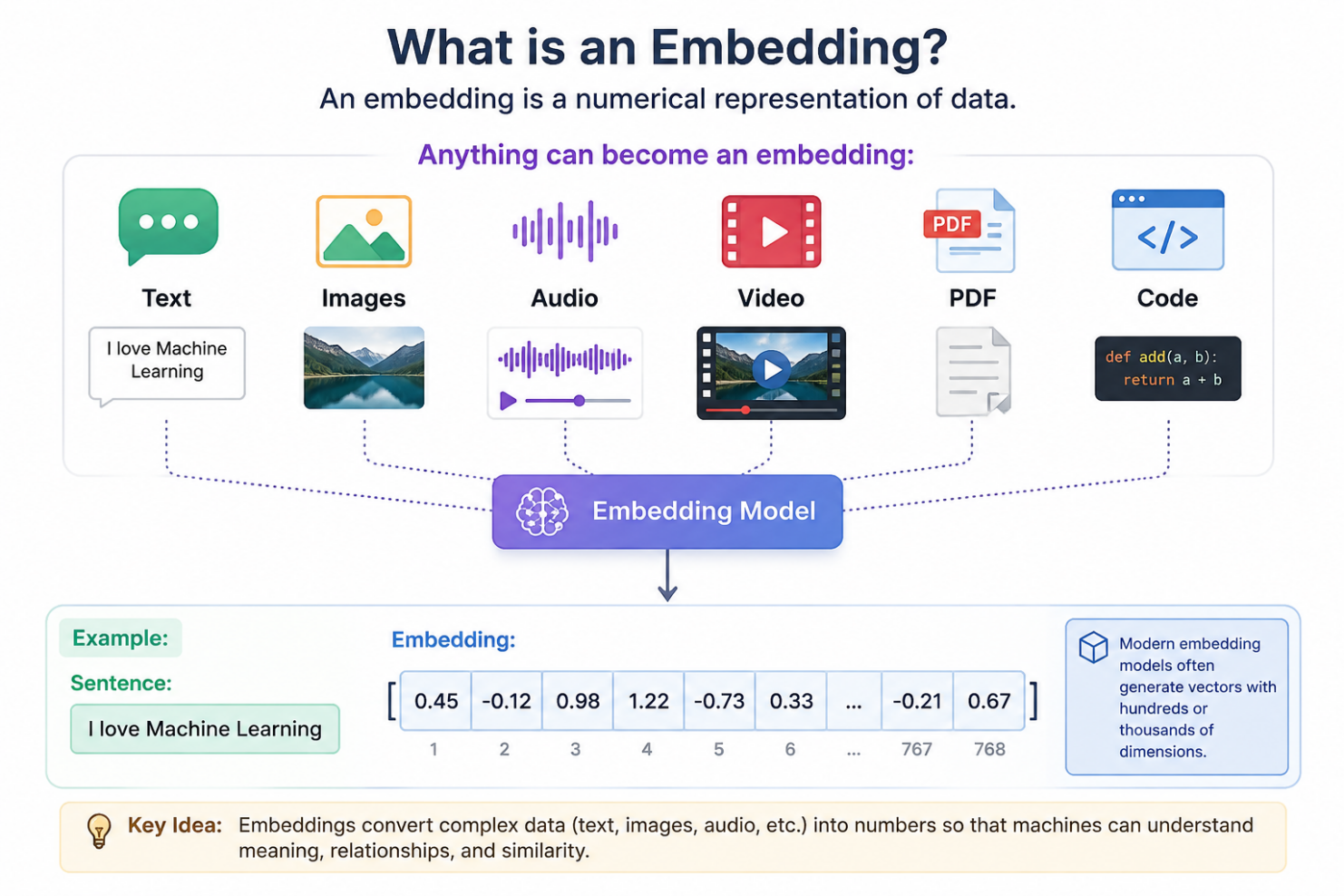
Text, Images, Audio, Video, PDF and code can be embedded and converted to vectors using Embedding model.
Oracle AI vector search offers vector utilities (SQL and PLSQL) to automatically generate vector embeddings from your unstructured data, either within or outside Oracle AI database.
As dissussed earlier, embeddings are vector representation that capture the semantic meaning of data, rather than actual words in a document or pixels in an image.
A vector embedding model creates these embedding by assigning numerical values to each element of data.
To generate embedding in oracle database, we can use below two approach:
- Inside Oracle: We can import and use Vector embedding models in ONXX format.
- Outside Oracle: We can generate embedding outside database by using third party vector embedding model REST APIs.
In this section, we will see first approach on how to import and use Vector Embedding models in ONXX format.
Oracle database 26AI includes an ONXX runtime engine for running embedded models directly into database.
ONXX stands for Open Neural Network Exchange. It is open standard format of machine learning models.
Pretrained models are models that are already trained on media data (text, image etc) and saved to storage format for future use.
Hugging face (https://huggingface.co/) is the most popular platform that hosts pretrained models.
Below are list of machine learning models
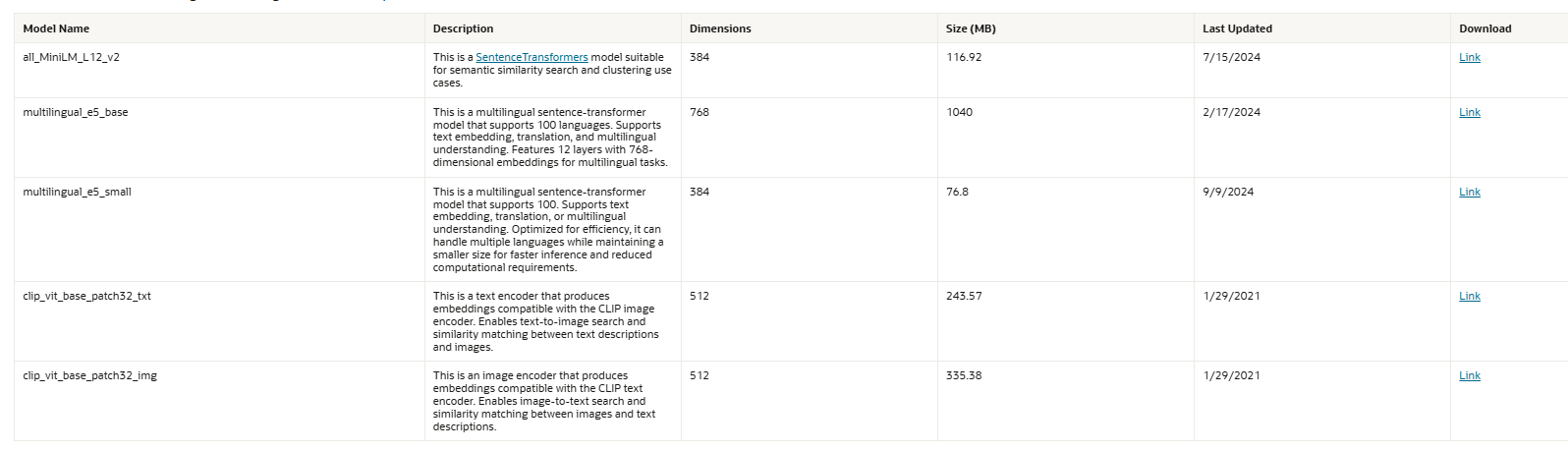
Source:
Follow below steps to Import above pretrained models in ONXX format to oracle database.
As we have provisioned Oracle database locally as well as on OCI, there are two different approaches to import embedding models.
In this section, we will see how to import embedding models in ONXX format for oracle database 26AI provisioned on OCI.
Step1: Download Pre-trained model in ONXX format.
We are going to use all_MiniLM_L12_v2 pretrained model for import.
Download this model from below URL.
This will download zip file. Unzip the zip file.
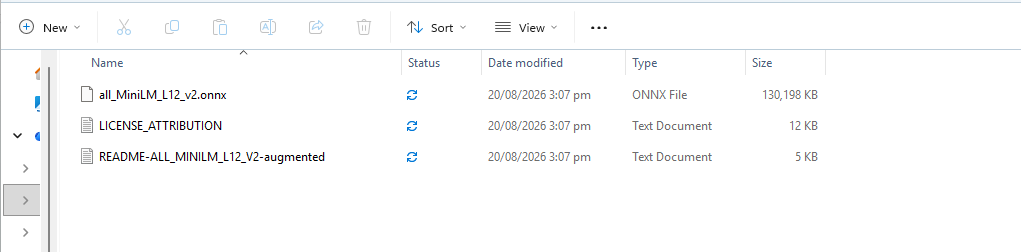
Step2: Create OCI Buckets
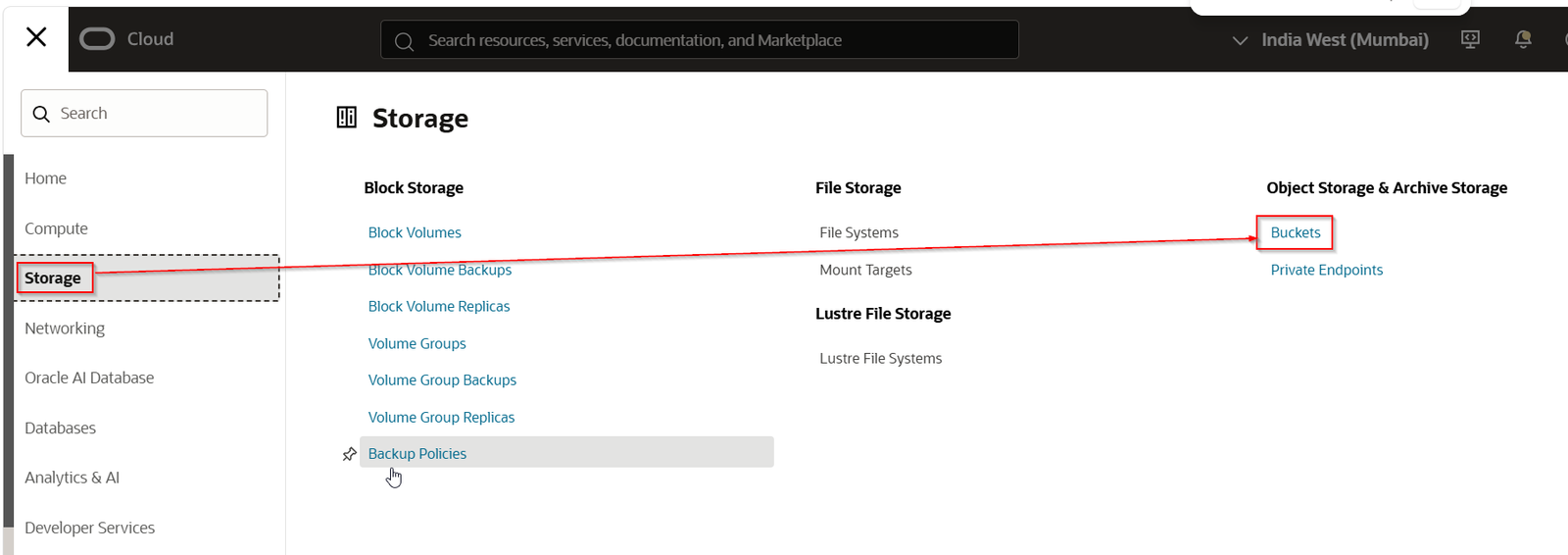
Login to OCI.
Navigate to Storage —>Buckets
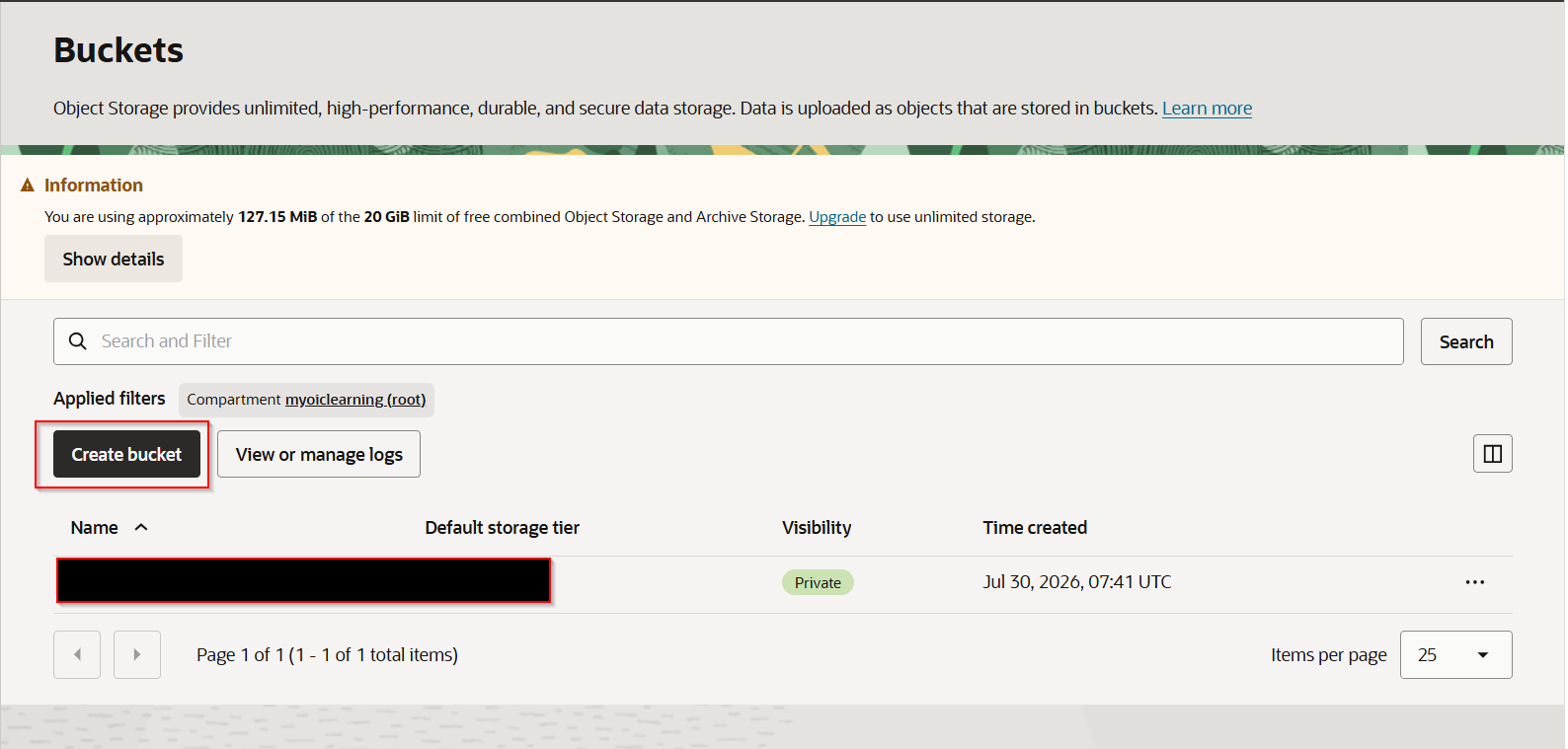
Click on “ Create Bucket”.
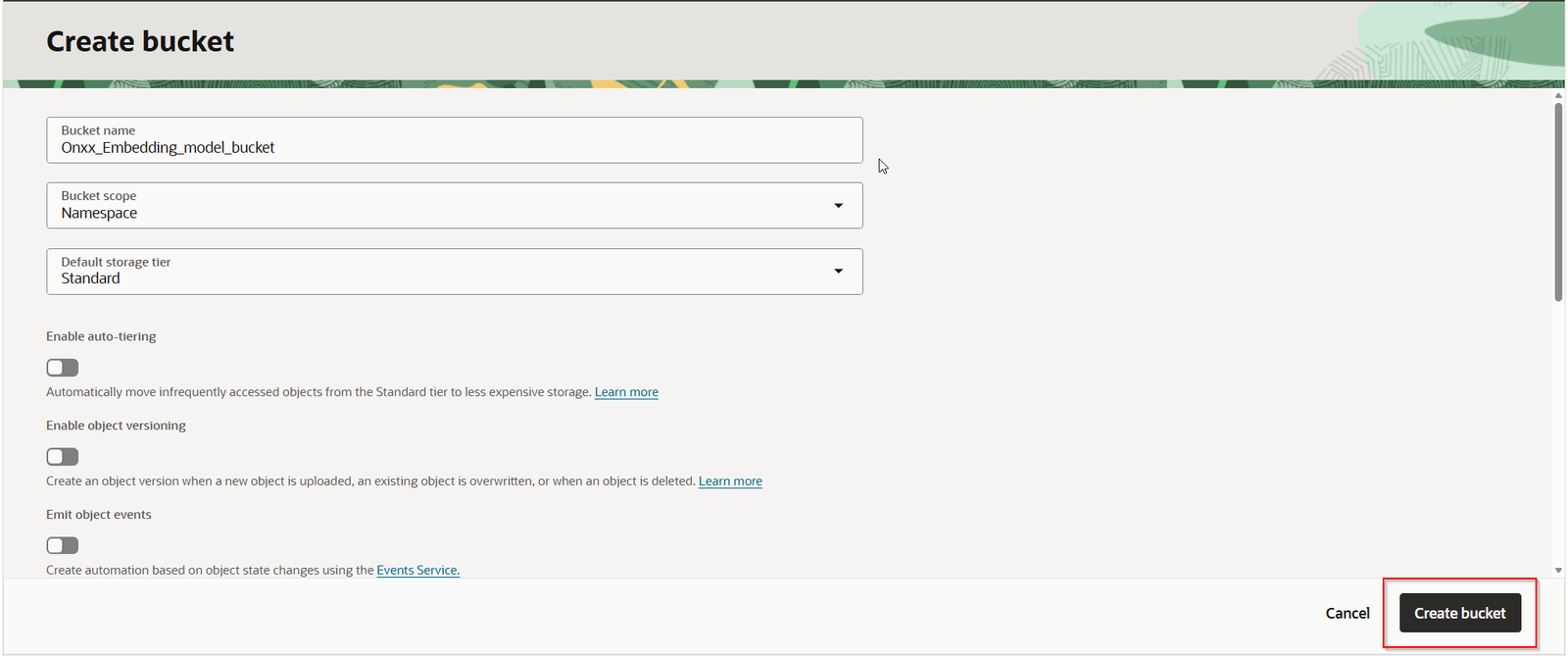
Provide some valid name and Click on “Create bucket”.
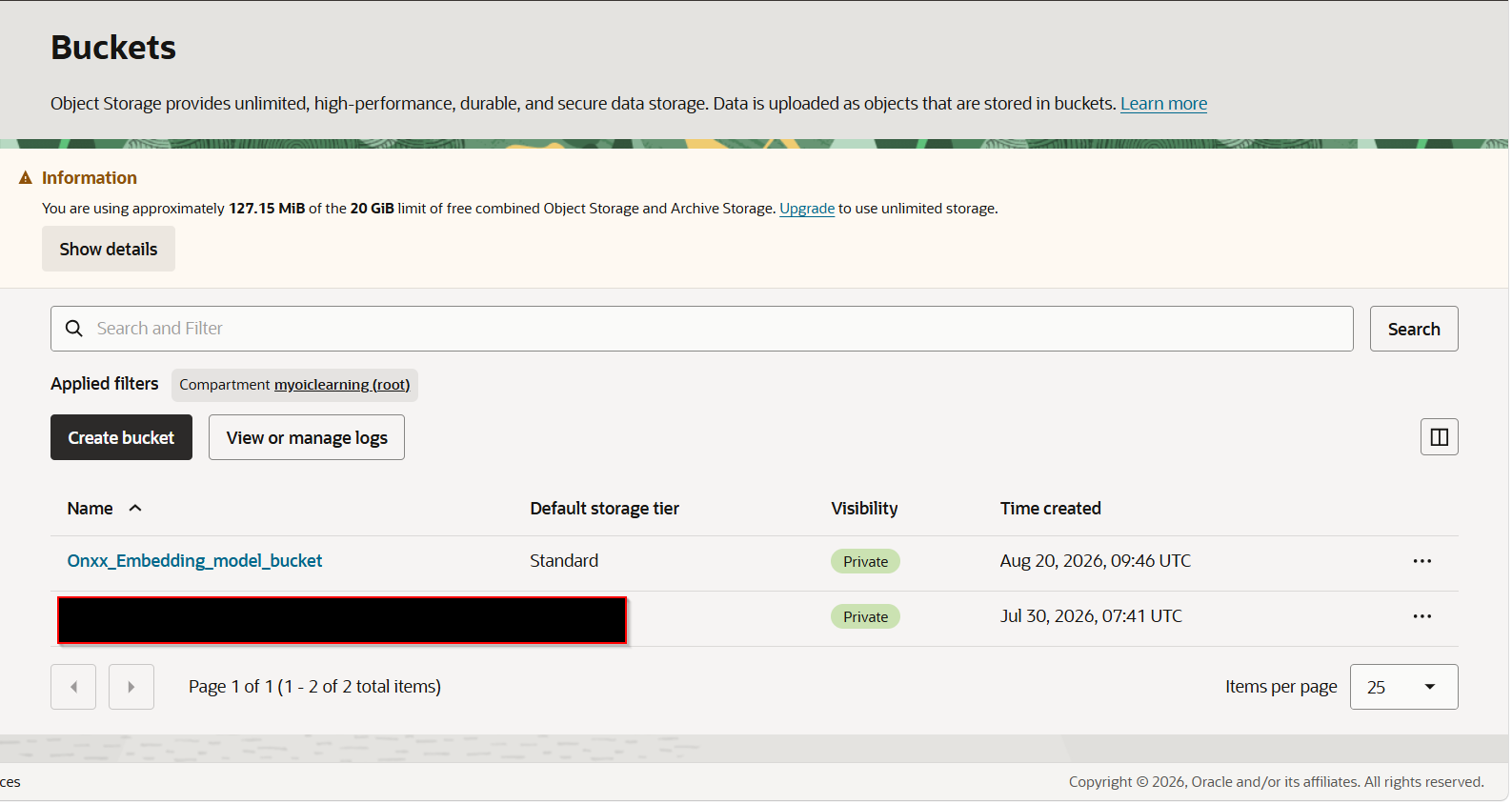
Step3: Upload downloaded model to OCI buckets.
Open OCI bucket which is created.
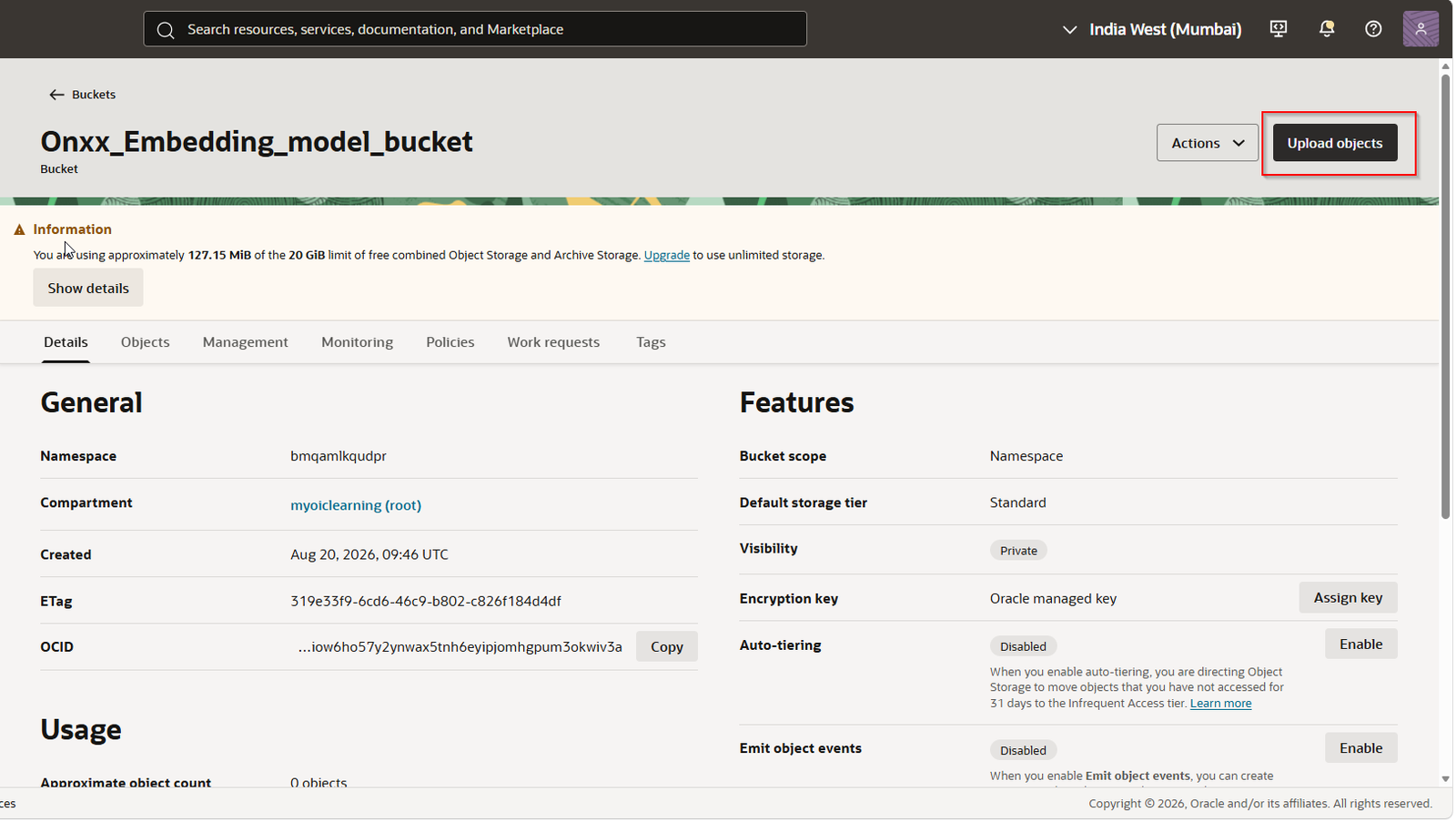
Click on Upload Objects.
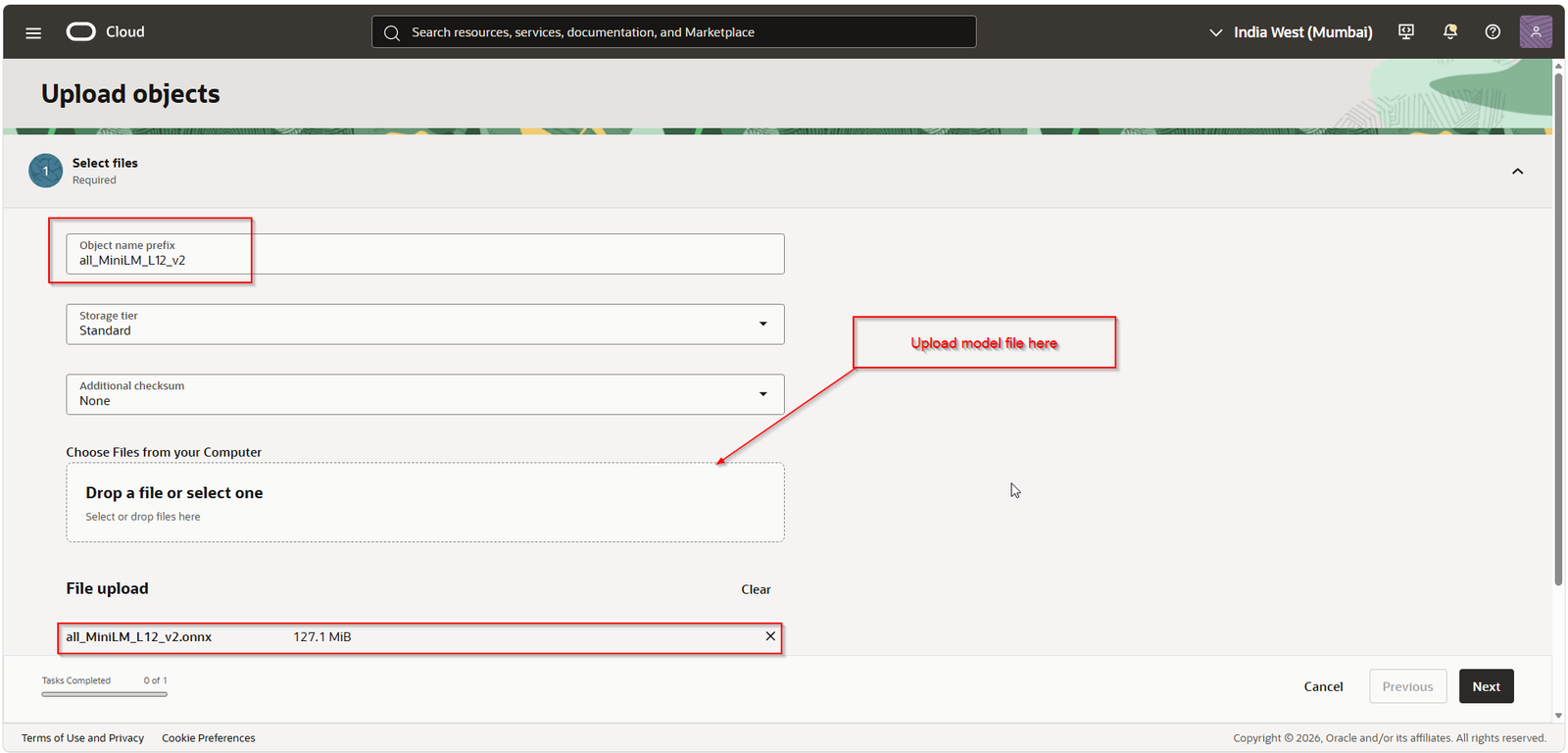
Click on Next.
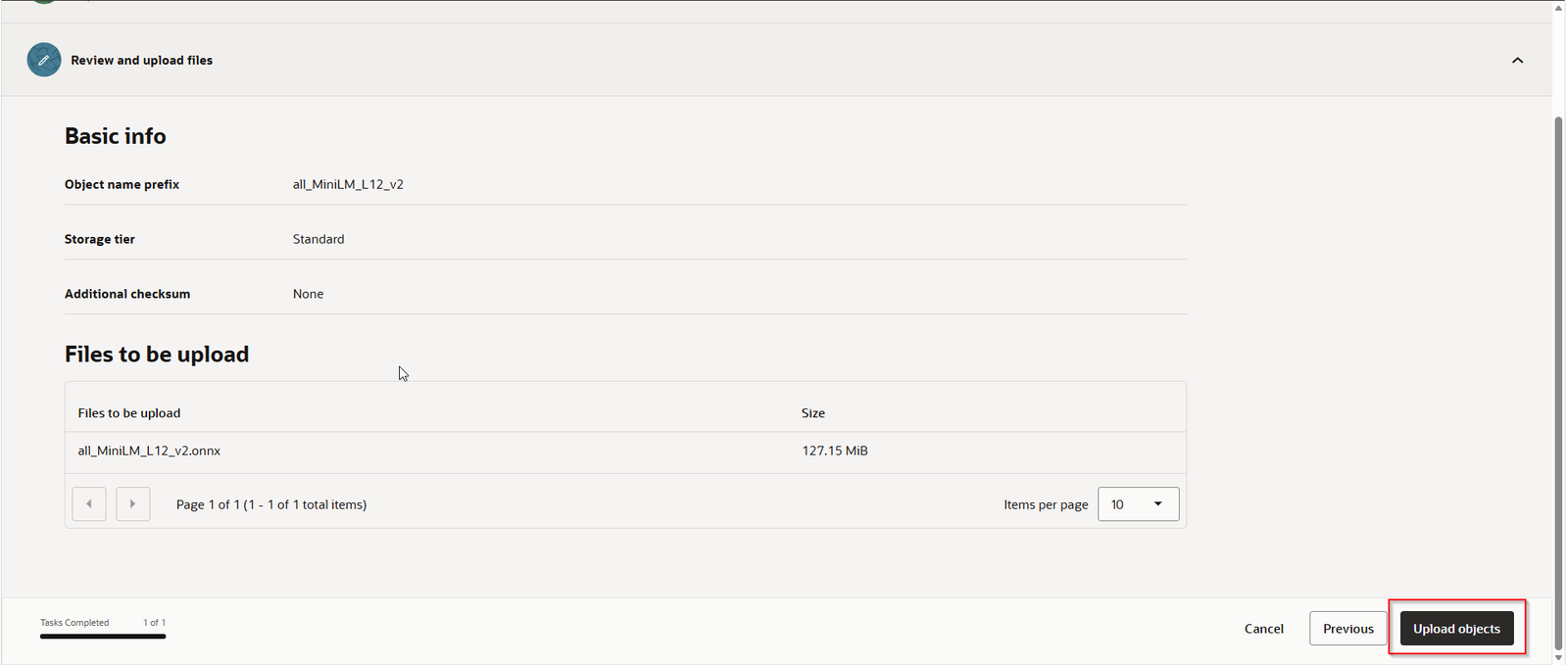
Click on “Upload Objects”.
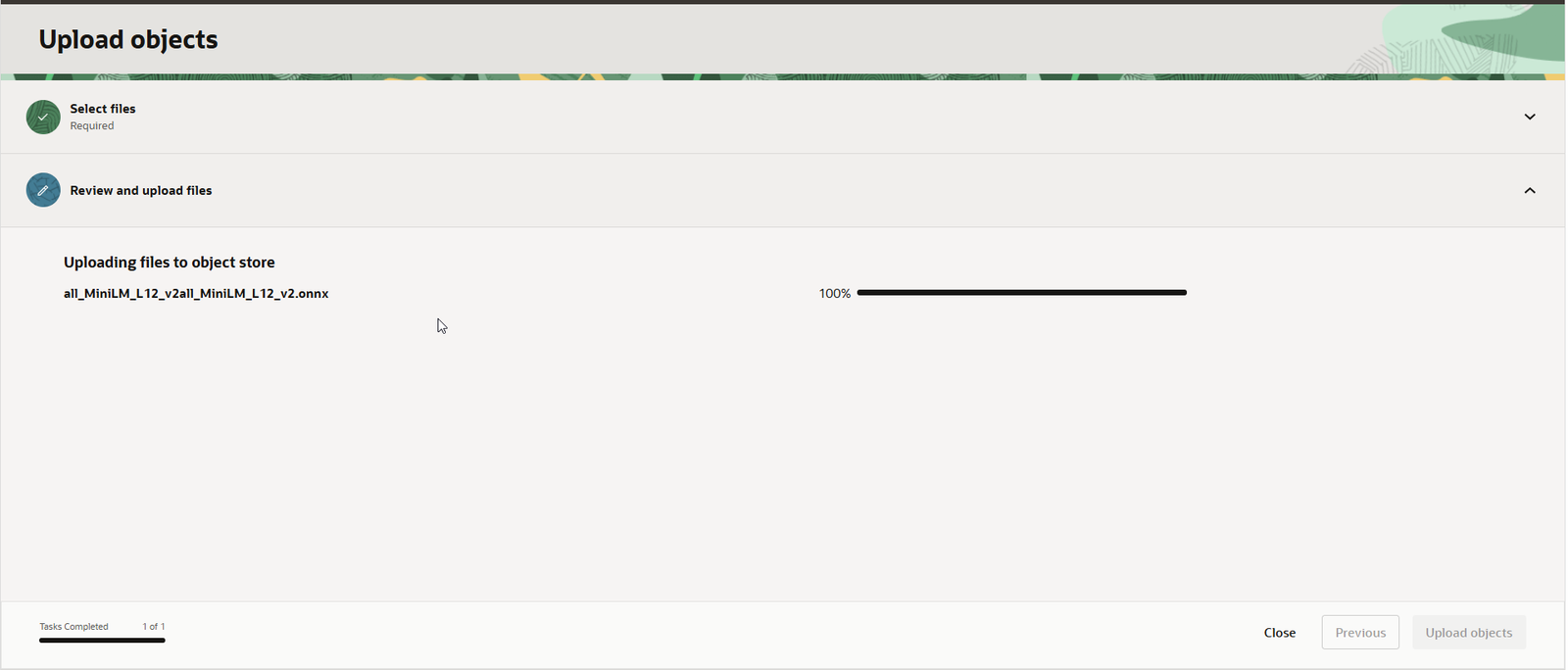
Once it shows 100%, click on Close.
Navigate to Objects to verify uploaded model.
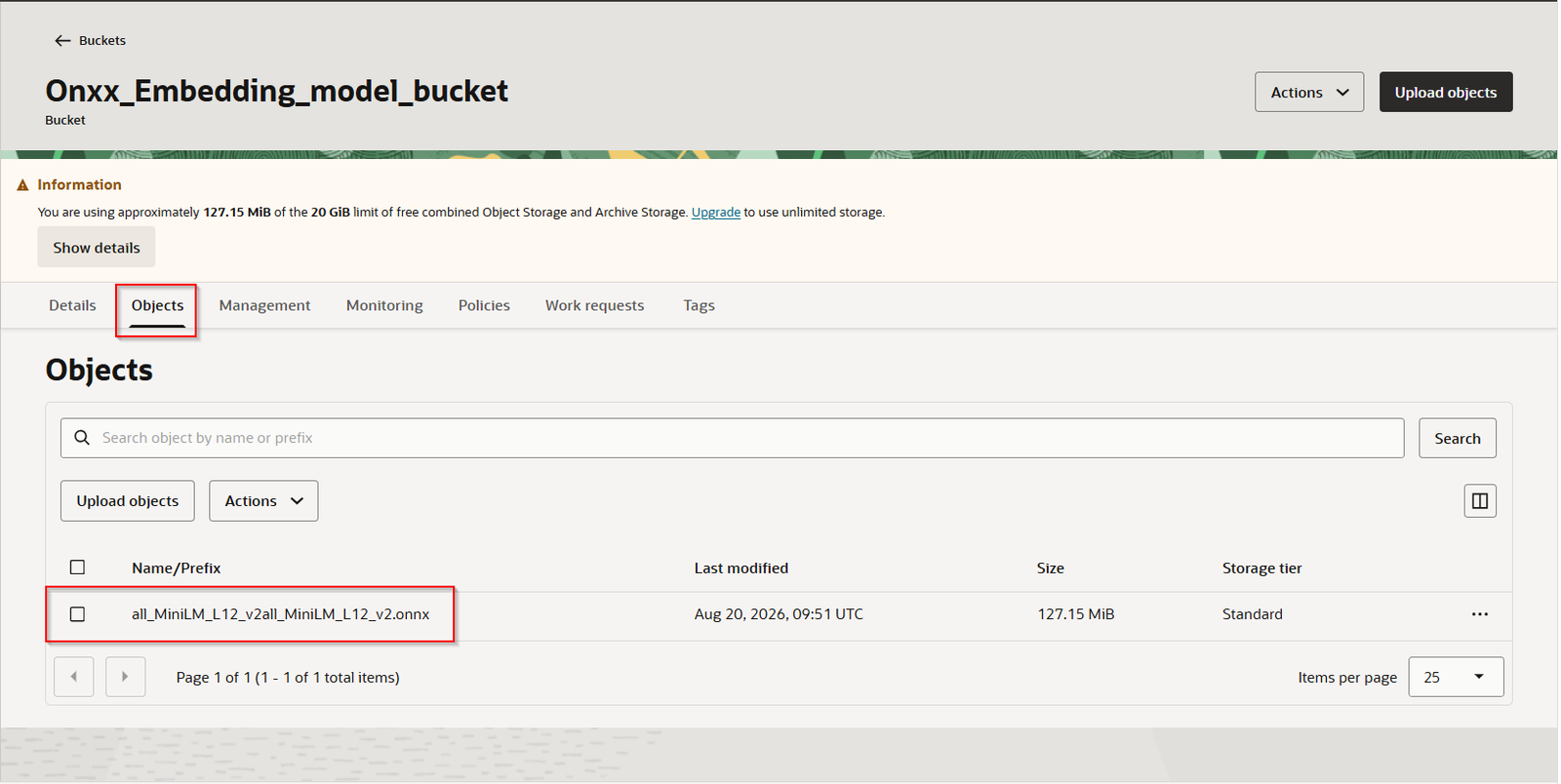
Click on three dots at right hand side.
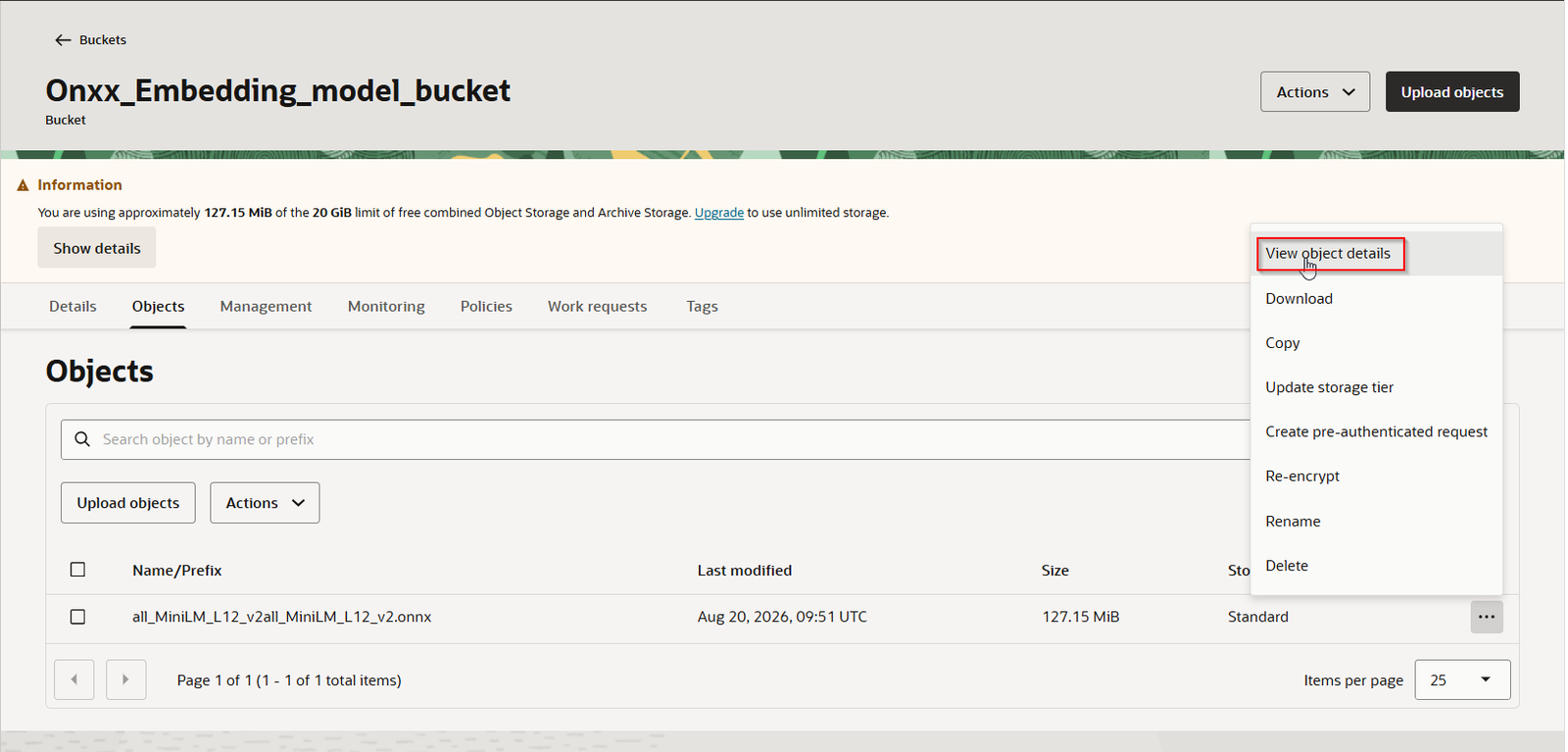
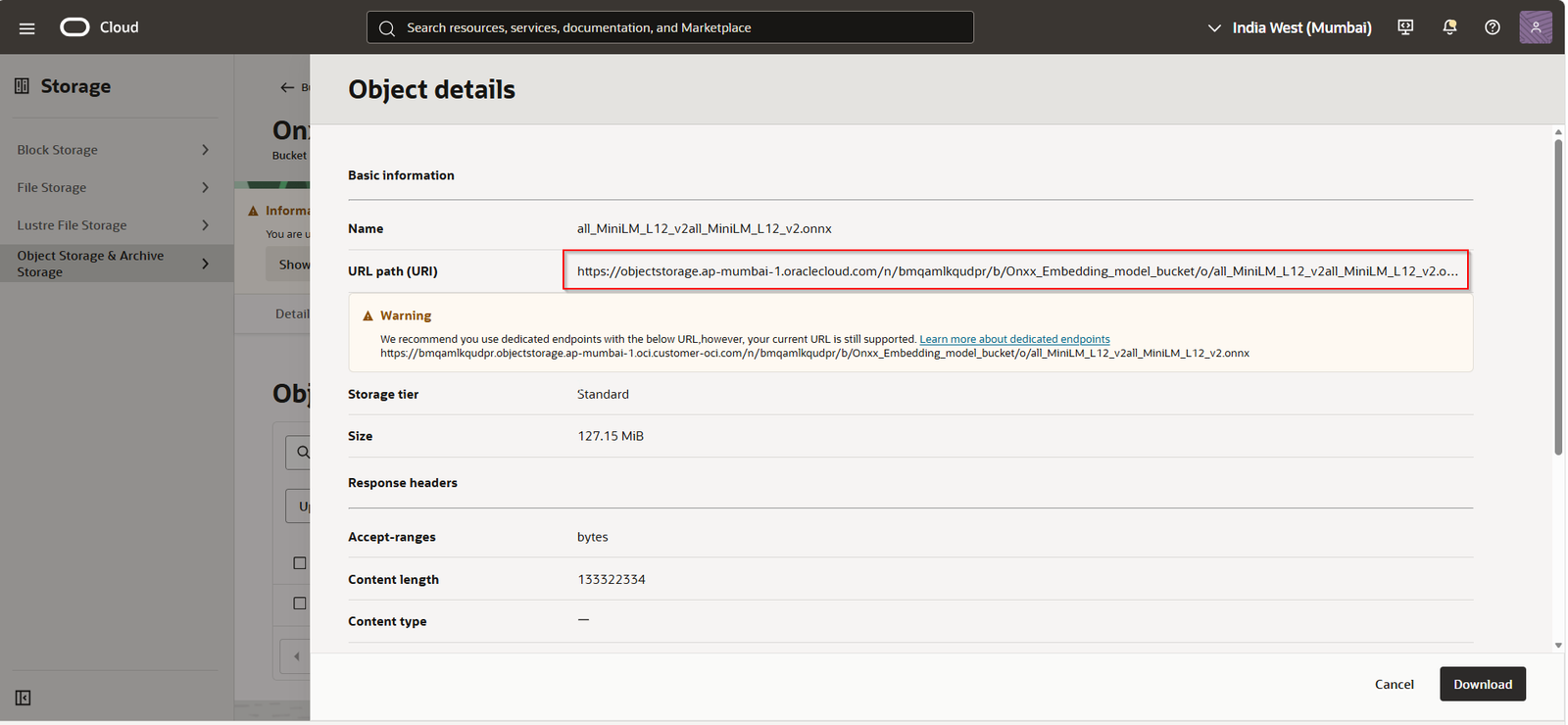
Click on “View Object Details”.
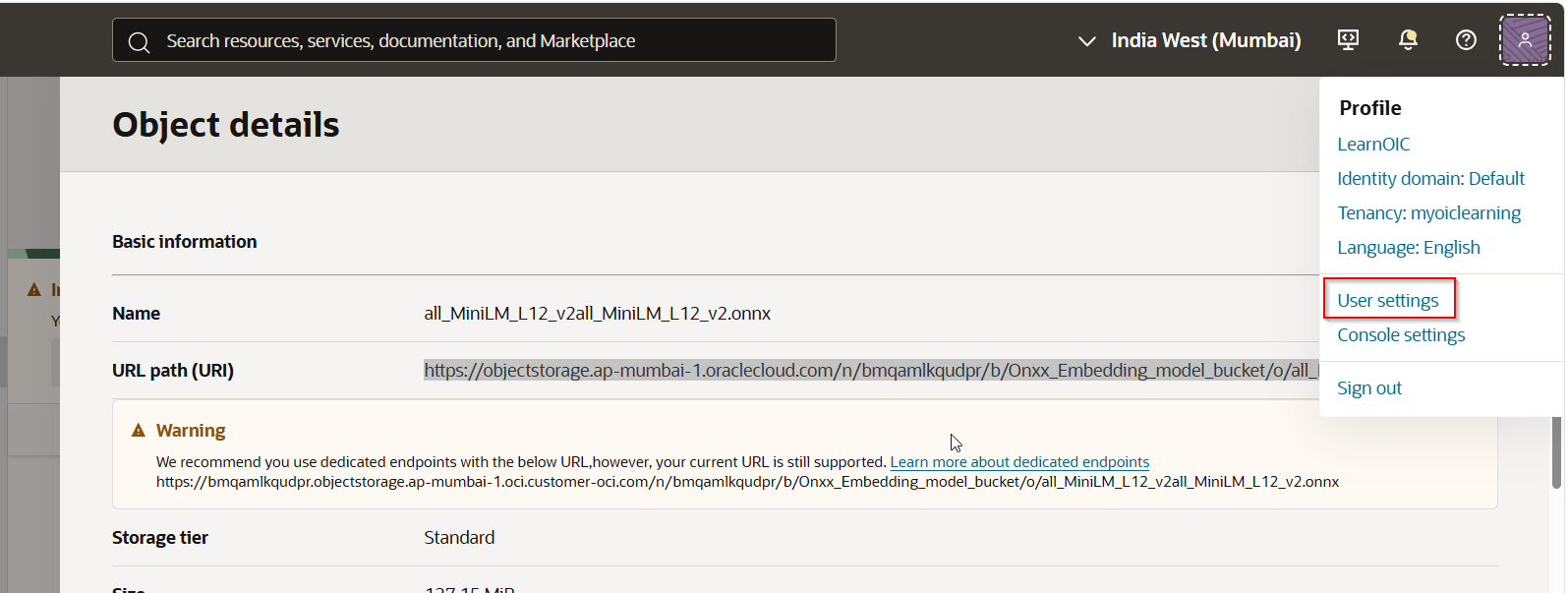
Note URL Path:
Step4: Create Credentials.
Navigate to Profile —>User Settings.
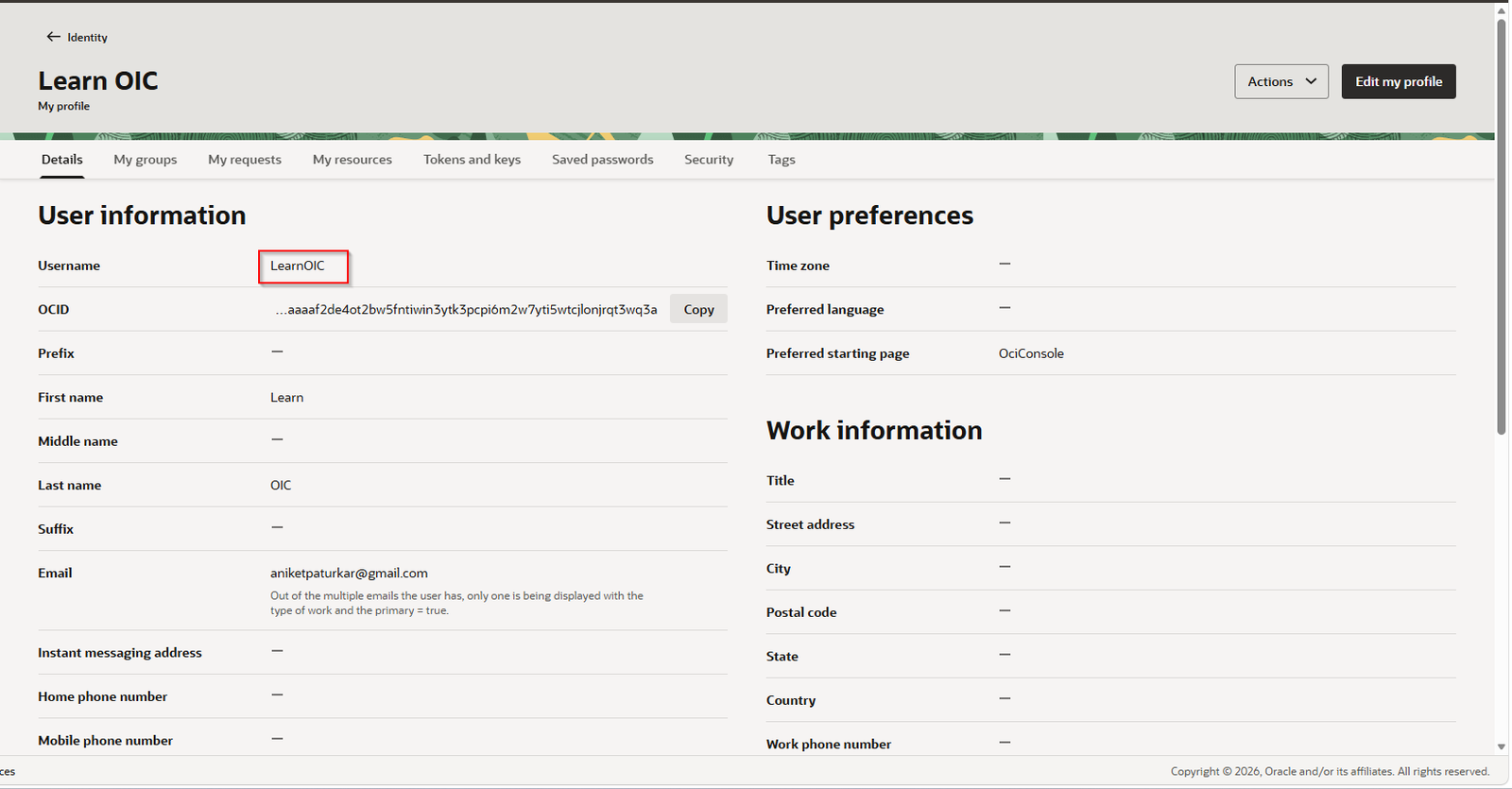
Note Username.
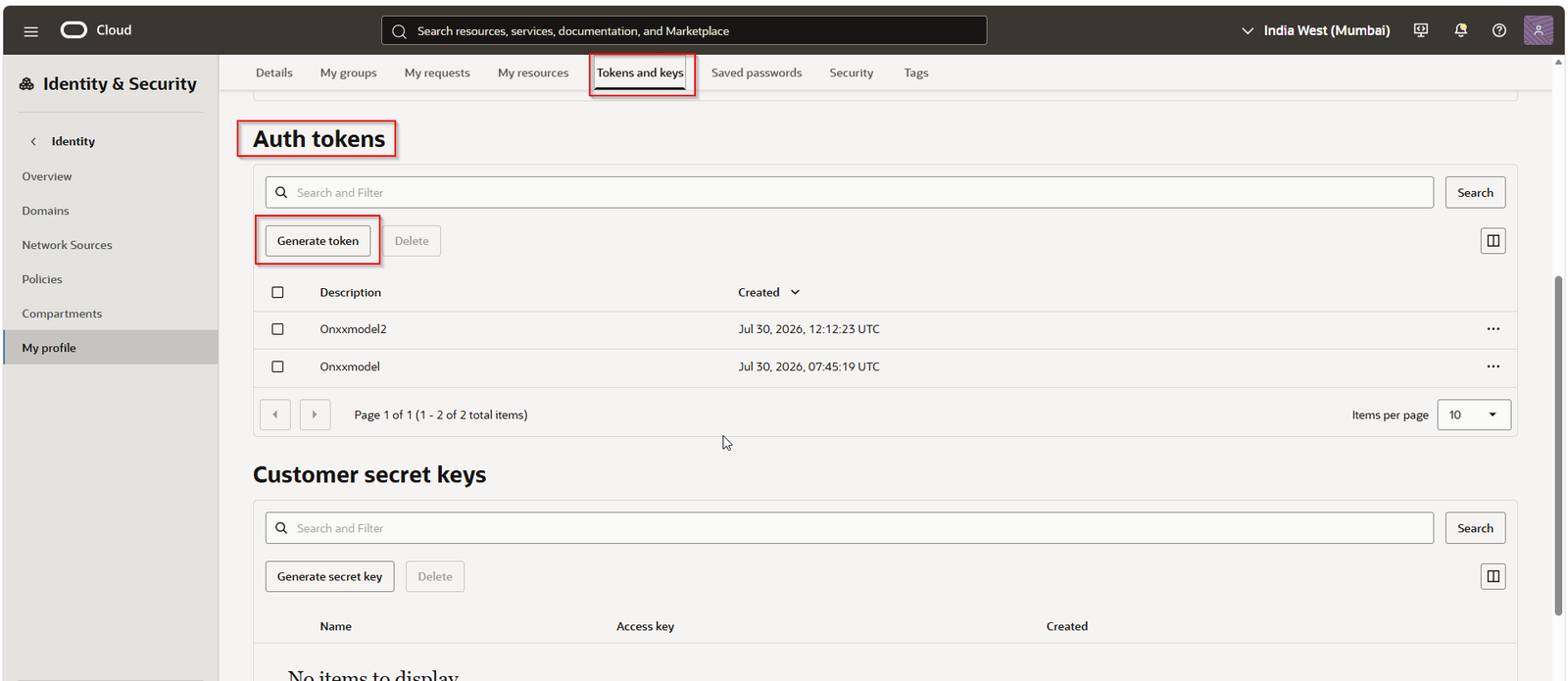
Navigate to “Tokens and keys”.
Under Auth tokens, click on “Generate Token”.
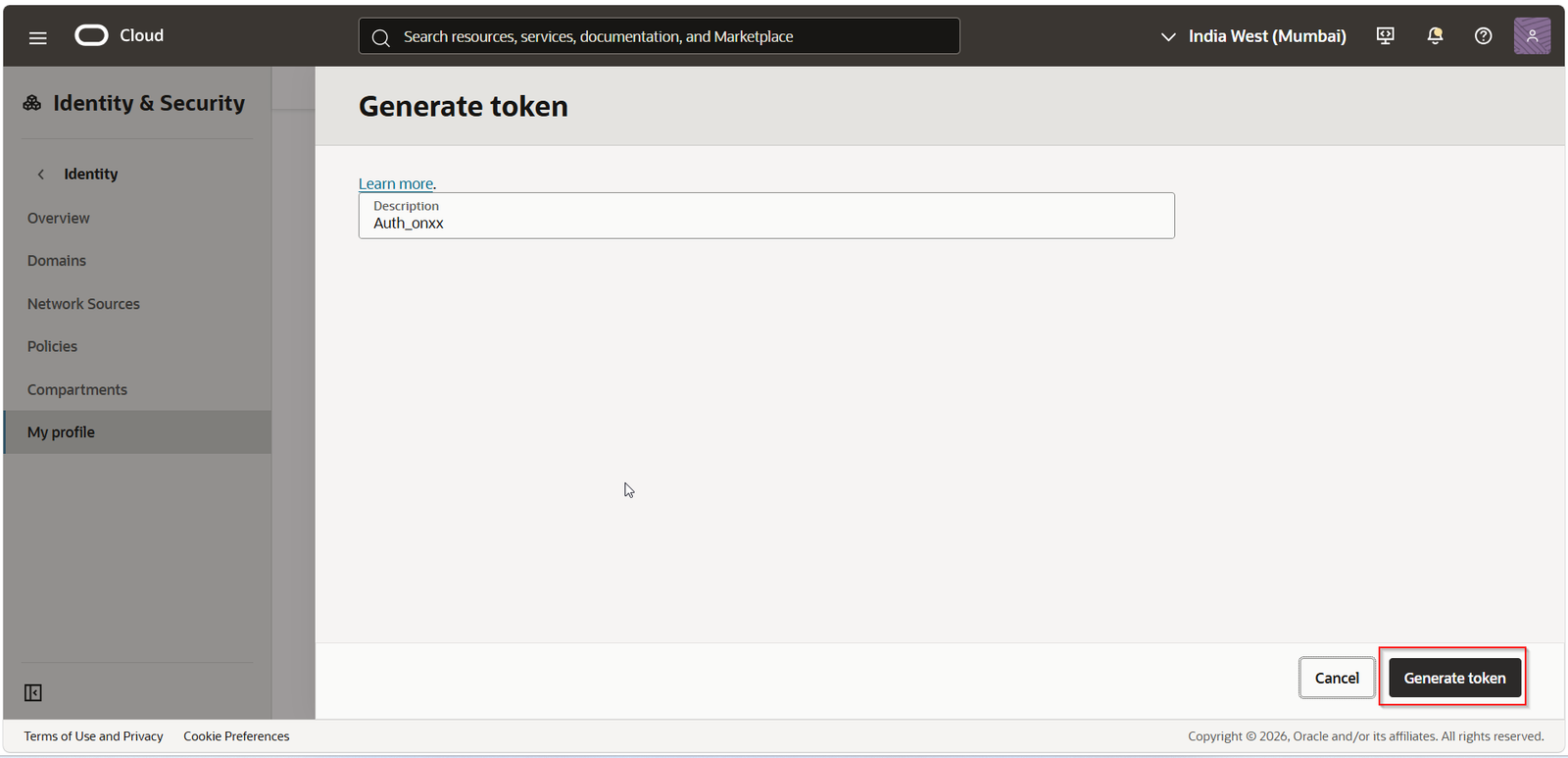
Click on “Generate Token”.
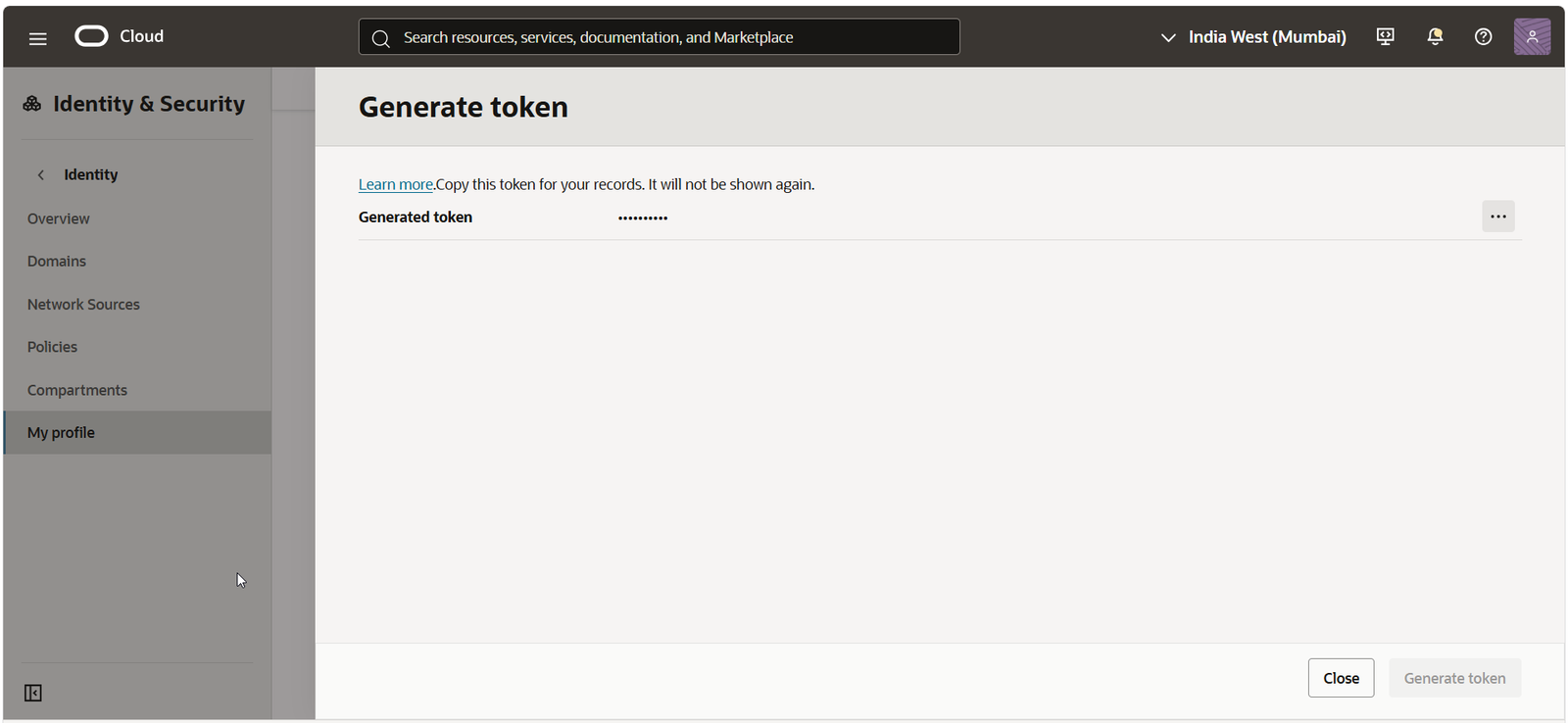
Copy this generated token.
This will create Credentials.
Step5: Create new database user.
Login to your oracle databse 26ai from VS code with ADMIN user.
Create new database user with below command:
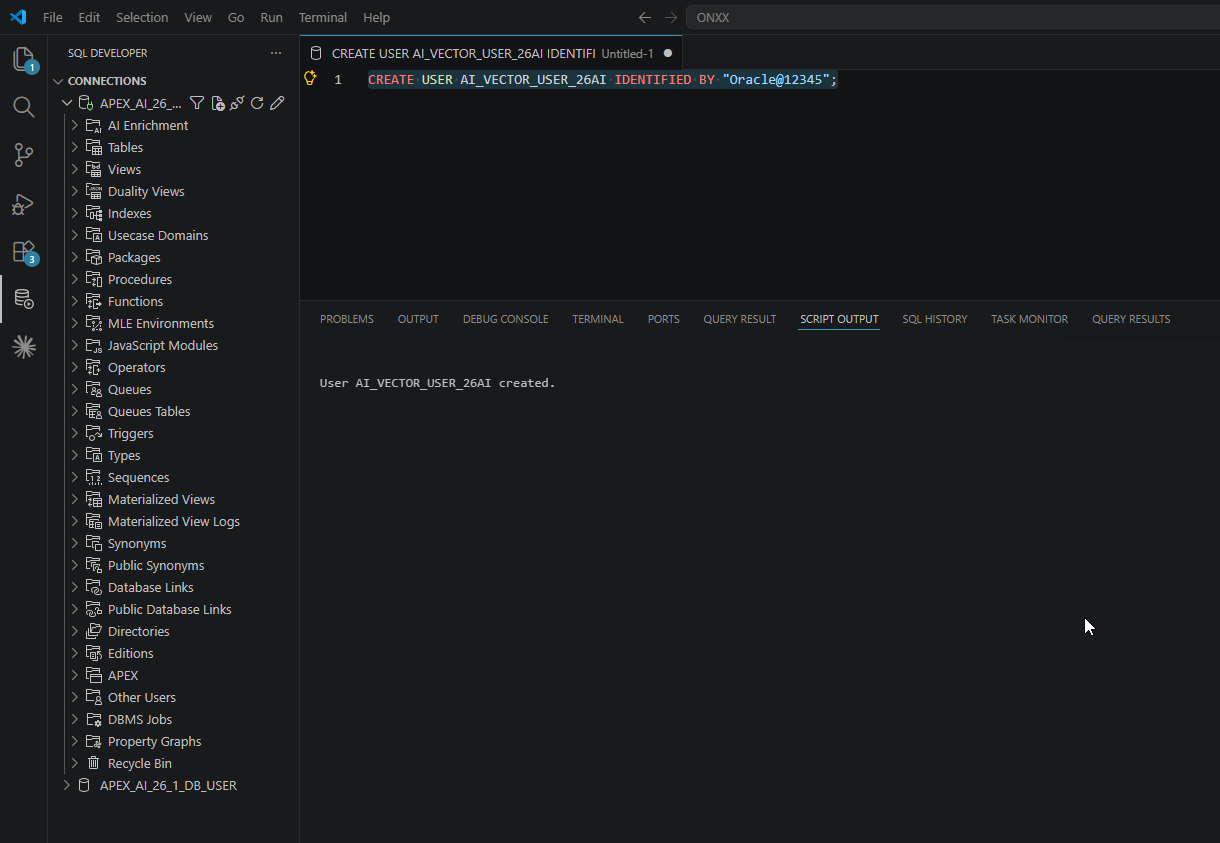
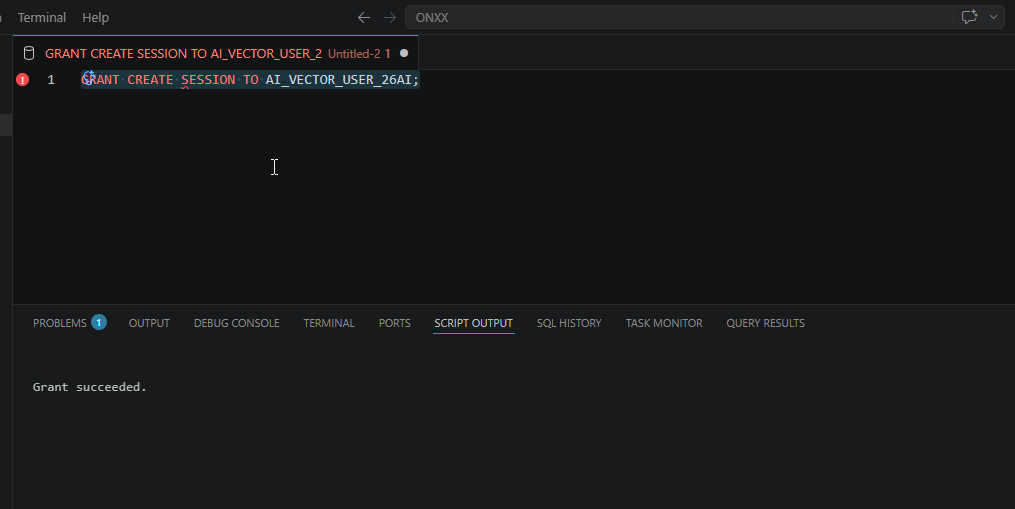
Provide grant to new user.
- GRANT CREATE SESSION TO ai_vector_user_26ai;
- GRANT EXECUTE ON dbms_cloud TO ai_vector_user_26ai;
- GRANT EXECUTE ON dbms_vector TO ai_vector_user_26ai;
- GRANT CREATE mining model TO ai_vector_user_26ai;
- GRANT db_developer_role TO ai_vector_user_26ai;
- ALTER USER ai_vector_user_26ai QUOTA UNLIMITED ON data;
Create new connection with newly created user.
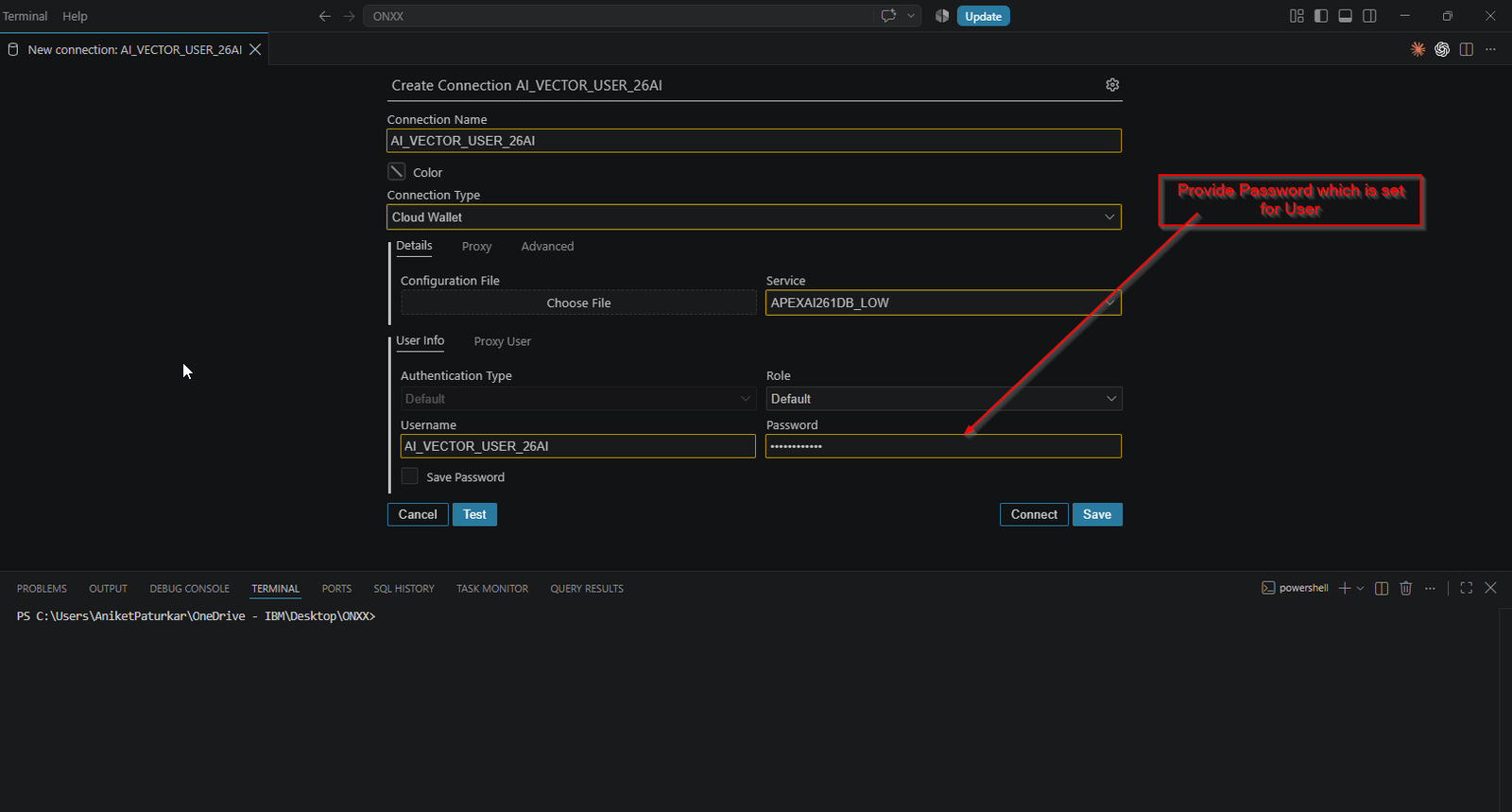
Click on Test.
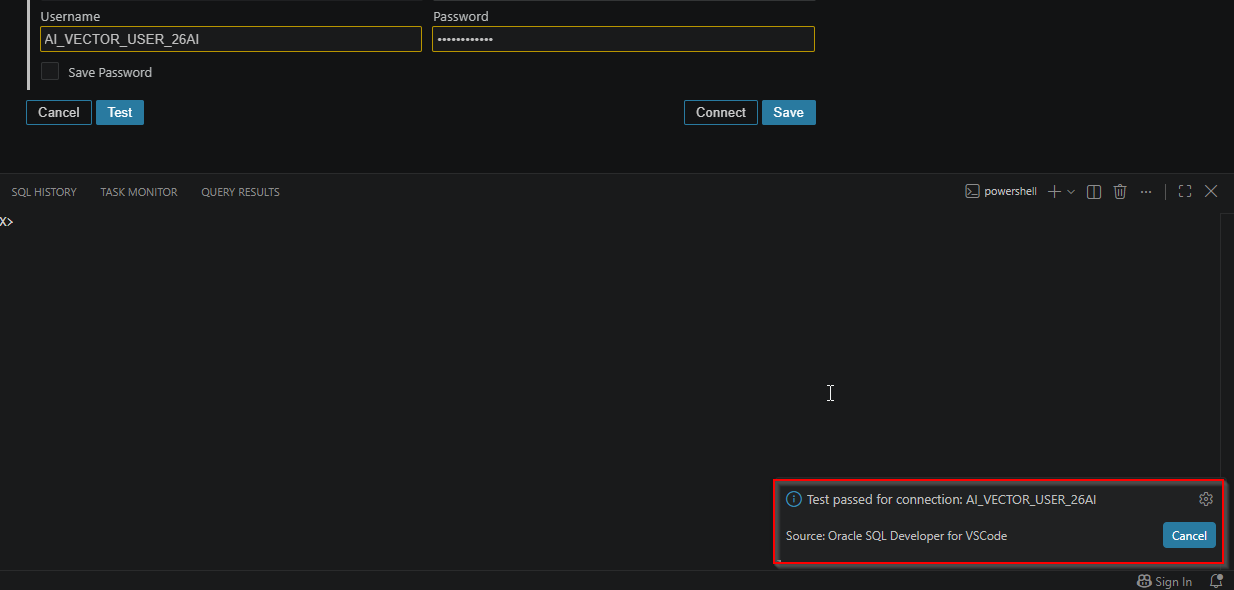
Click on save.
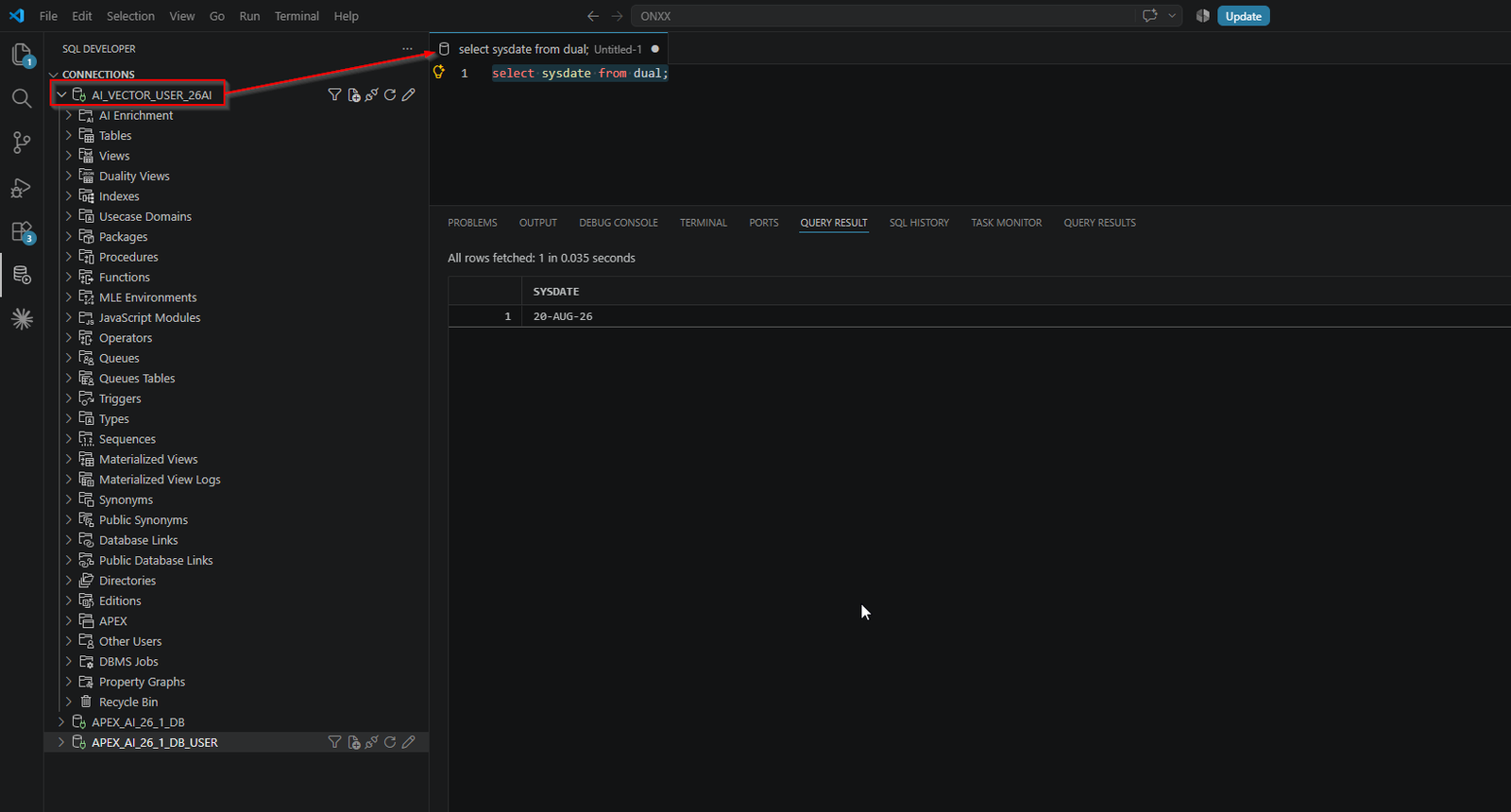
Step5: Create credentials using DBMS_CLOUD package.
Run below PLSQL block to create credentials using DBMS_CLOUD package.
- BEGIN
- ---DBMS_CLOUD.DROP_CREDENTIAL(
- --- credential_name => 'ONXX_EMBED_CRED');
- DBMS_CLOUD.CREATE_CREDENTIAL(
- credential_name => 'ONXX_EMBED_CRED',
- username => 'LearnOIC',
- password => '****'
- );
- END;
- /
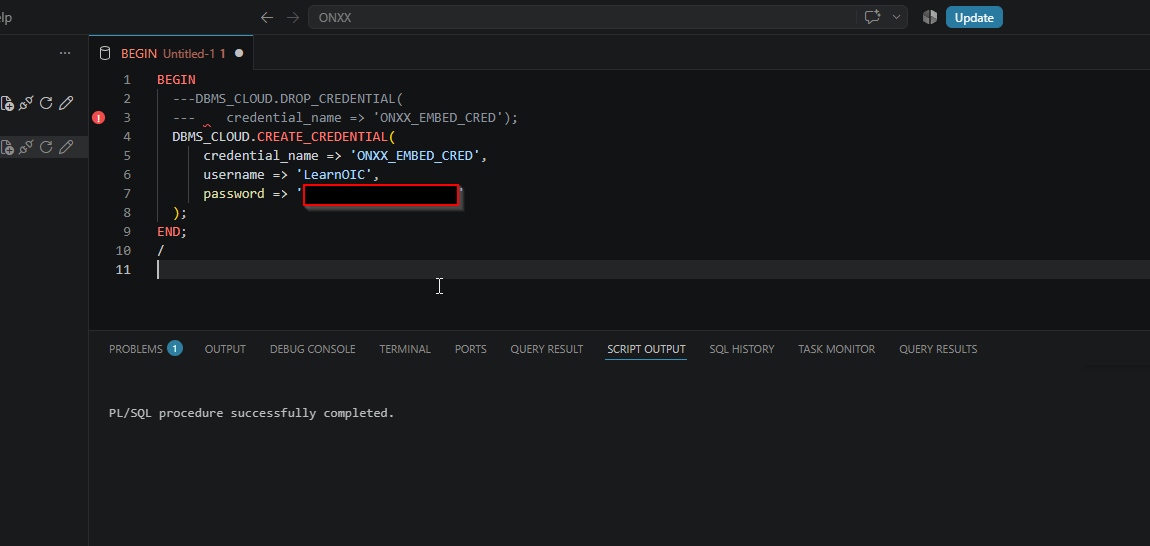
This will create credentials in database.
Step6: Import Embedding Model into Database.
Run below PLSQL block to import embedding model into database.
- BEGIN
- DBMS_VECTOR.LOAD_ONNX_MODEL_CLOUD(
- model_name => 'MY_ONXX_EMBED_MODEL',
- CREDENTIAL => 'ONXX_EMBED_CRED',
- uri => 'https://objectstorage.ap-XXXXXXXX.oraclecloud.com/n/XXXXX/b/Onxx_Embedding_model_bucket/o/all_MiniLM_L12_v2all_MiniLM_L12_v2.onnx'
- );
- END;
- /
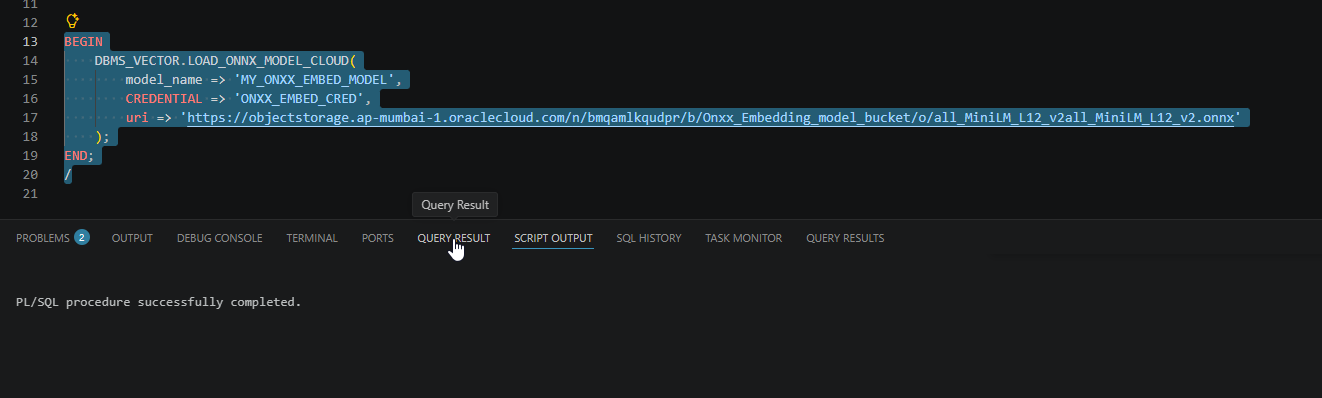
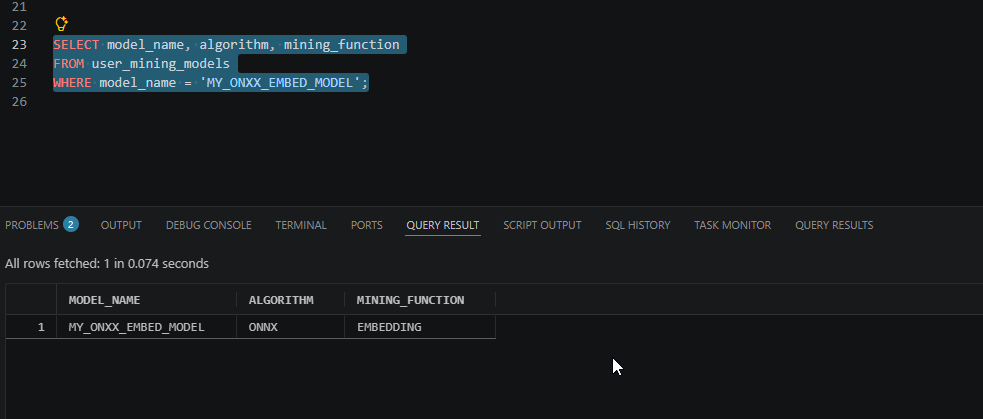
Verify loaded model using below SQL:
- SELECT model_name, algorithm, mining_function
- FROM user_mining_models
- WHERE model_name = 'MY_ONXX_EMBED_MODEL';
Step6: Verify Vector Embedding.
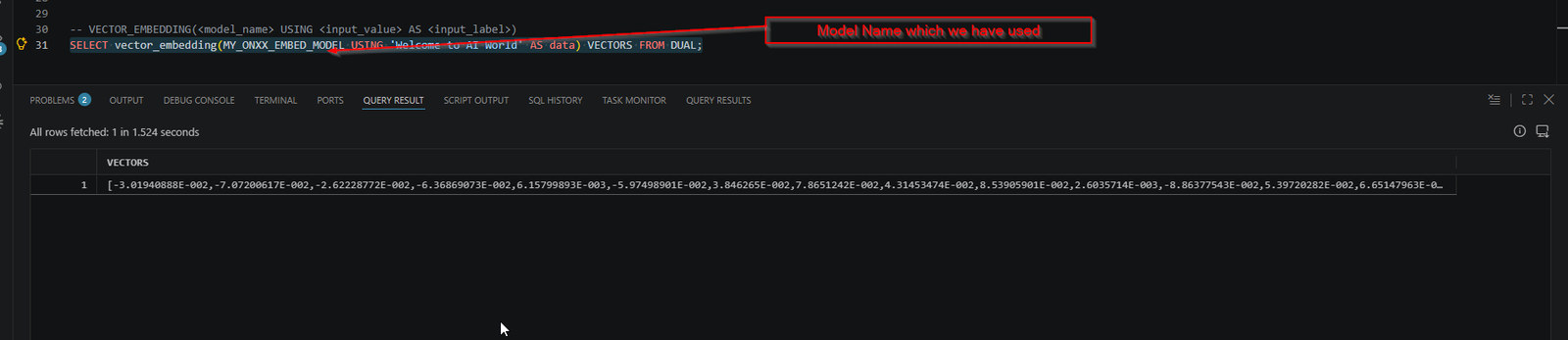
Use VECTOR_EMBEDDING function to generate a single vector embedding for different data types using embedding or feature extraction machine learning models.
Run below SQL statement to generate vector embedding for given text.
- SELECT vector_embedding(MY_ONXX_EMBED_MODEL USING 'Welcome to AI World' AS data) VECTORS FROM DUAL;