How to Perform DML operations on Business Object in VBCS

How to Perform DML operations on Business Object in VBCS

How to Perform DML operations on Business Object in VBCS

In last section, we have seen introduction to Business objects and seen how to create business objects and display data from business object on VBCS page.

In this section, we will see how to perform DML (INSERT/UPDATE/DELETE) operations on business objects by creating page.

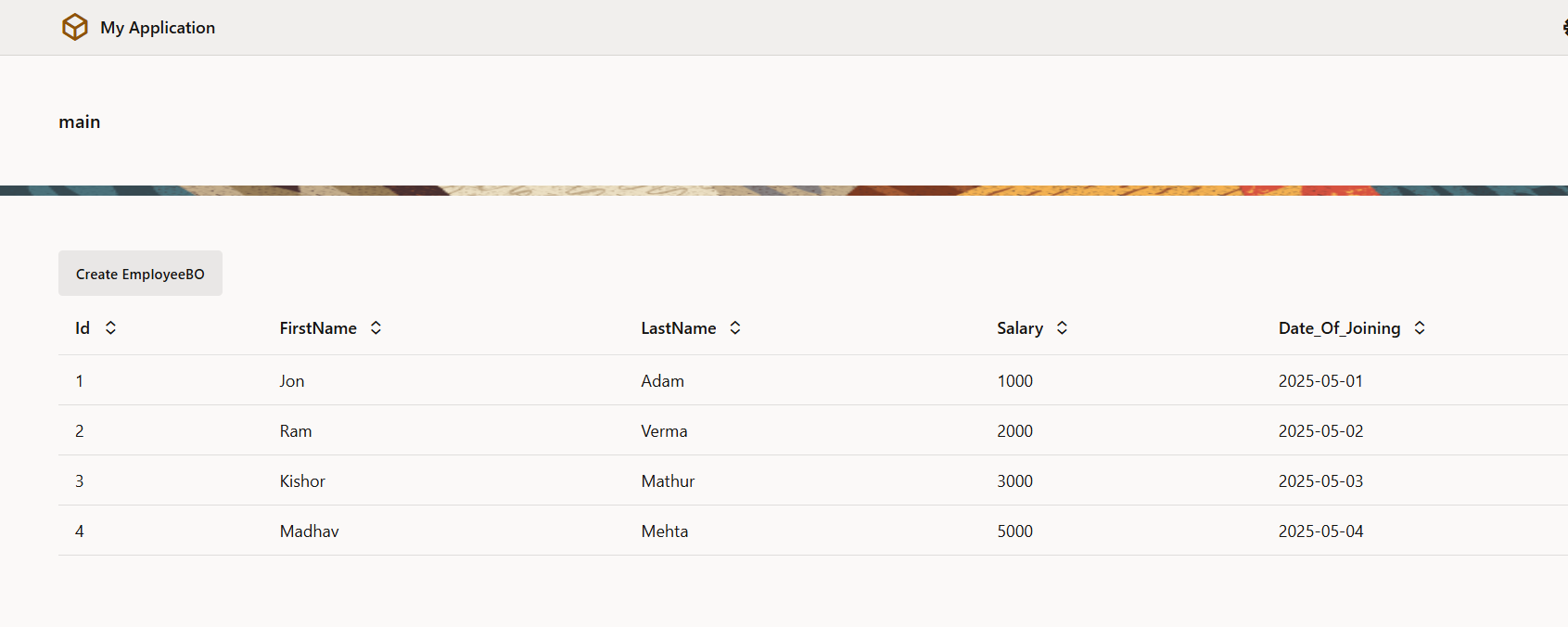
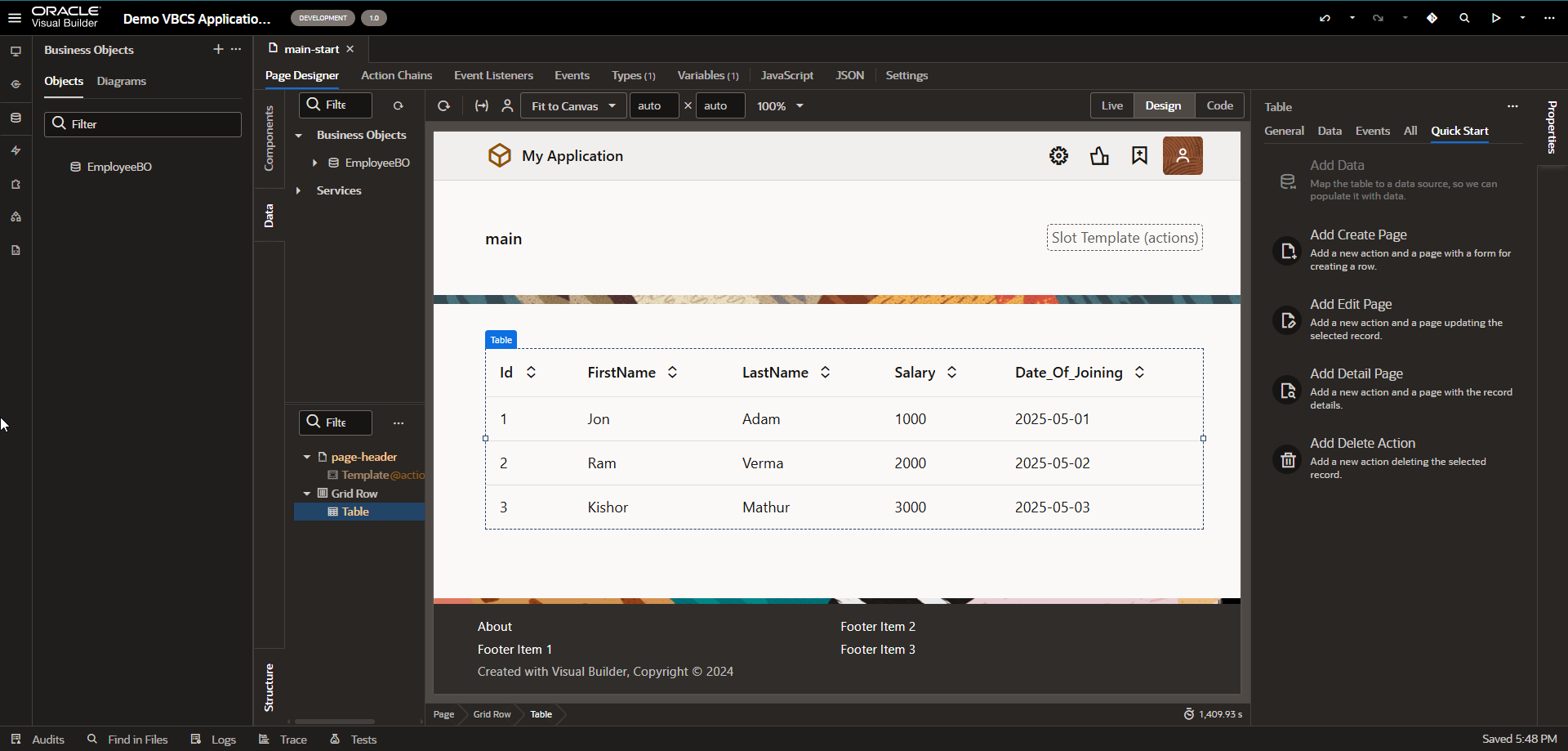
Let us consider page which we have created in last section as:
A screenshot of a computer

AI-generated content may be incorrect.

  1. Create Page:

Let us create page to insert data into business objects.

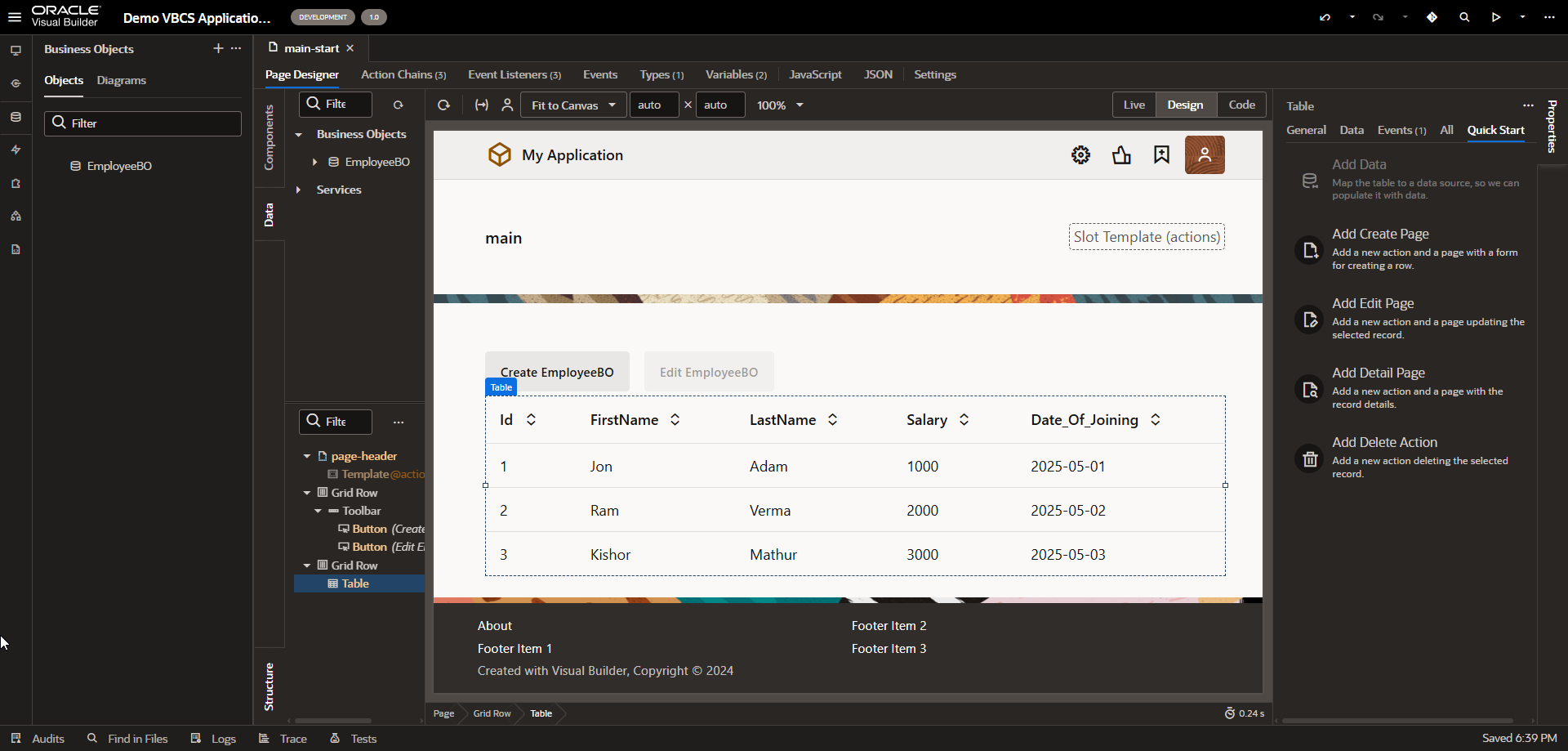
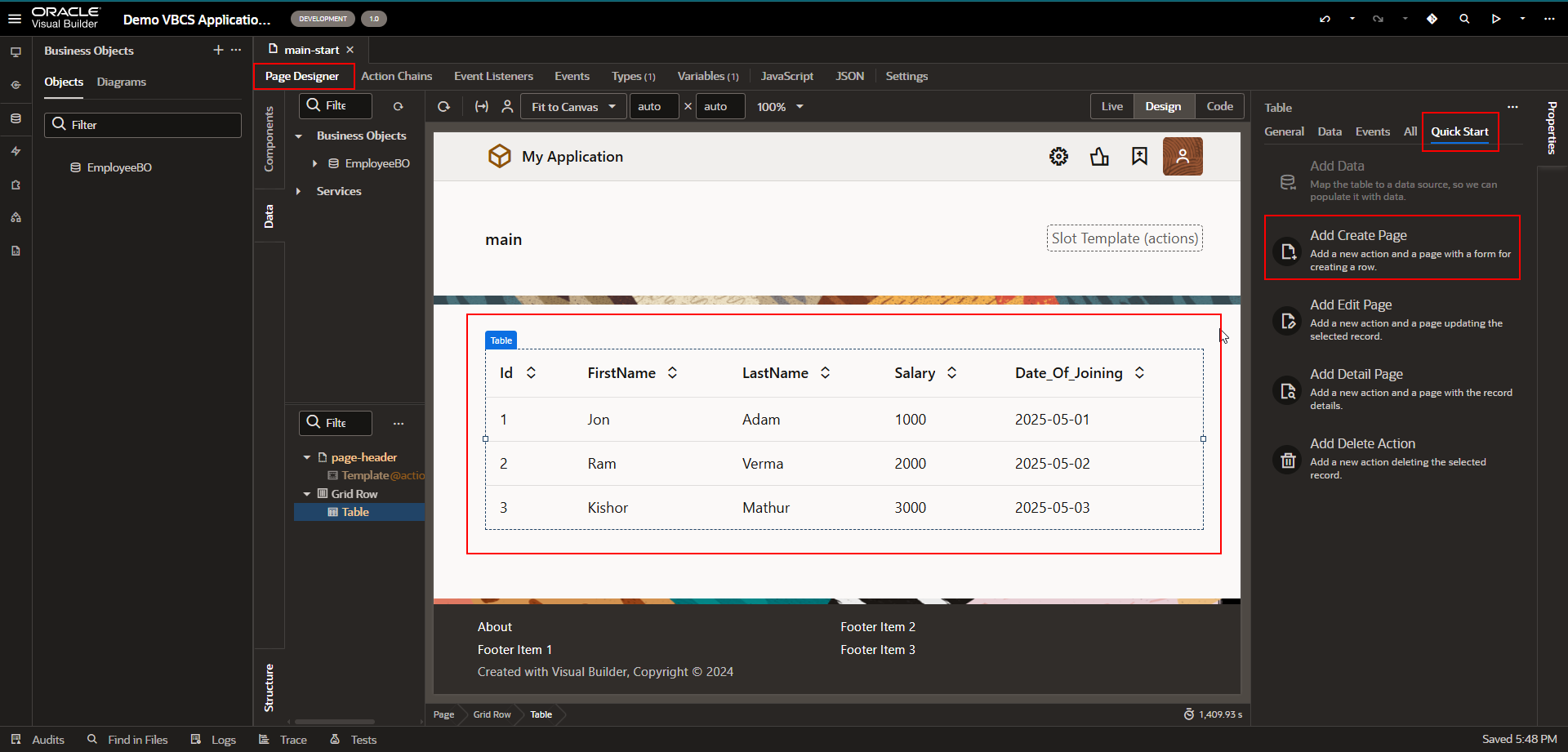
Navigate to Quick Start section of table region as shown below:
A computer screen shot of a computer

AI-generated content may be incorrect.

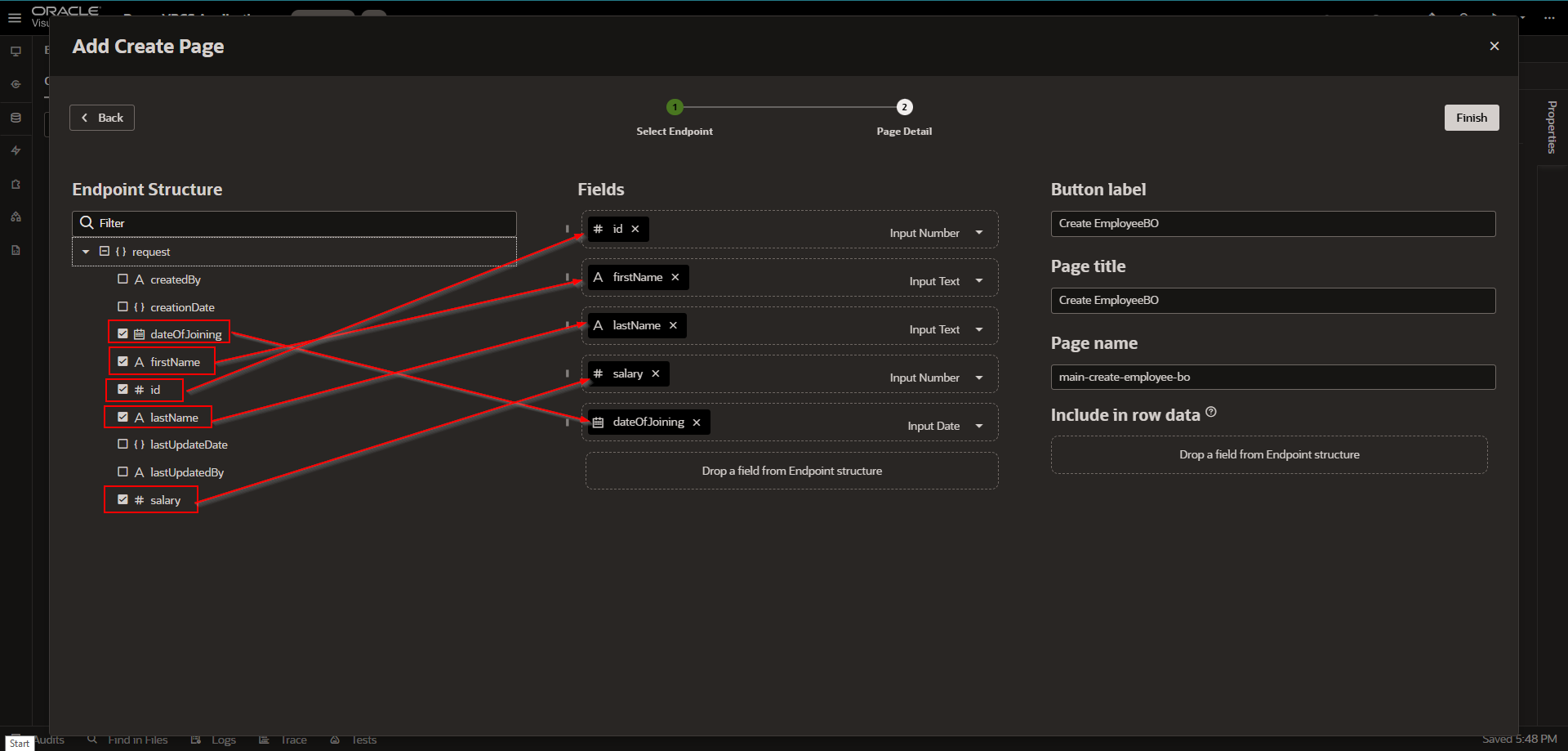
Click on “Add Create Page”.

A screenshot of a computer

AI-generated content may be incorrect.

Let us drag and drop fields as shown above and then click on Finish.
A screenshot of a computer

AI-generated content may be incorrect.

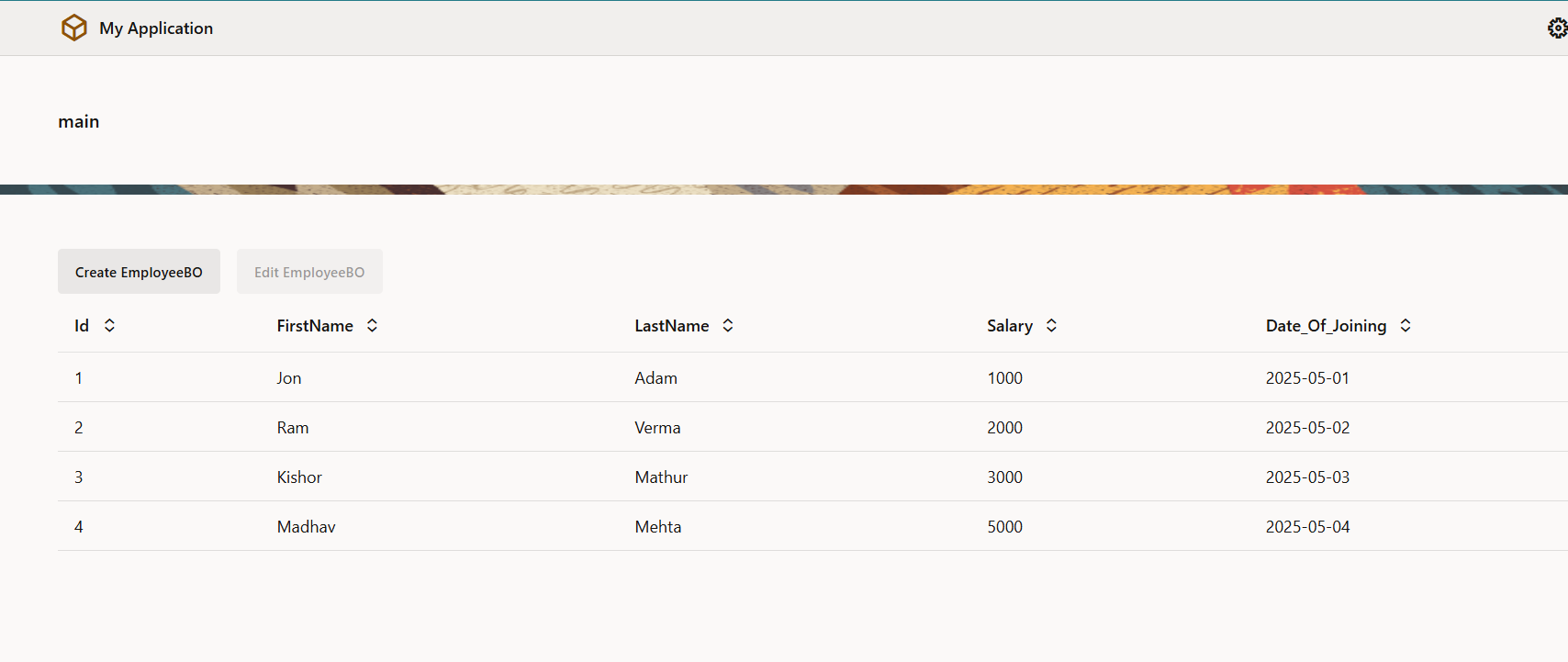
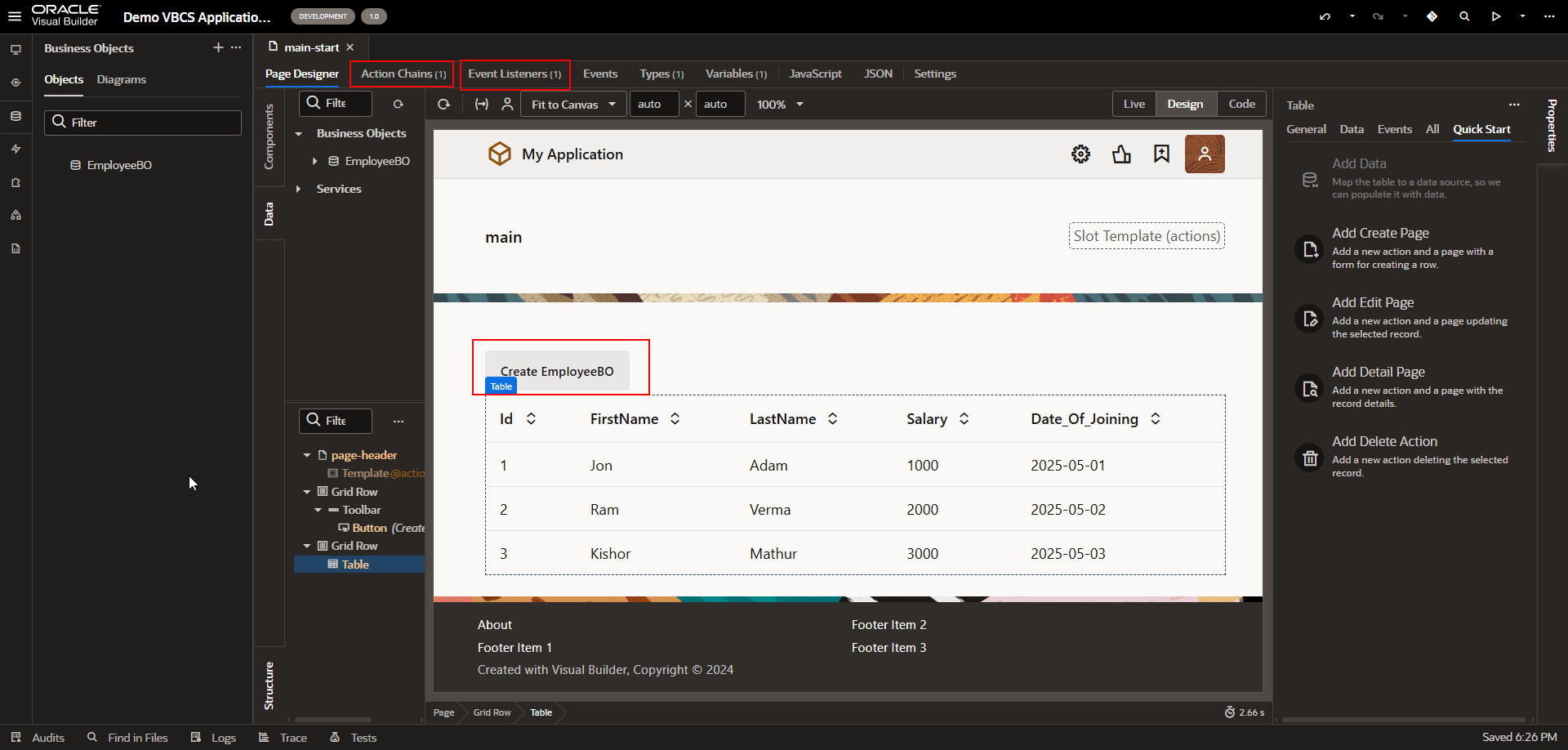
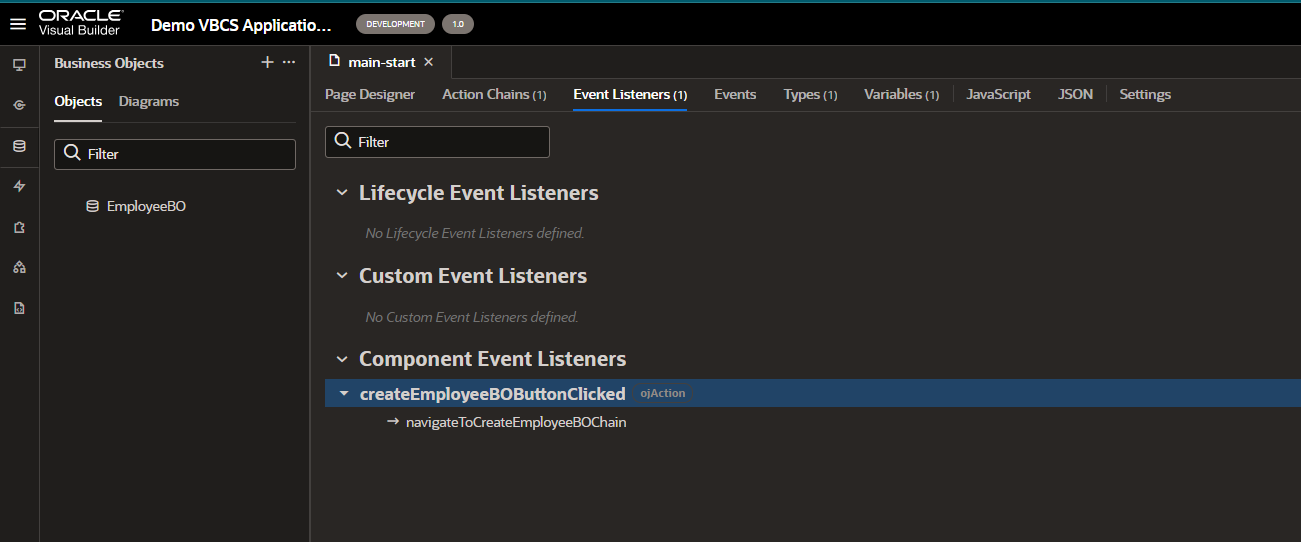
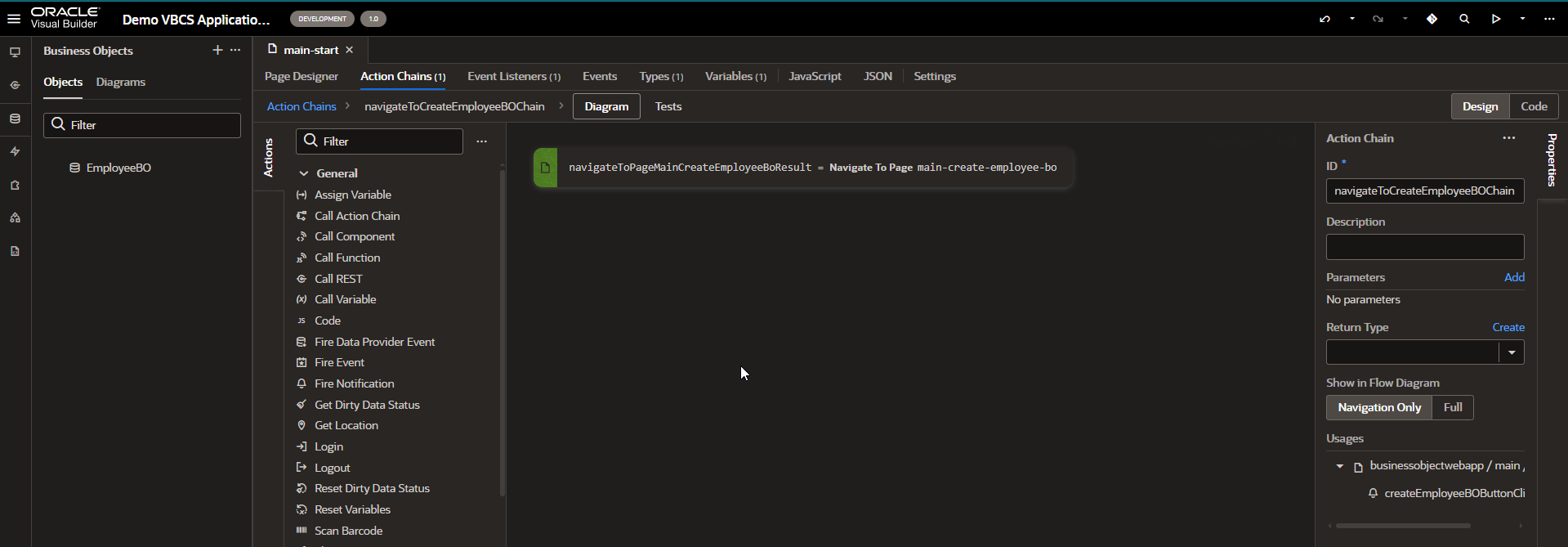
This will automatically create “Create EmployeeBO” button. It will also create Event Listener and Action chain as show below:
A screenshot of a computer

AI-generated content may be incorrect.

A screenshot of a computer

AI-generated content may be incorrect.

Now let us run this page and insert data from UI.
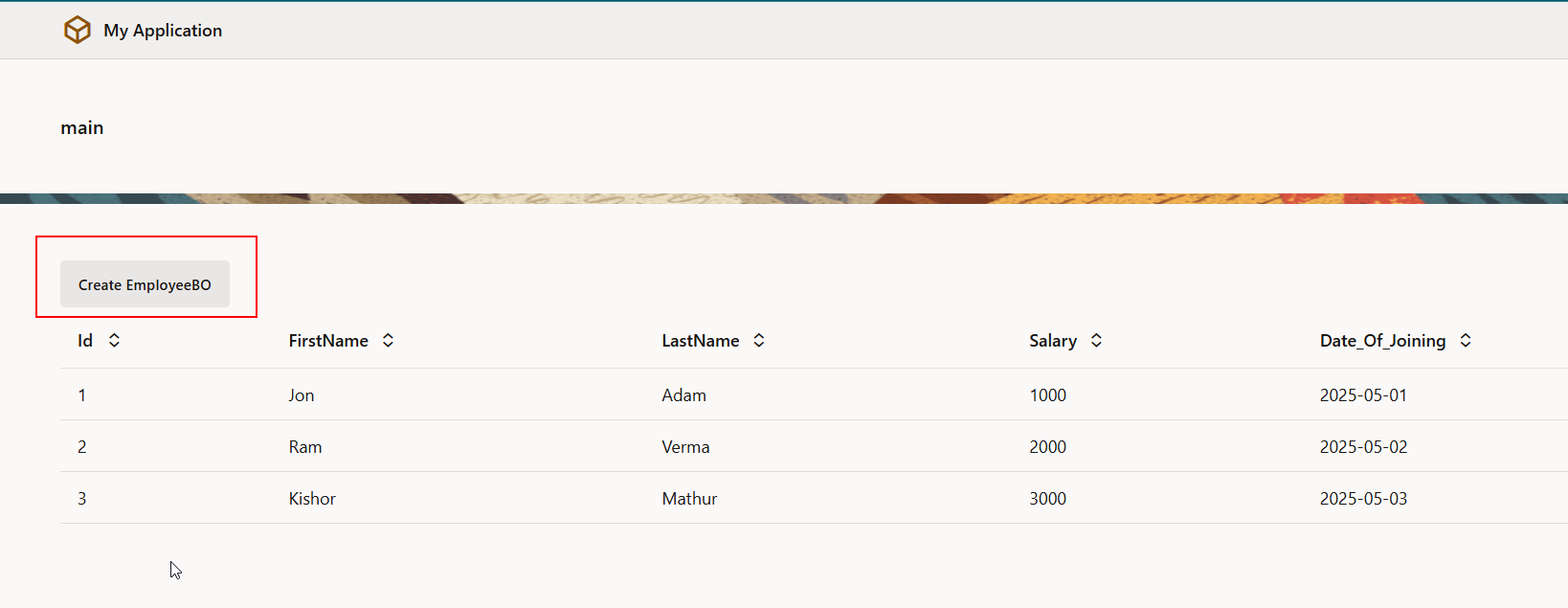
A screenshot of a computer

AI-generated content may be incorrect.

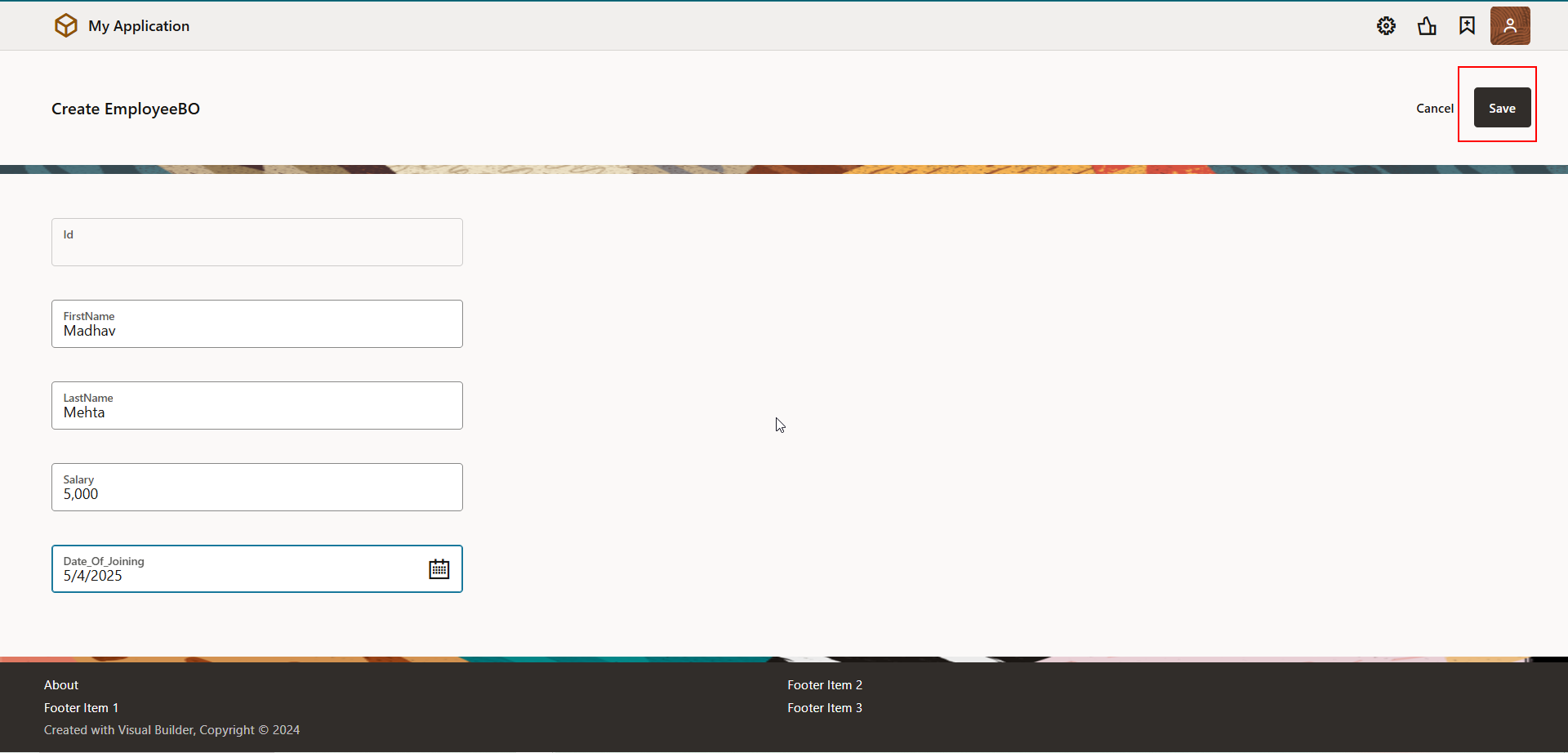
Click on “Create EmployeeBO” to add new record.
A screenshot of a computer

AI-generated content may be incorrect.

Click on Save.

A screenshot of a computer

AI-generated content may be incorrect.

Here we can see new record is inserted.

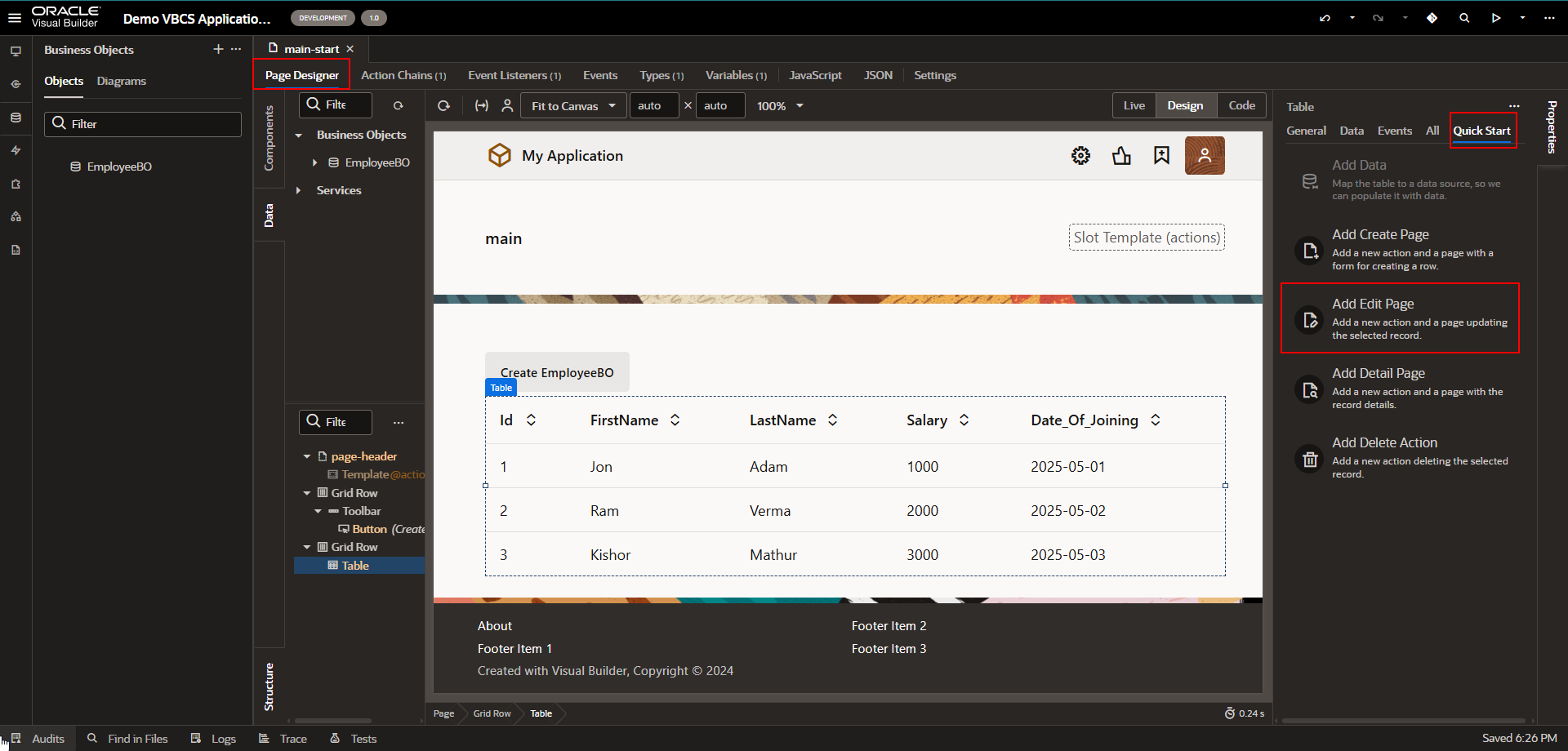
  1. Edit Page:

Let us create page to edit data into business objects

Navigate to Quick Start section of table region as shown below:
A screenshot of a computer

AI-generated content may be incorrect.

A screenshot of a computer

AI-generated content may be incorrect.

Drag and drop fields which we want to edit.

Click on finish.

A screenshot of a computer

AI-generated content may be incorrect.

Now run this application.

A screenshot of a computer

AI-generated content may be incorrect.

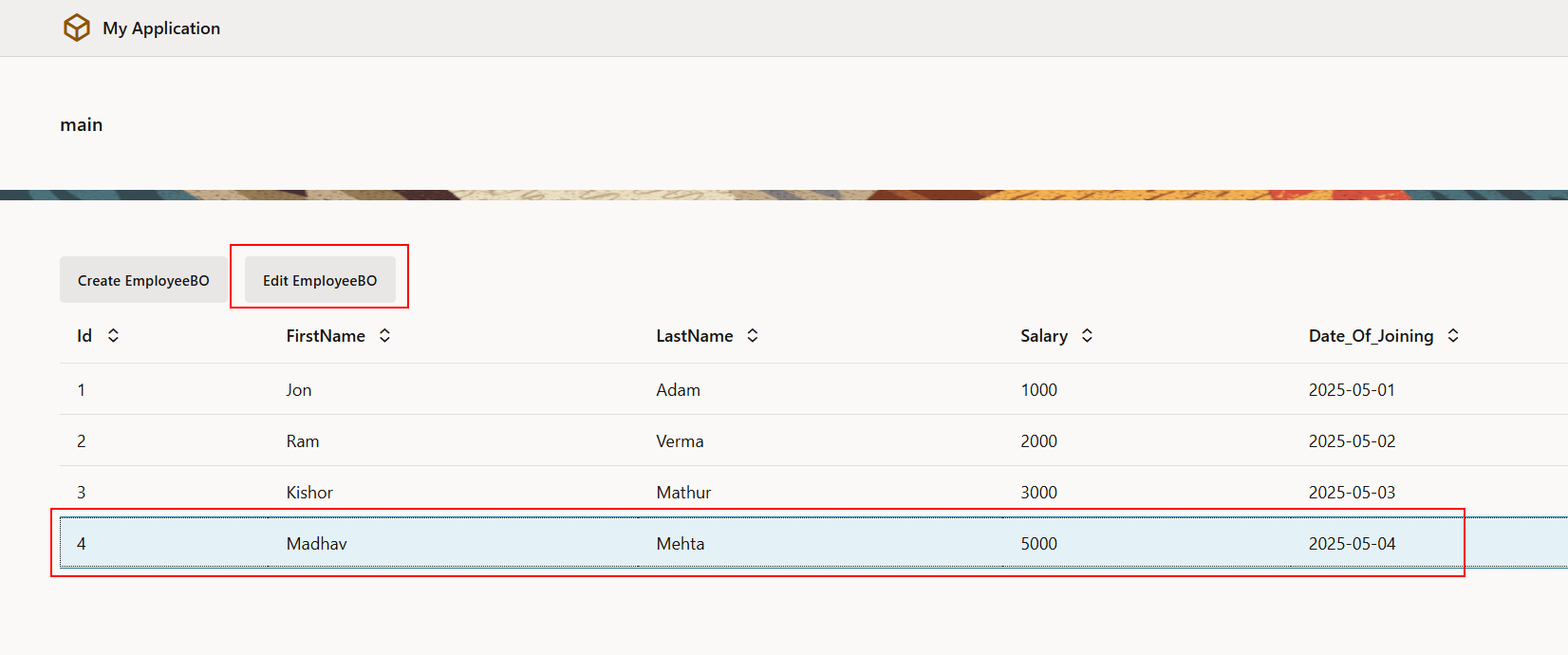
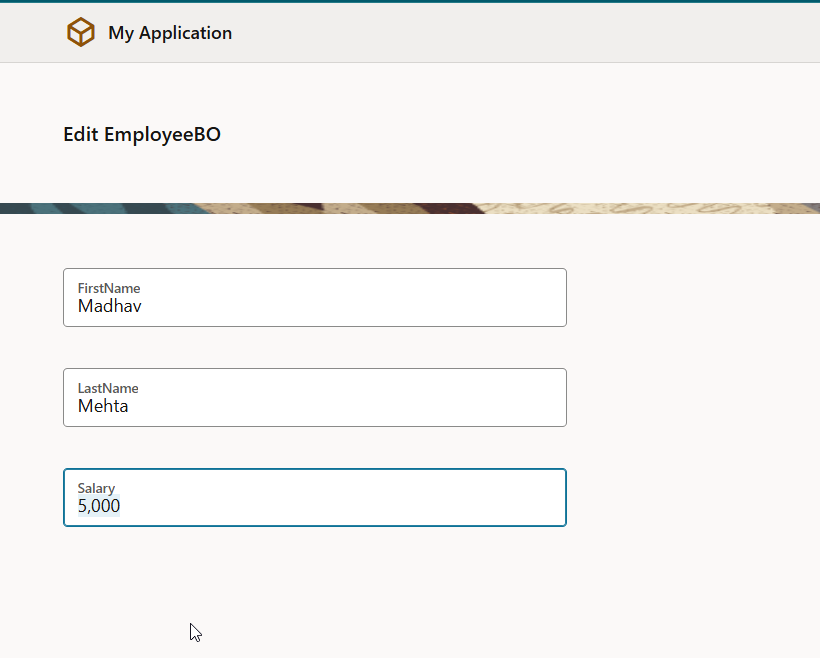
Select row and click on Edit EmployeeBO button to edit details for that row.

A screenshot of a computer

AI-generated content may be incorrect.

A screenshot of a computer

AI-generated content may be incorrect.

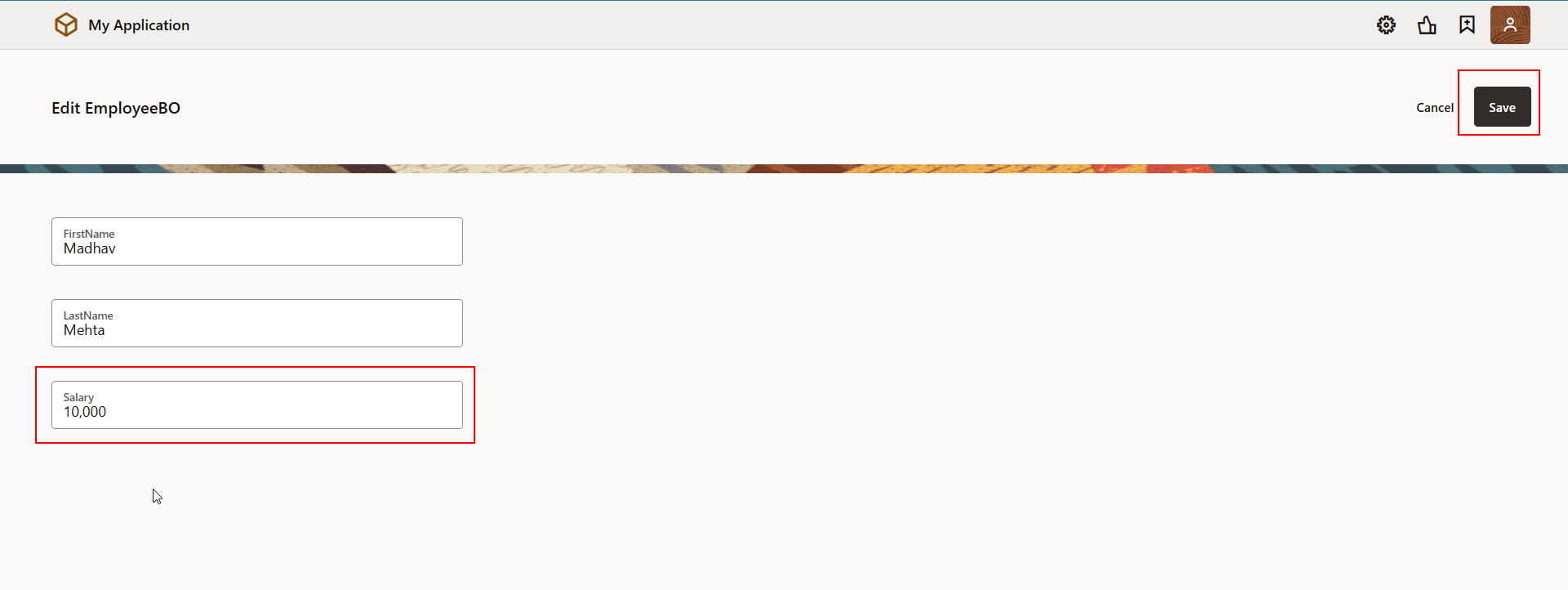
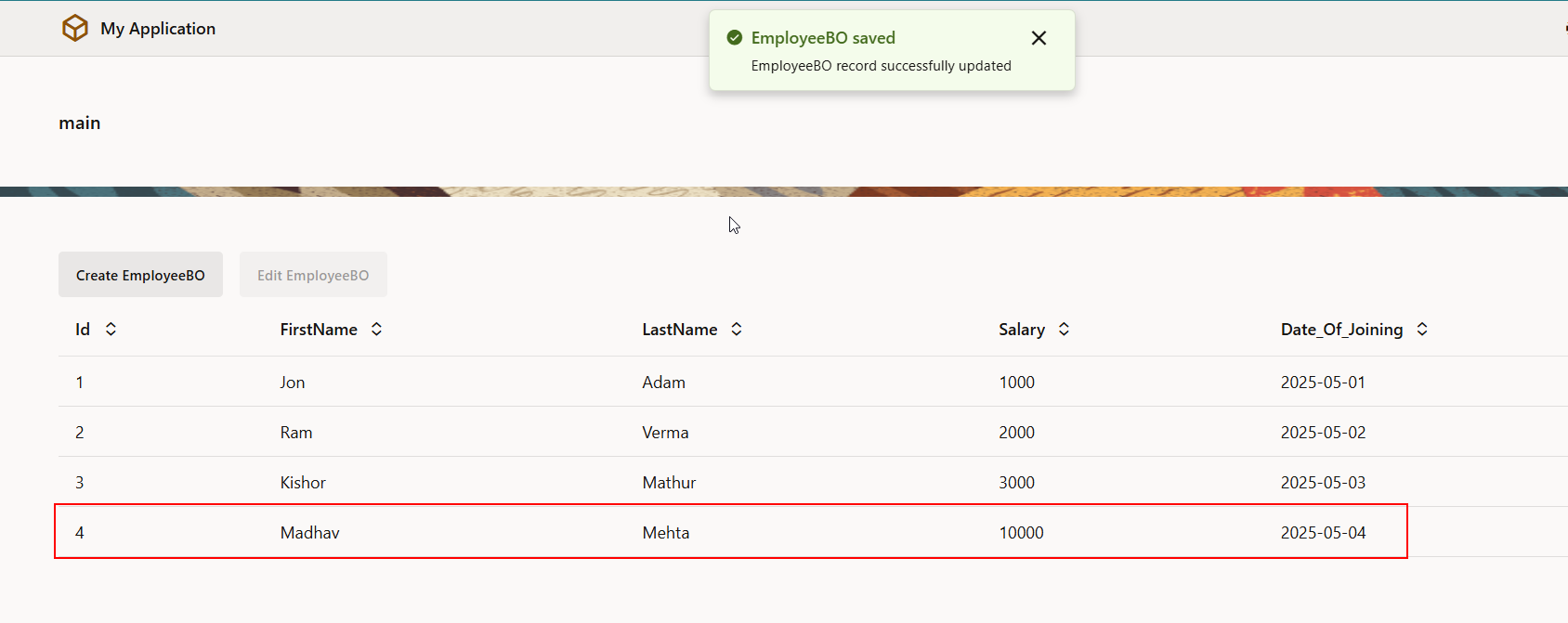
Change salary from 5000 to 10,000 and click on save.

A screenshot of a computer

AI-generated content may be incorrect.

A screenshot of a computer

AI-generated content may be incorrect.

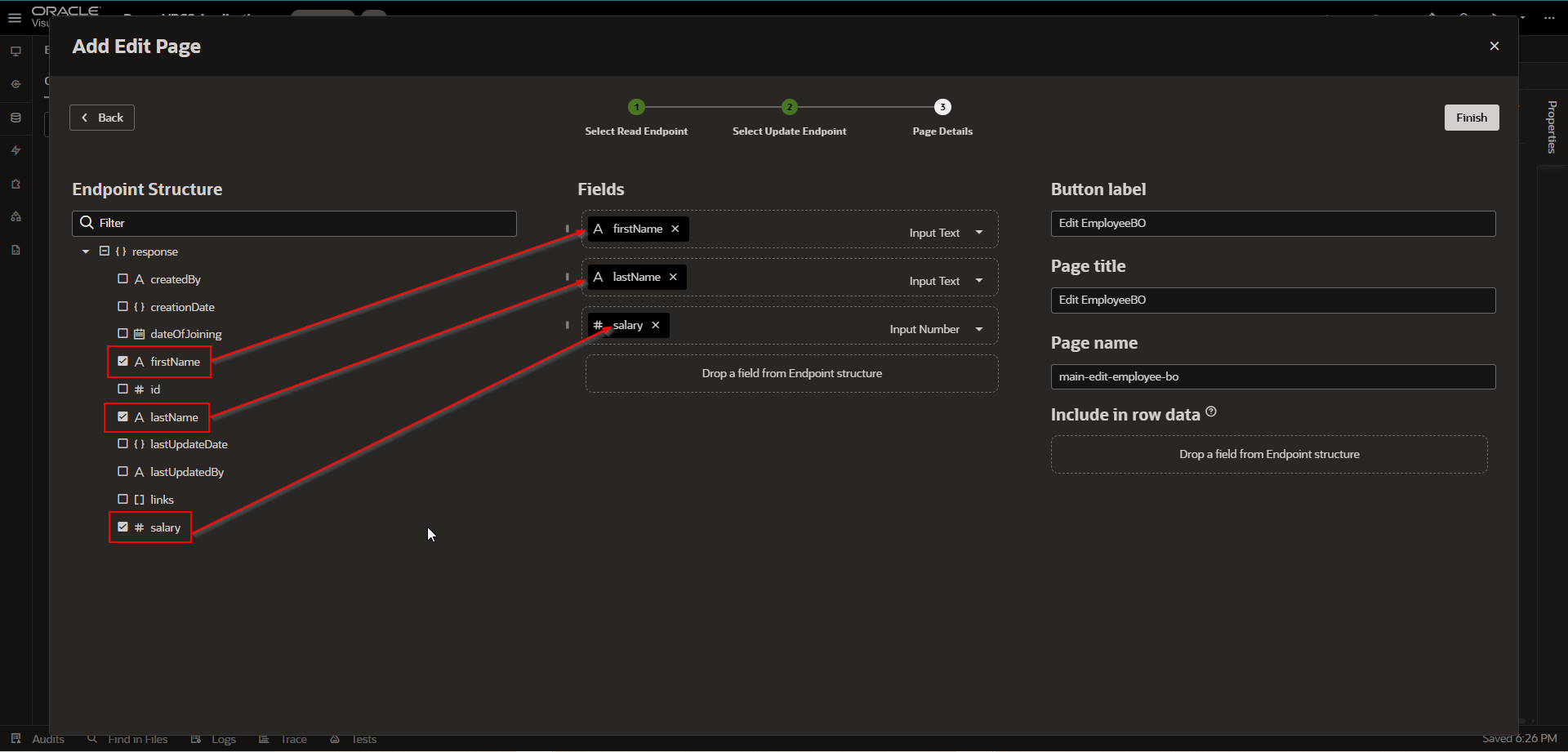
  1. Detail Page:

Let us create detail for business objects

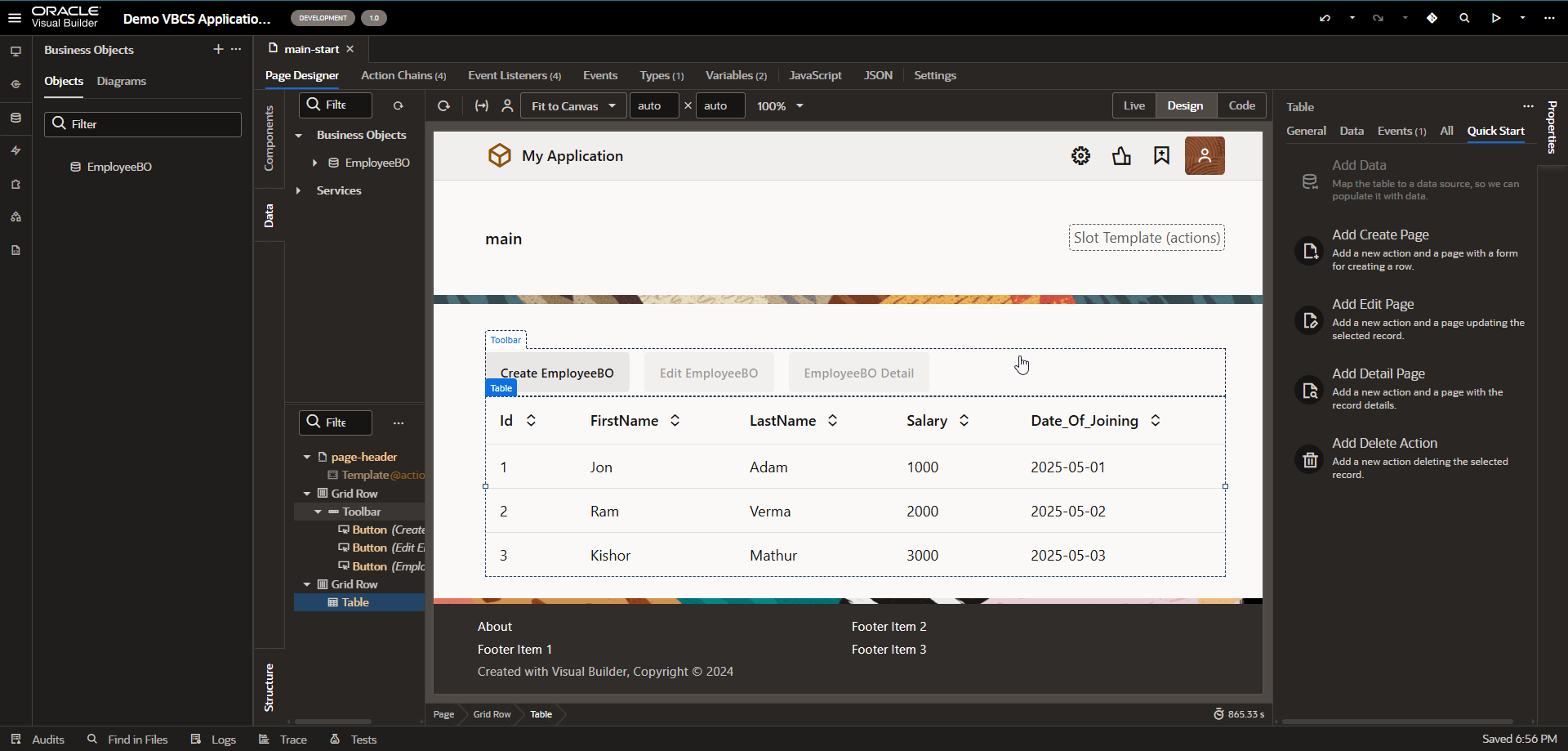
Navigate to Quick Start section of table region as shown below:
A screenshot of a computer

AI-generated content may be incorrect.

A screenshot of a computer

AI-generated content may be incorrect.

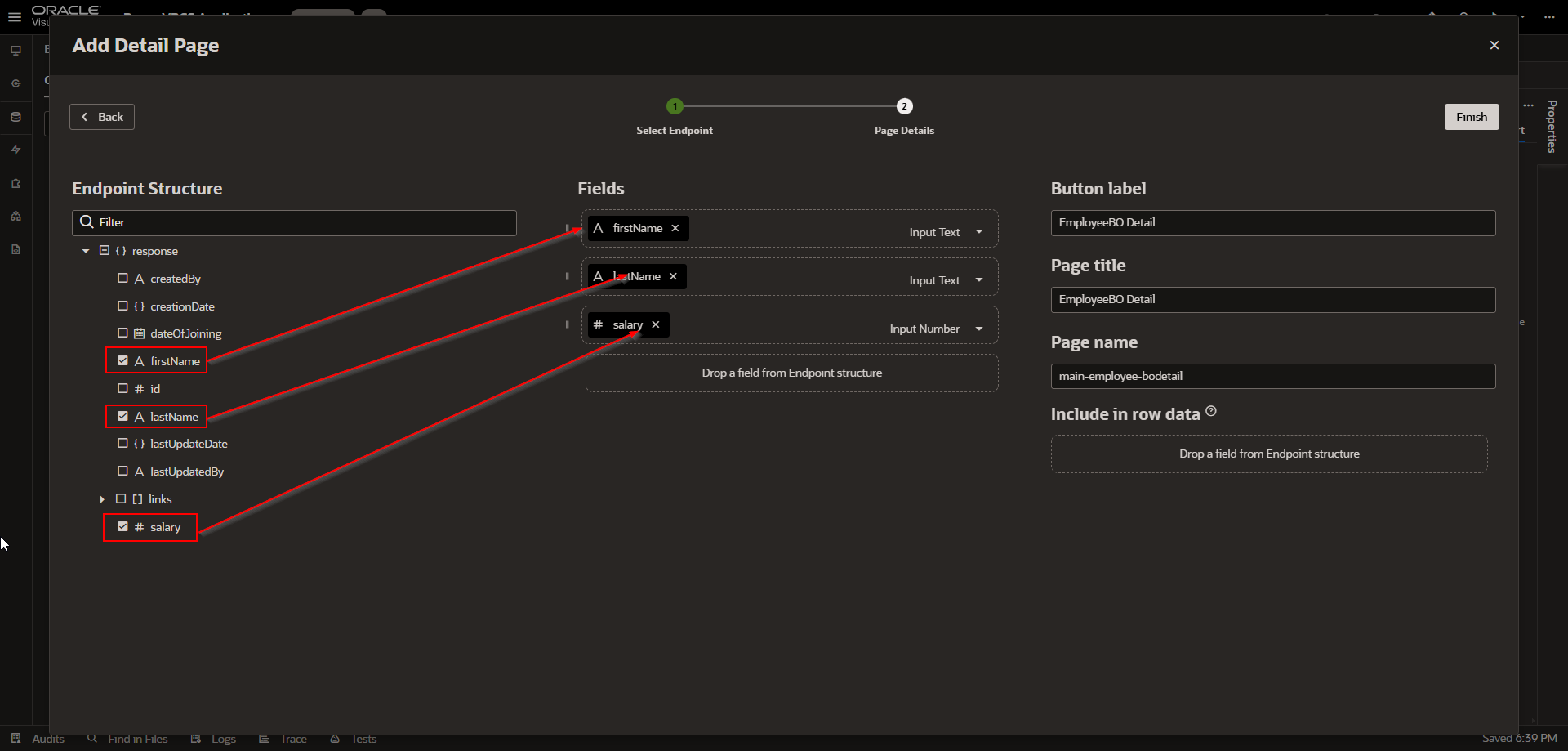
Drag and drop fields which you want to display.

Click on Finish.

A screenshot of a computer

AI-generated content may be incorrect.

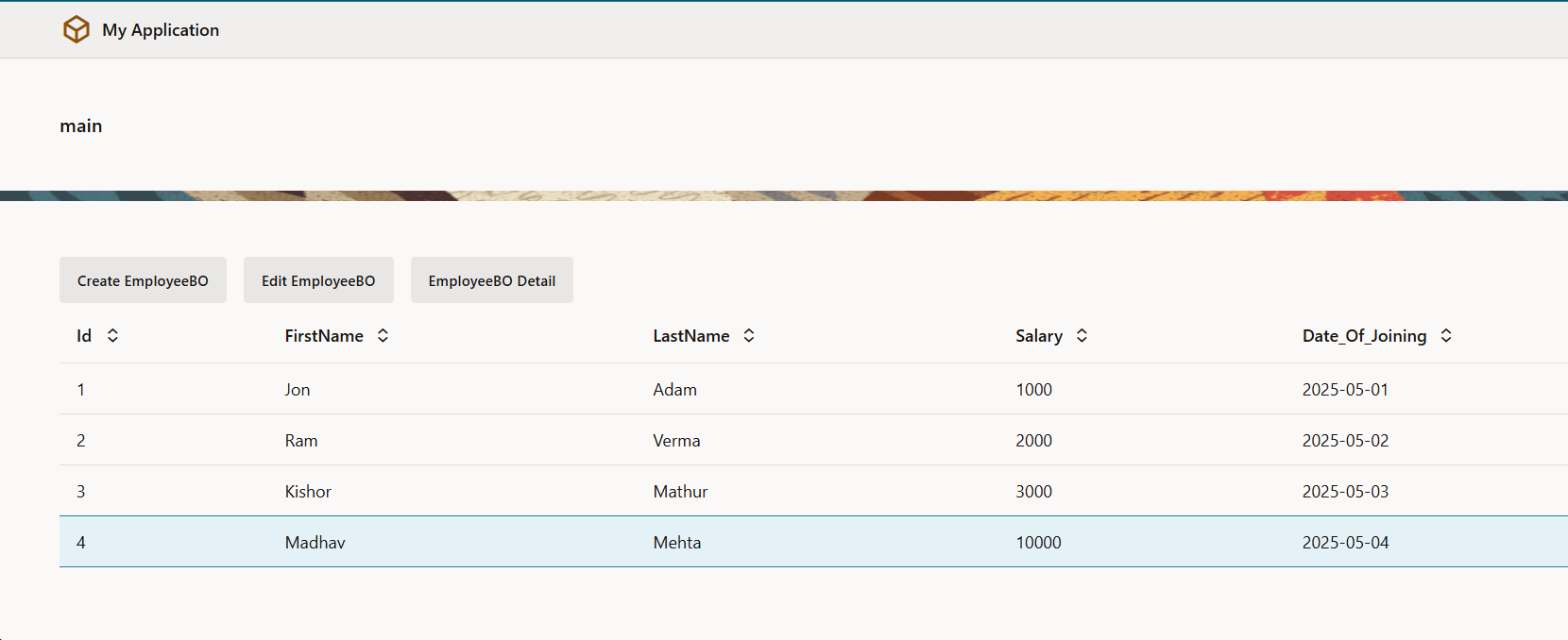
Run this application.

A screenshot of a computer

AI-generated content may be incorrect.

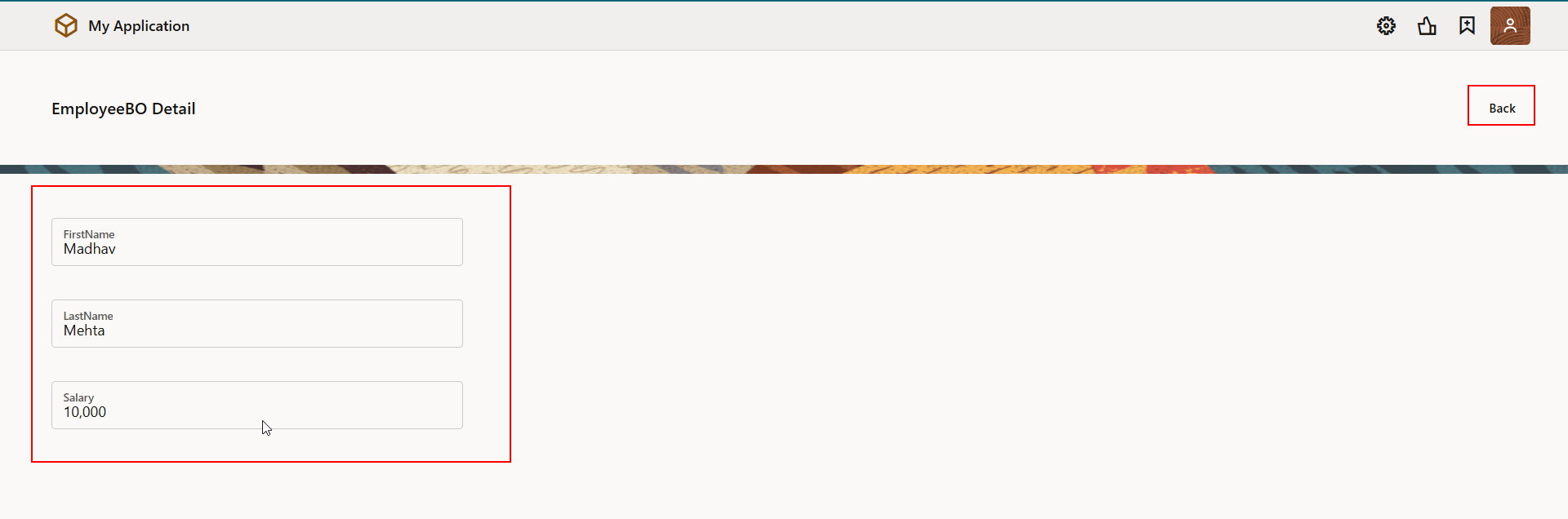
Select required row and click on EmployeeBO Details button.

A close up of a stick

AI-generated content may be incorrect.

Click on Back button to navigate to parent page.

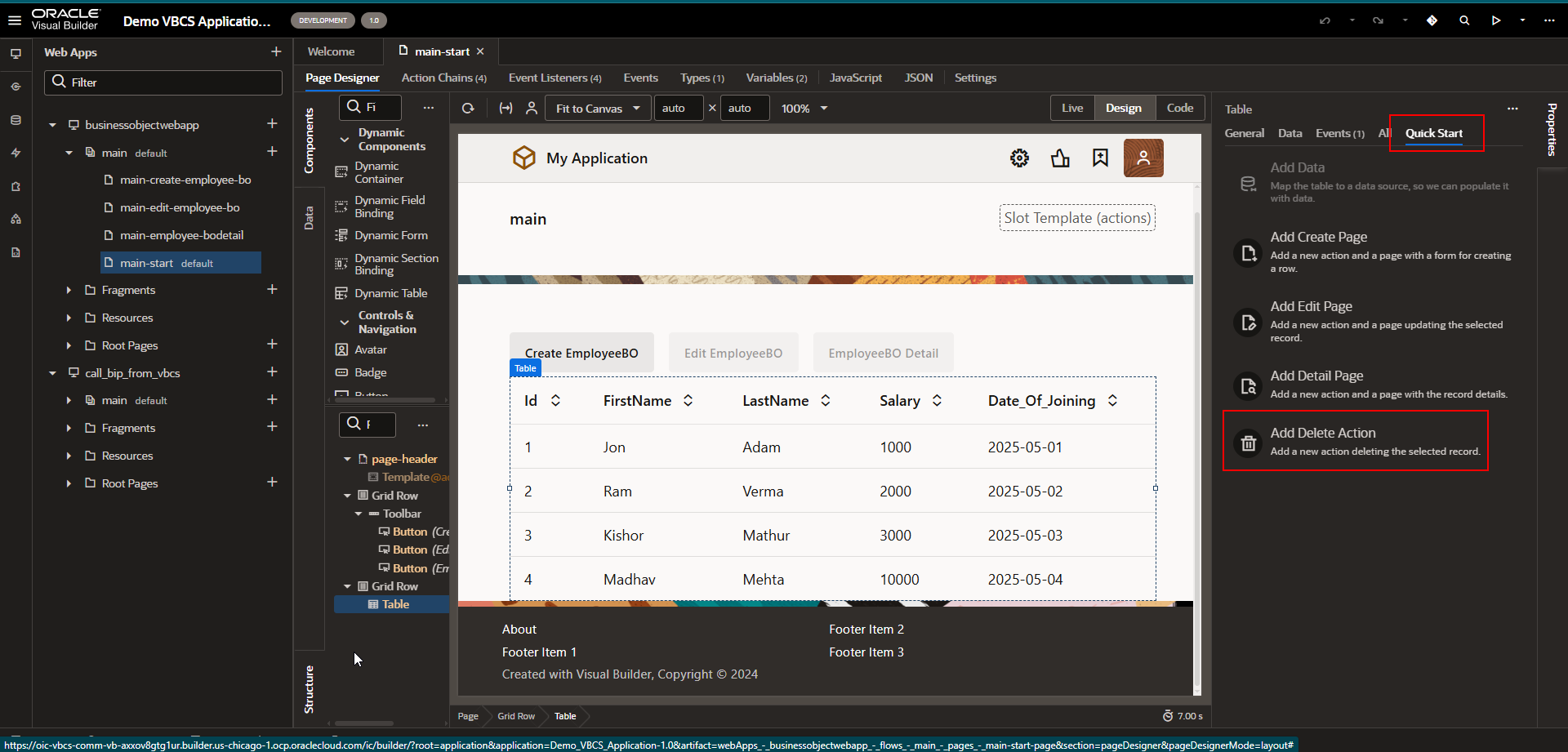
  1. Delete Page:

Let us create delete page to delete record from business objects

Navigate to Quick Start section of table region as shown below:
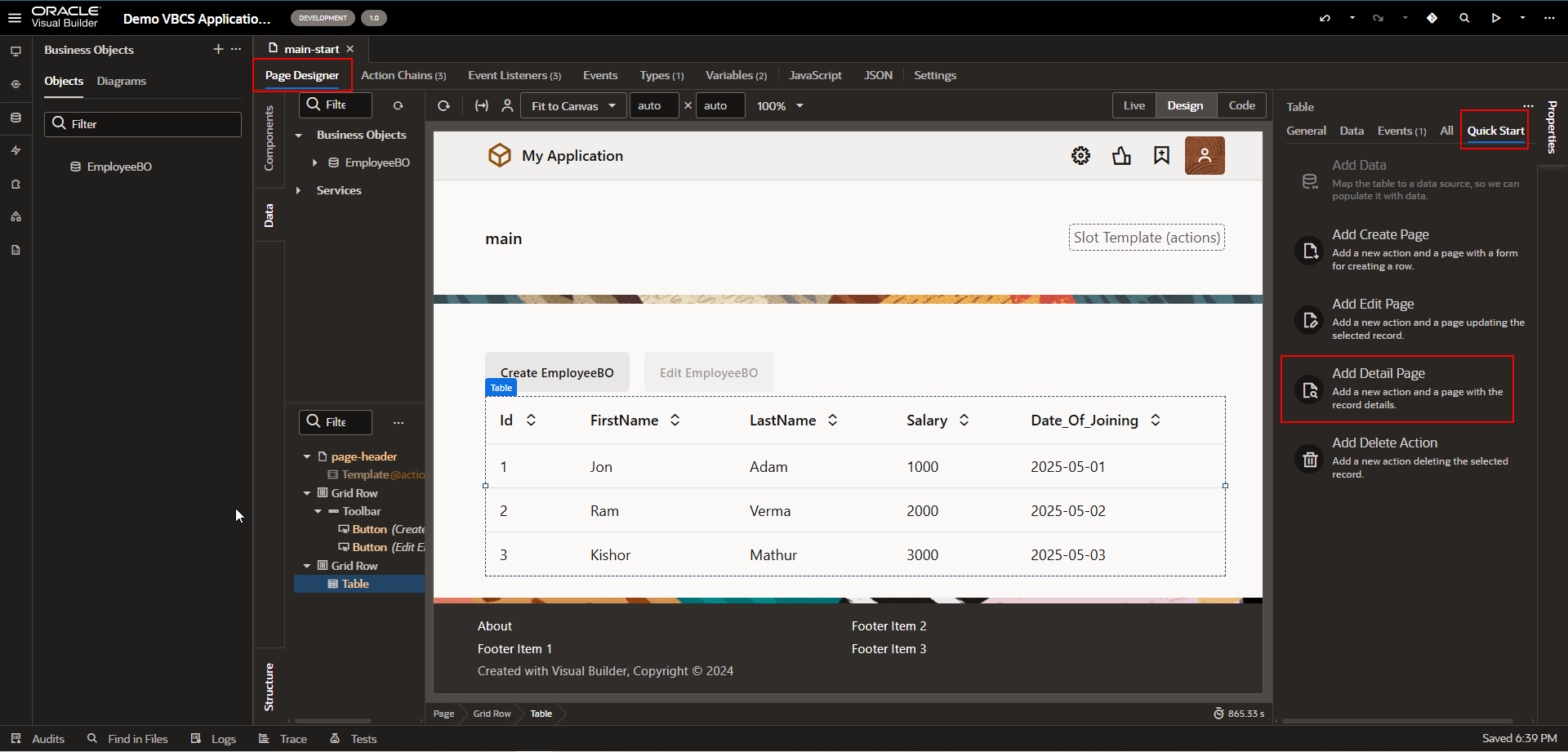
A computer screen with a white box

AI-generated content may be incorrect.

A black and white screen

AI-generated content may be incorrect.

Select here business object and then click on Finish.
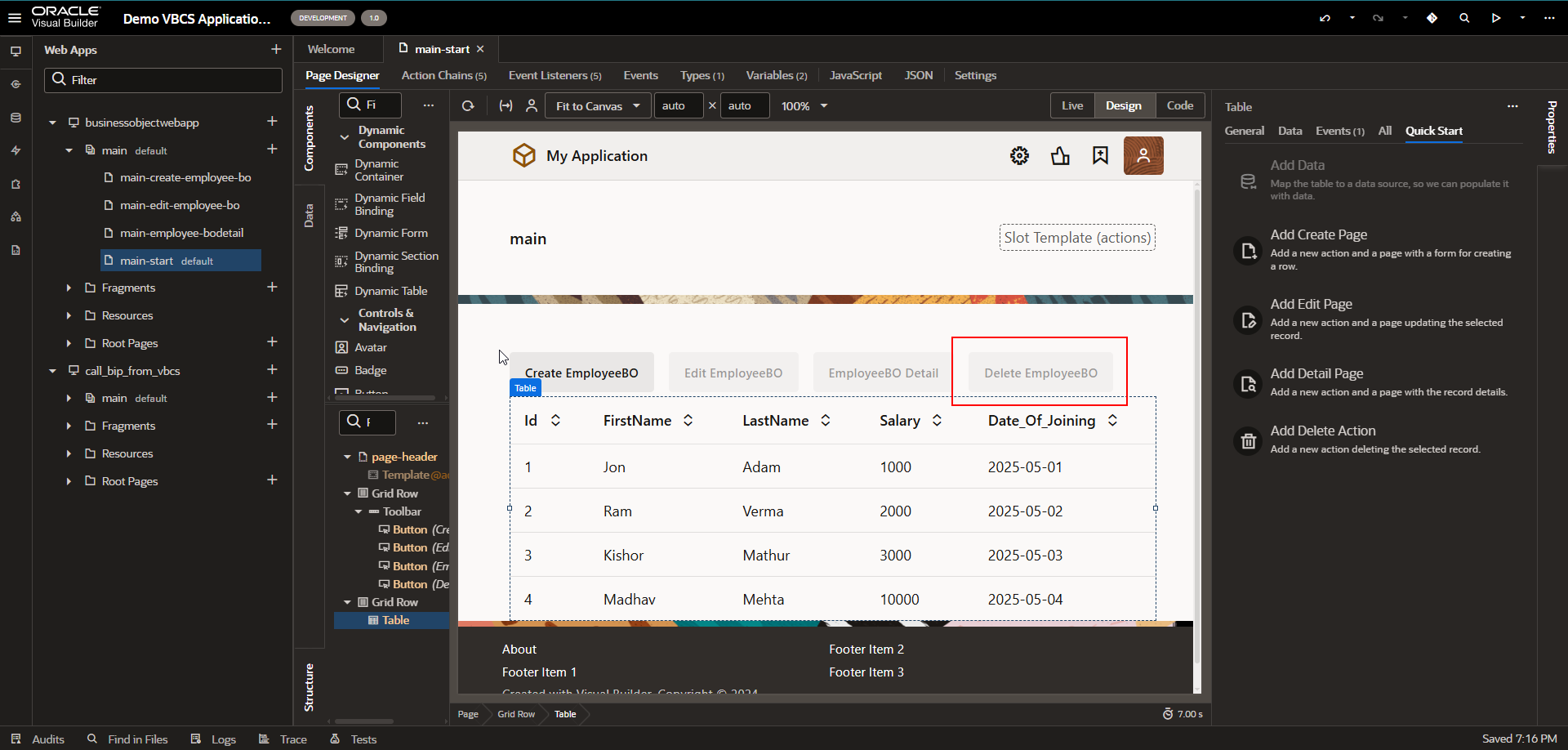
A screenshot of a computer

AI-generated content may be incorrect.

Here Delete EmployeeBO button is created.

Let us run this application.
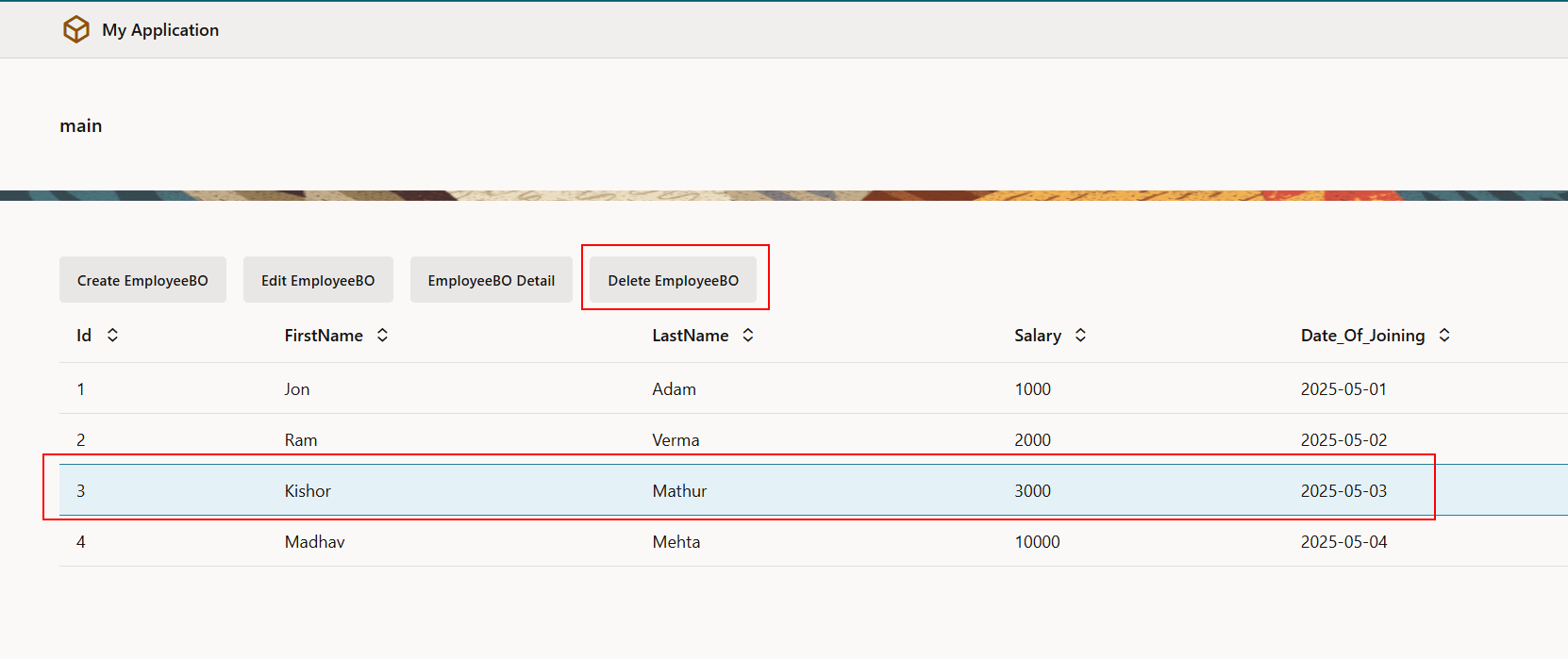
A screenshot of a computer

AI-generated content may be incorrect.

Select row and click on Delete EmployeeBO button.
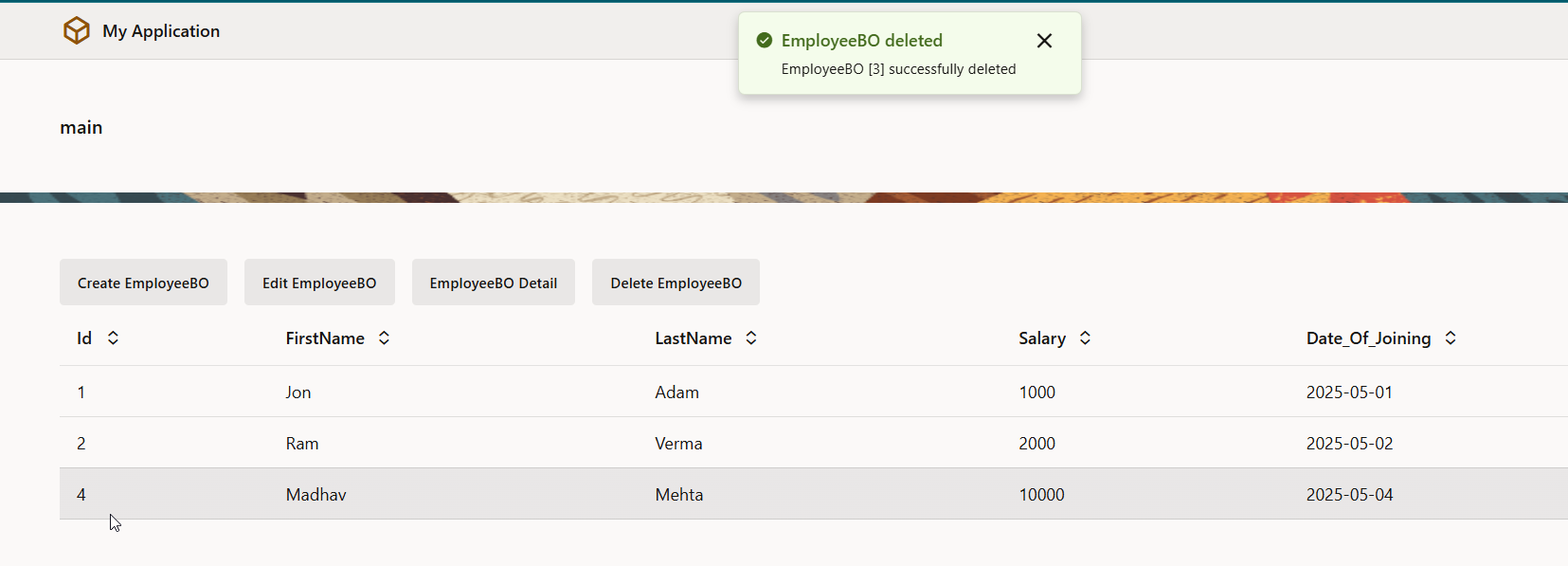
A screenshot of a computer

AI-generated content may be incorrect.

The selected record is deleted successfully.

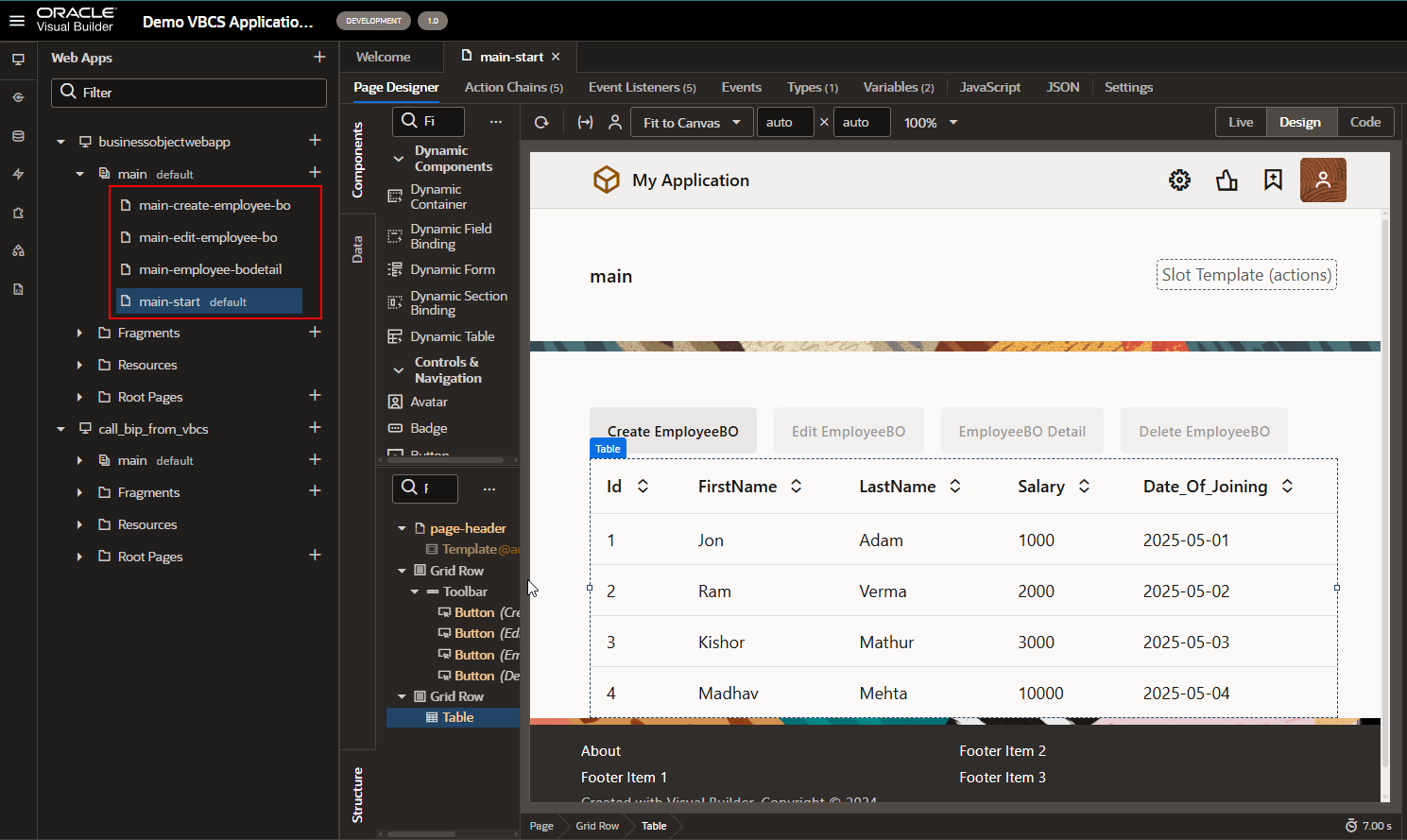
Each action which we have performed earlier created separate page as:
A screenshot of a computer

AI-generated content may be incorrect.

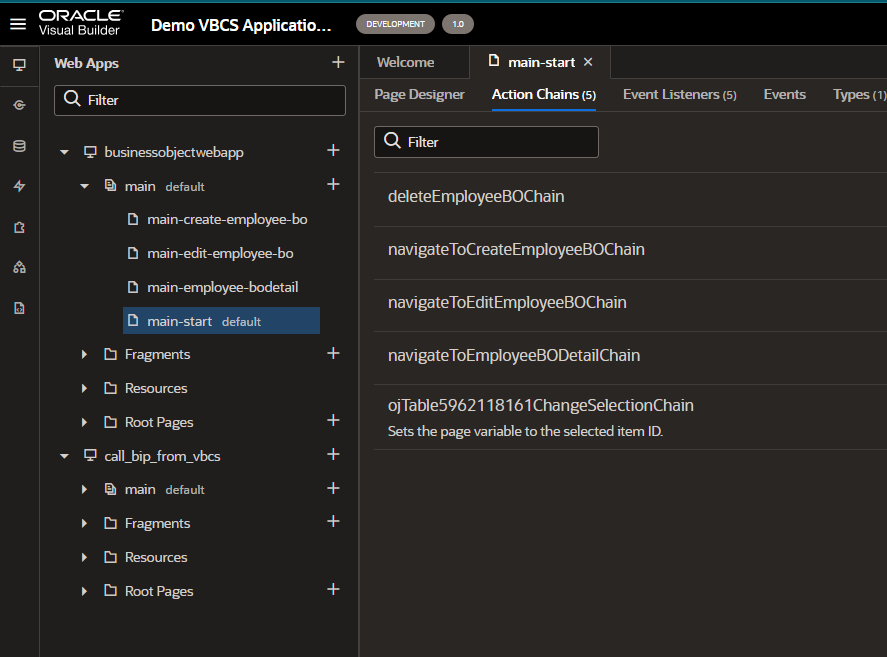
Below action chains are created:

A screenshot of a computer

AI-generated content may be incorrect.

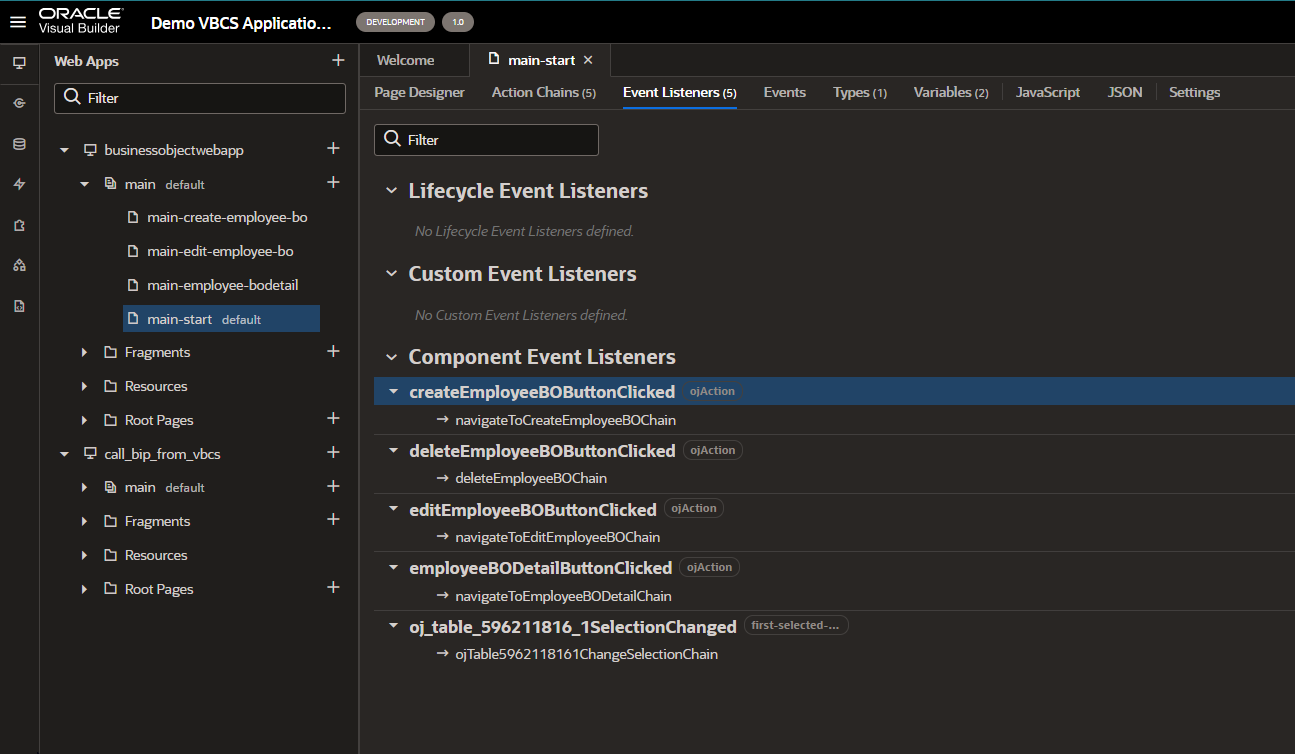
Below Event listeners are created as:
A screenshot of a computer

AI-generated content may be incorrect.

Leave a Reply

Your email address will not be published. Required fields are marked *

Back To Top