
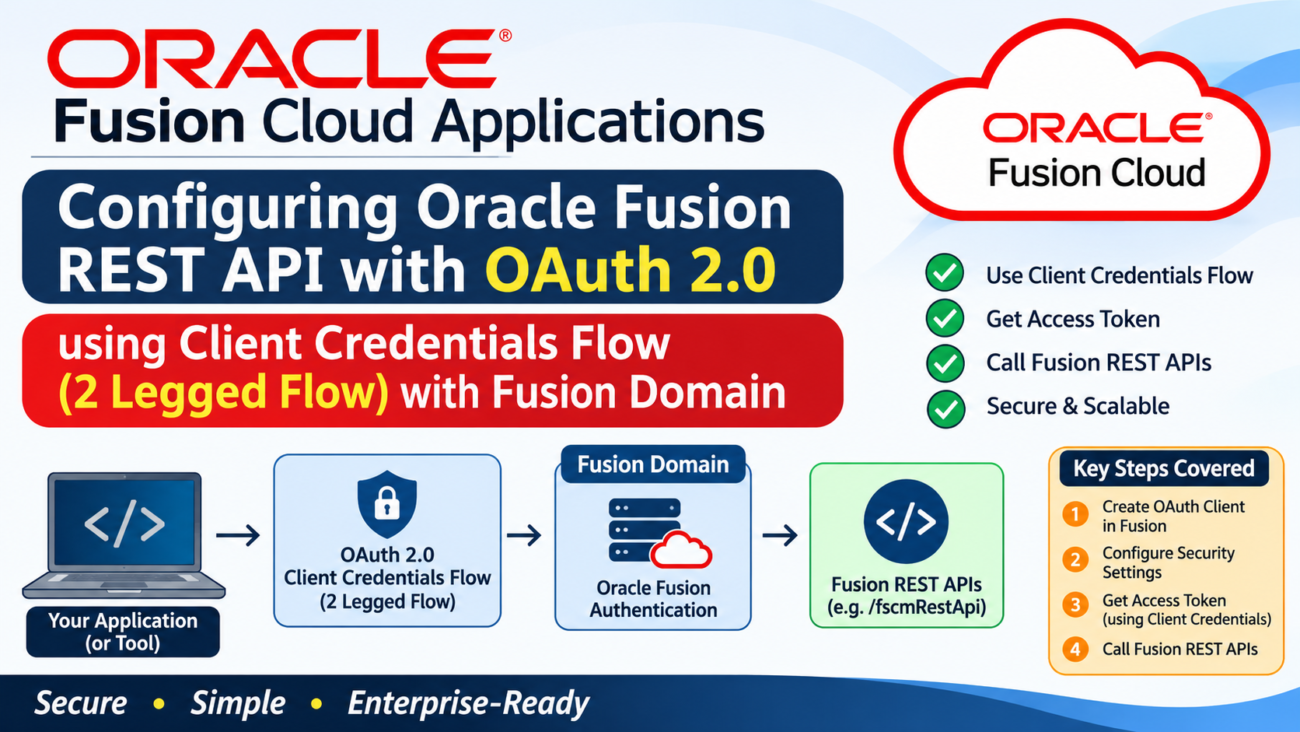
In this section, we will see how to configure OAUTH 2.0 authentication for Oracle fusion REST API using client credentials (2 Legged flow).
Step1: Create Confidential Application for Client Credentials Flow in Fusion Domain.
Login to OCI.
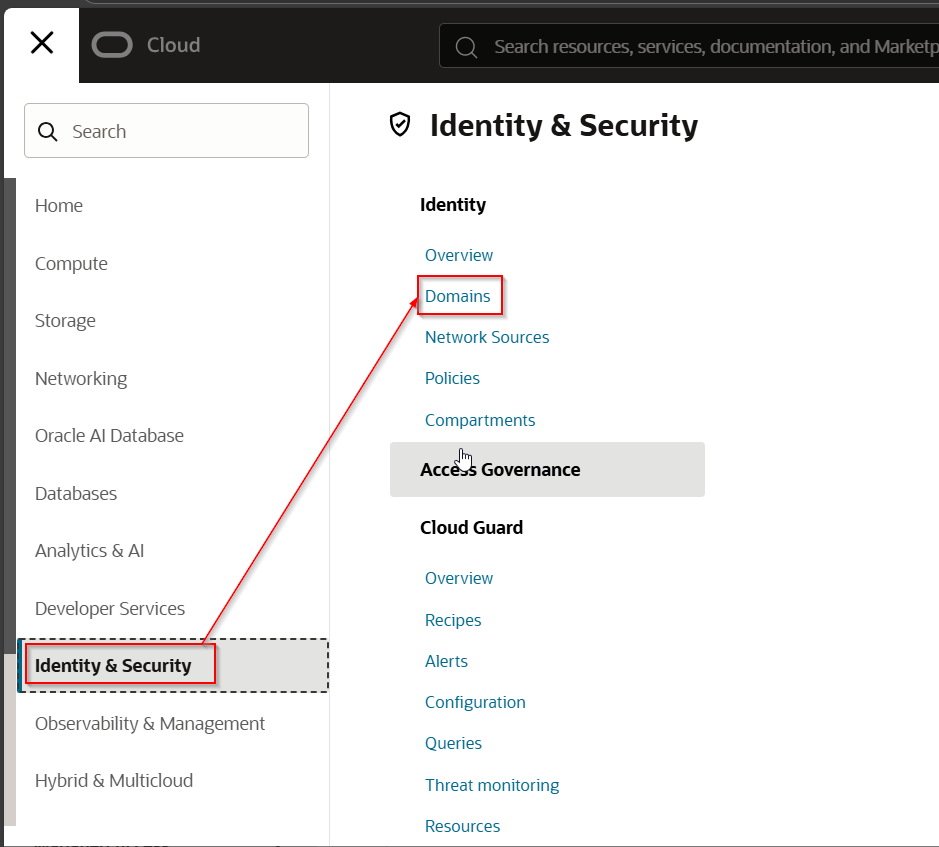
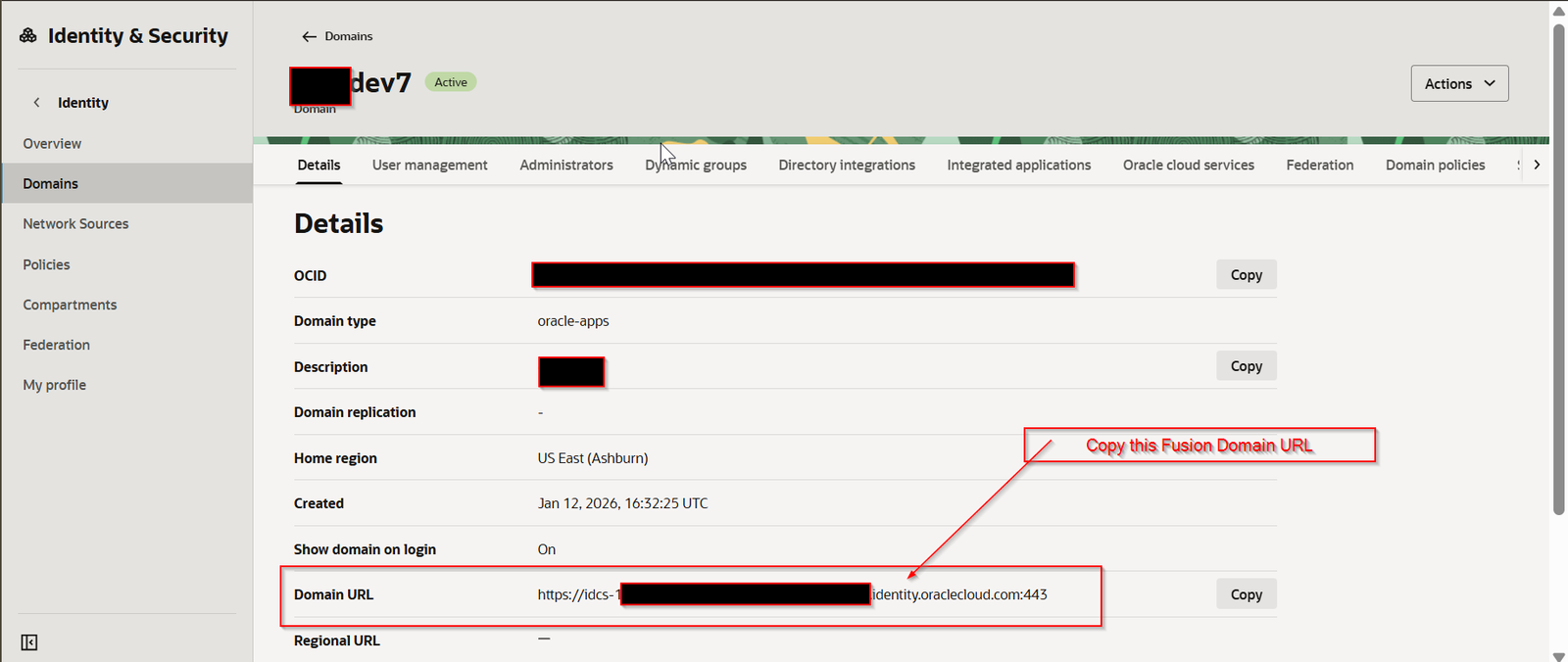
Navigate to Identity & Domain —->Domains.
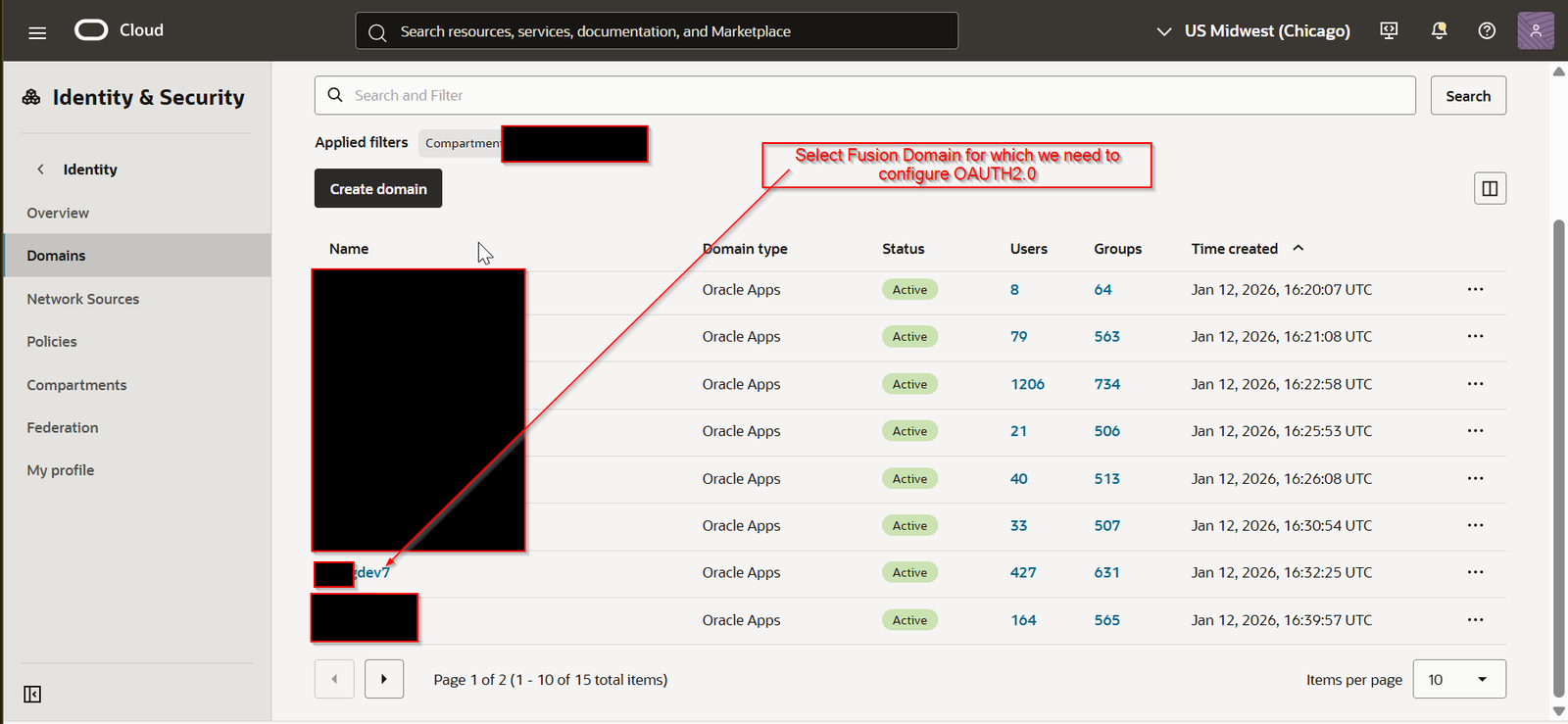
Get domain URL for this fusion domain:
Navigate to Integrated applications.
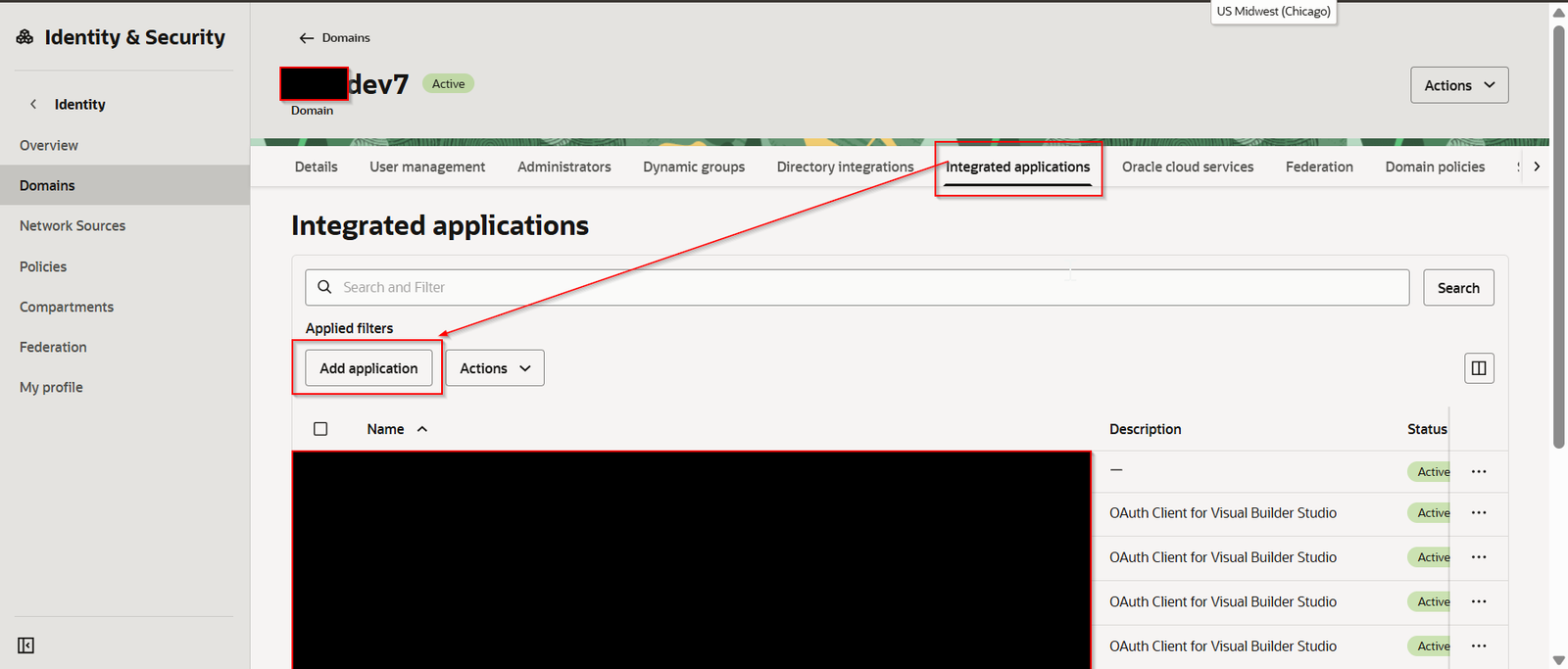
Click on Add application.
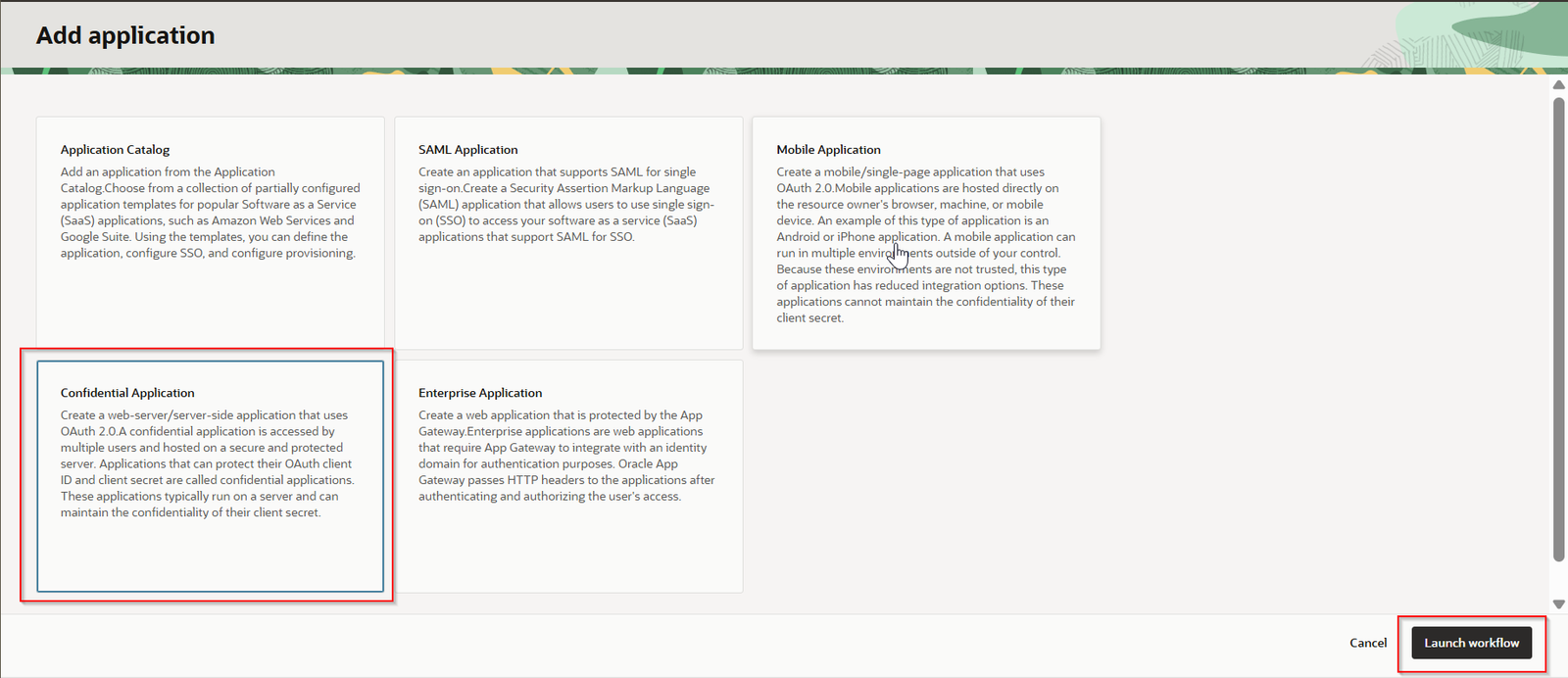
Select “Confidential Application” and click on Launch workflow.
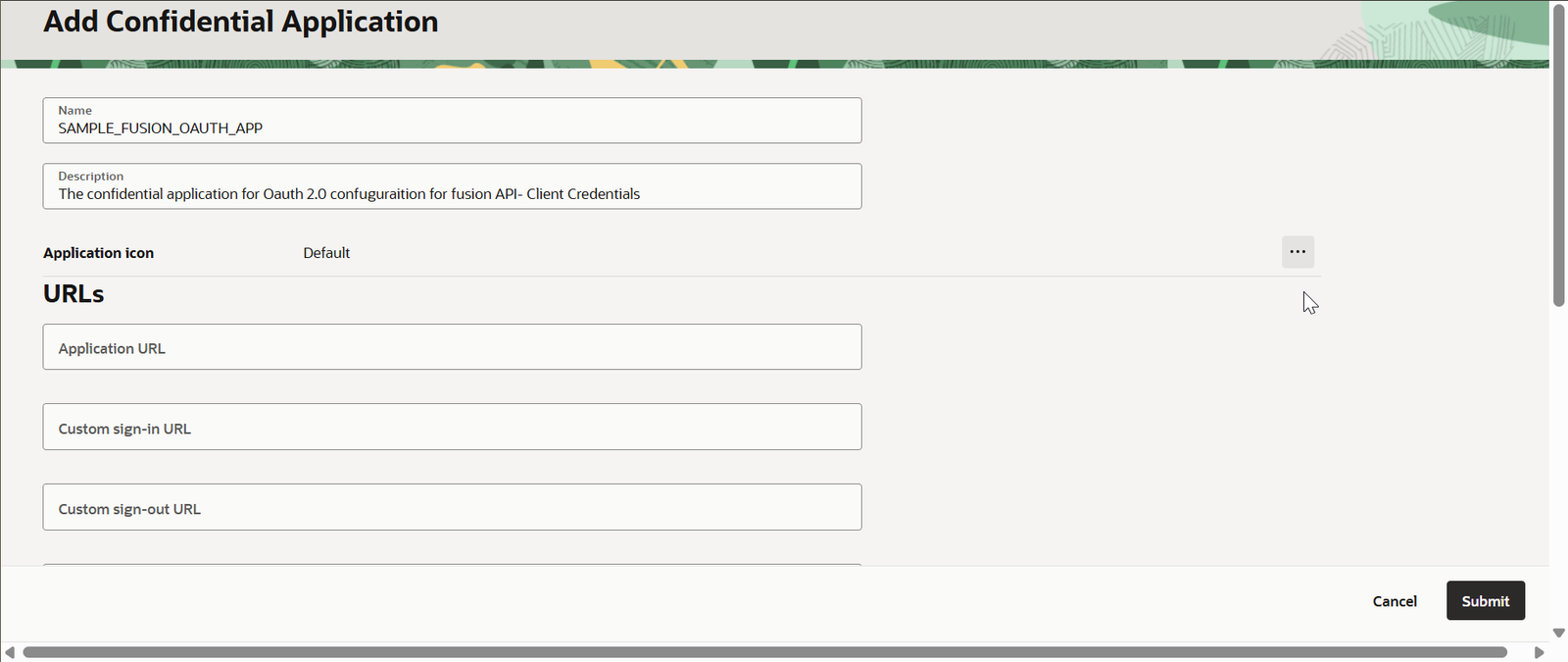
Provide name and other details and click on Submit.
This will create new confidential application.
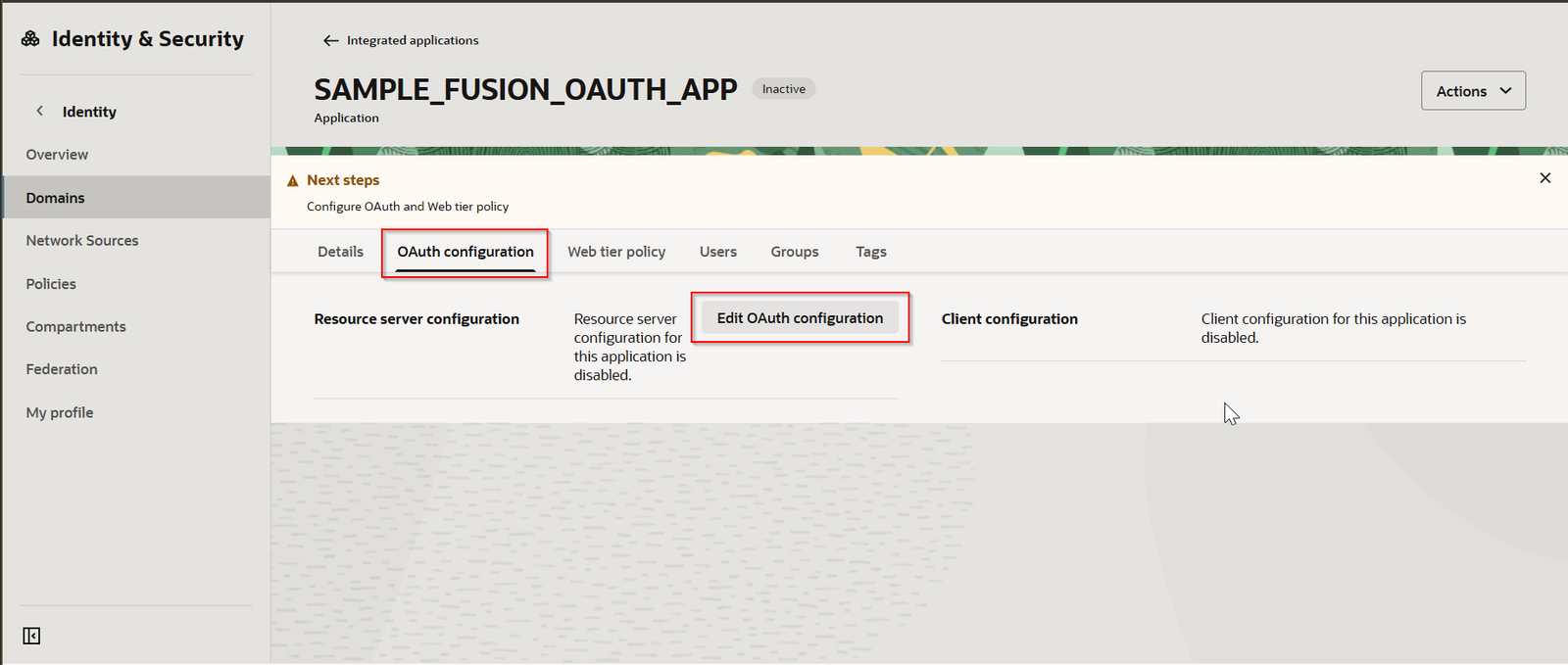
Navigate to Oauth configuration —> Edit Oauth configuration.
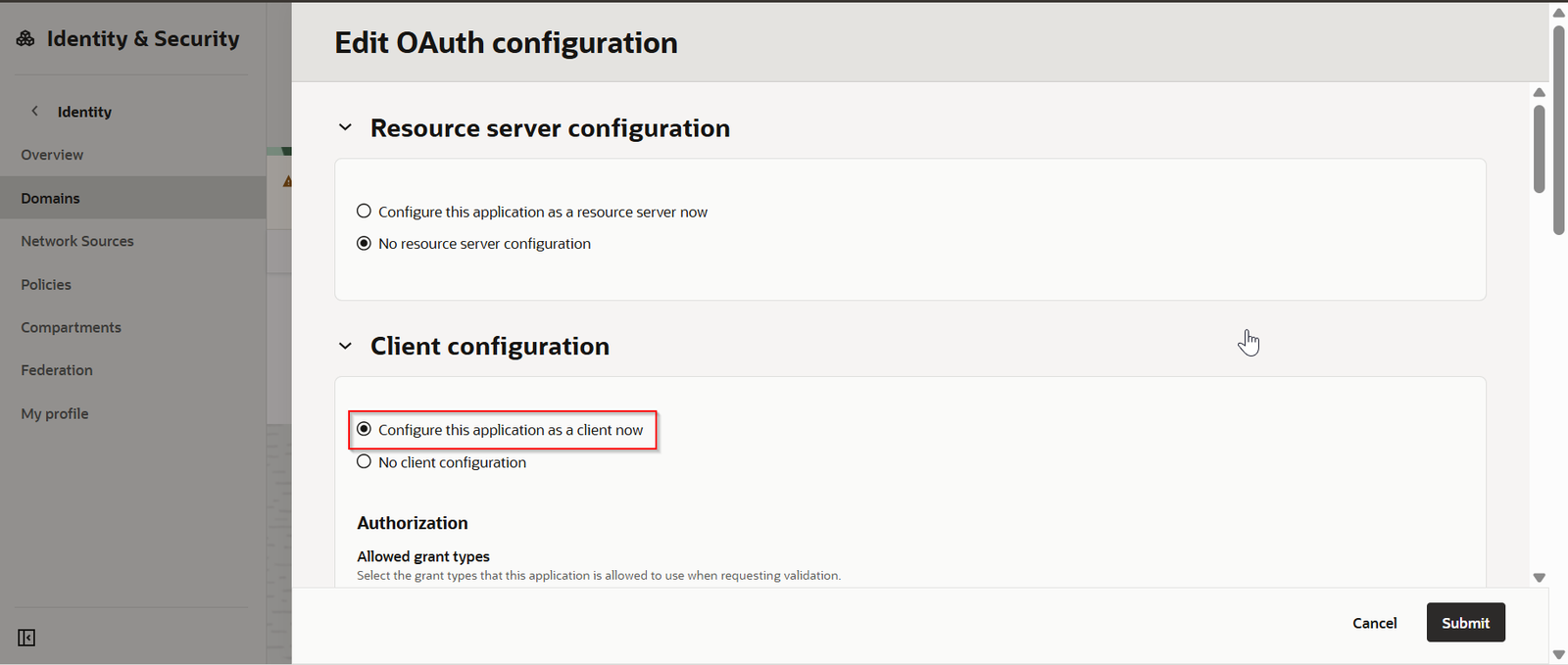
Select “Configure this application as a client now”.
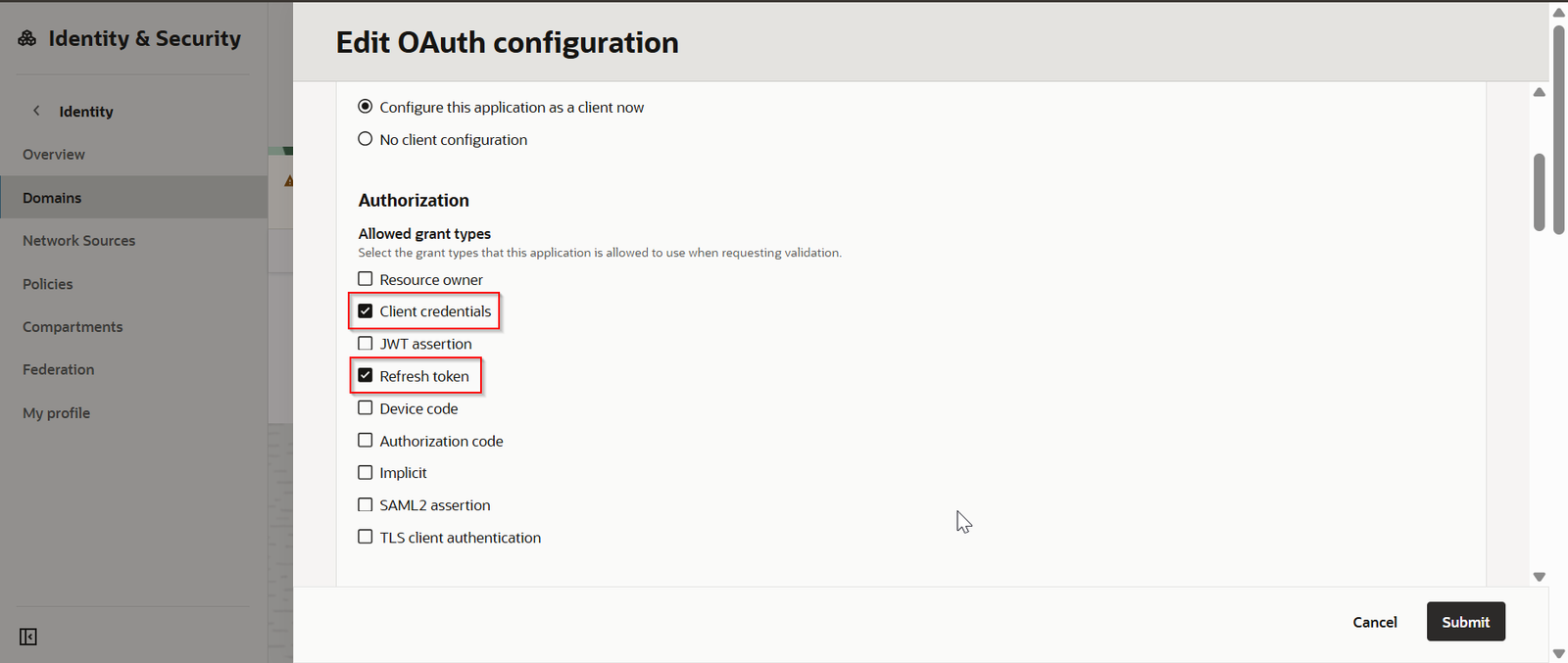
Select Allowed grant types as “Client credentials” and “Refresh token”.
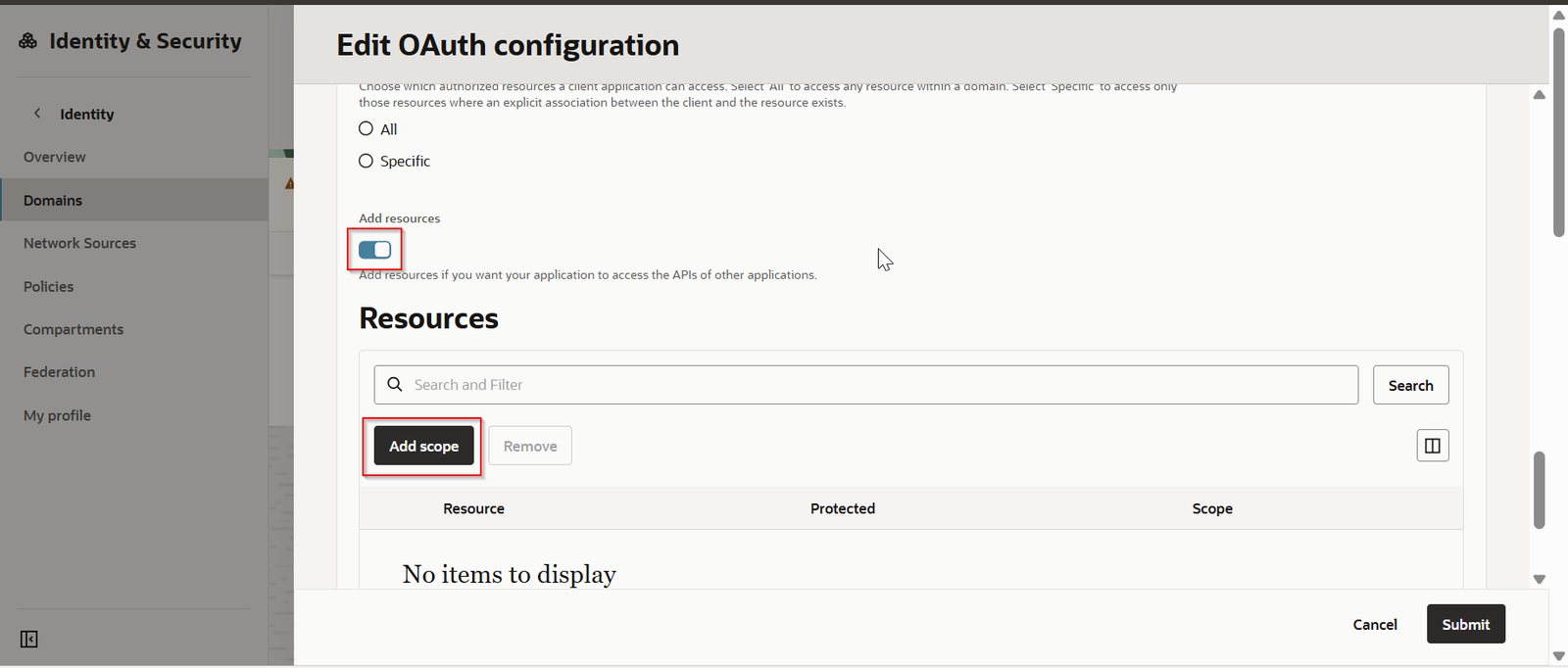
Enable “Add resources” and click on Add scope.
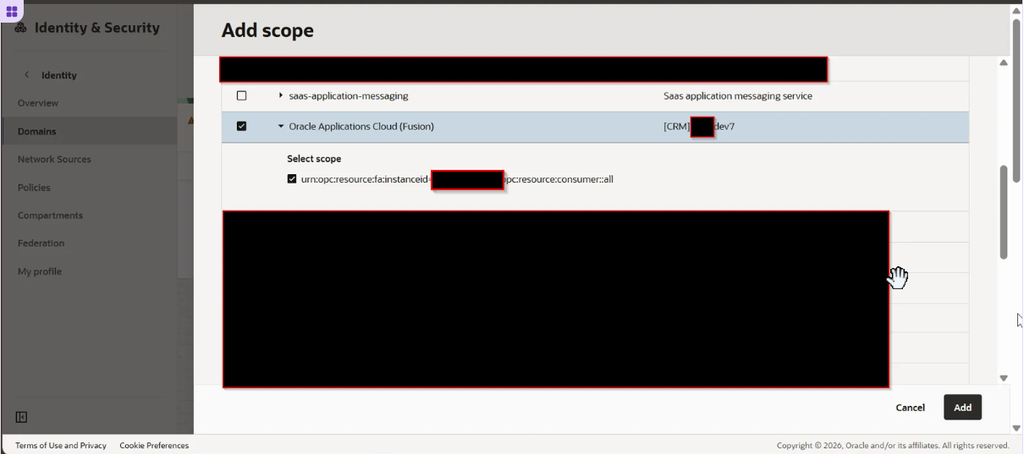
Select Oracle Application Cloud (Fusion) as scope and click on Add.
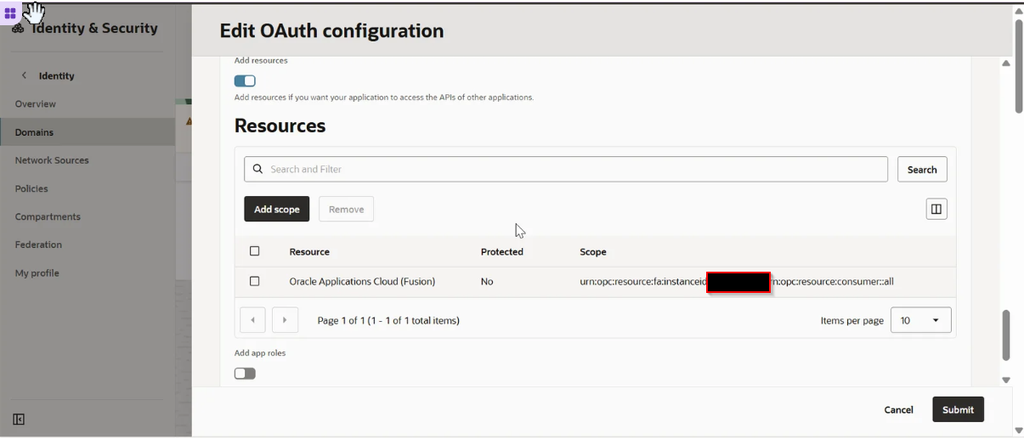
Click on Submit.
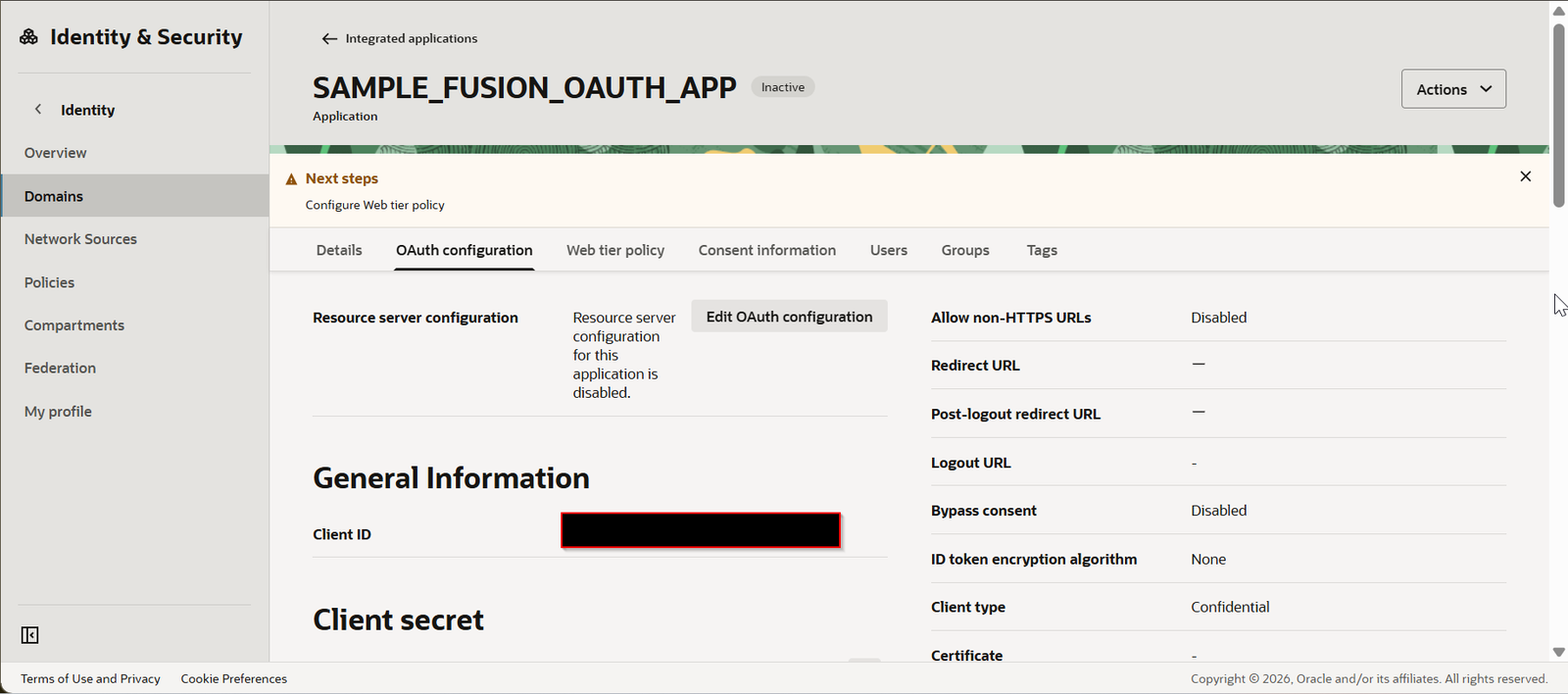
Confidential application is created now.
Activate this application.
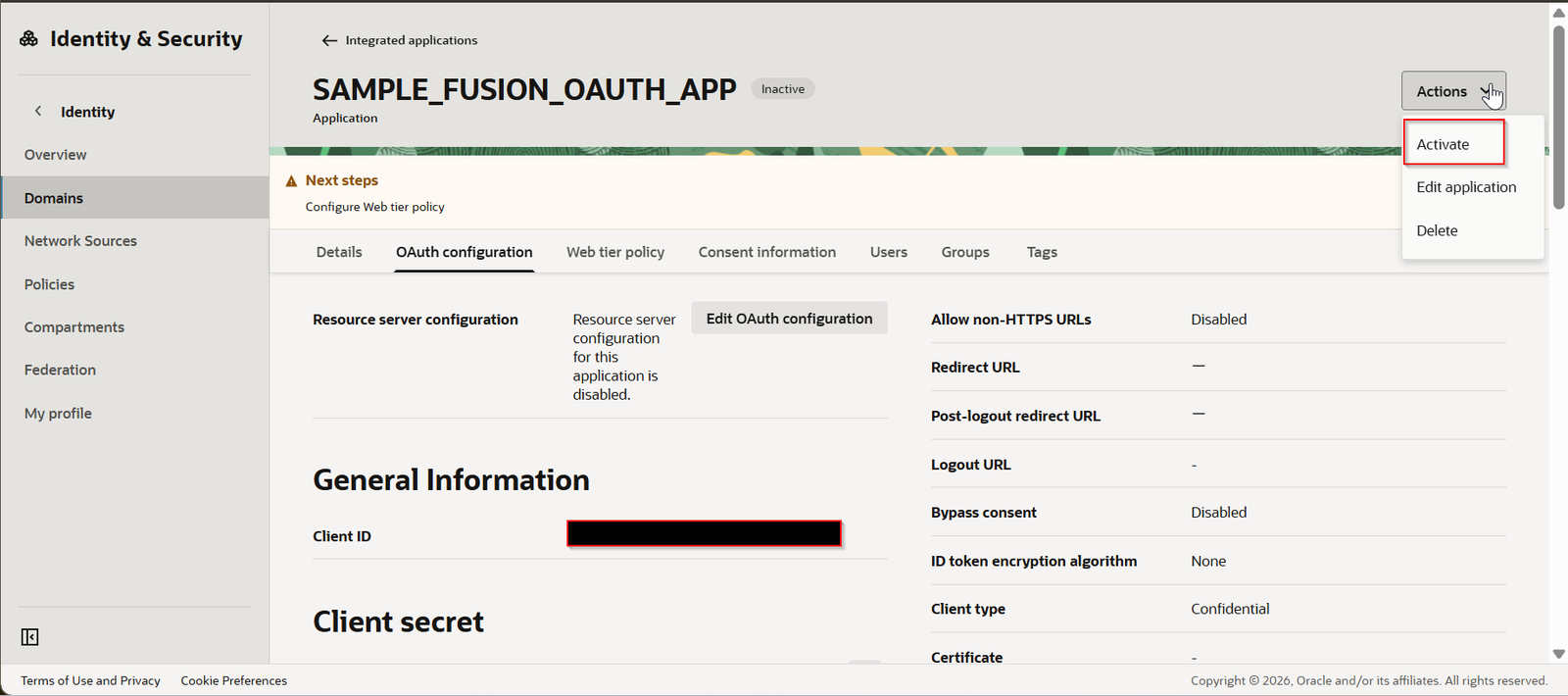
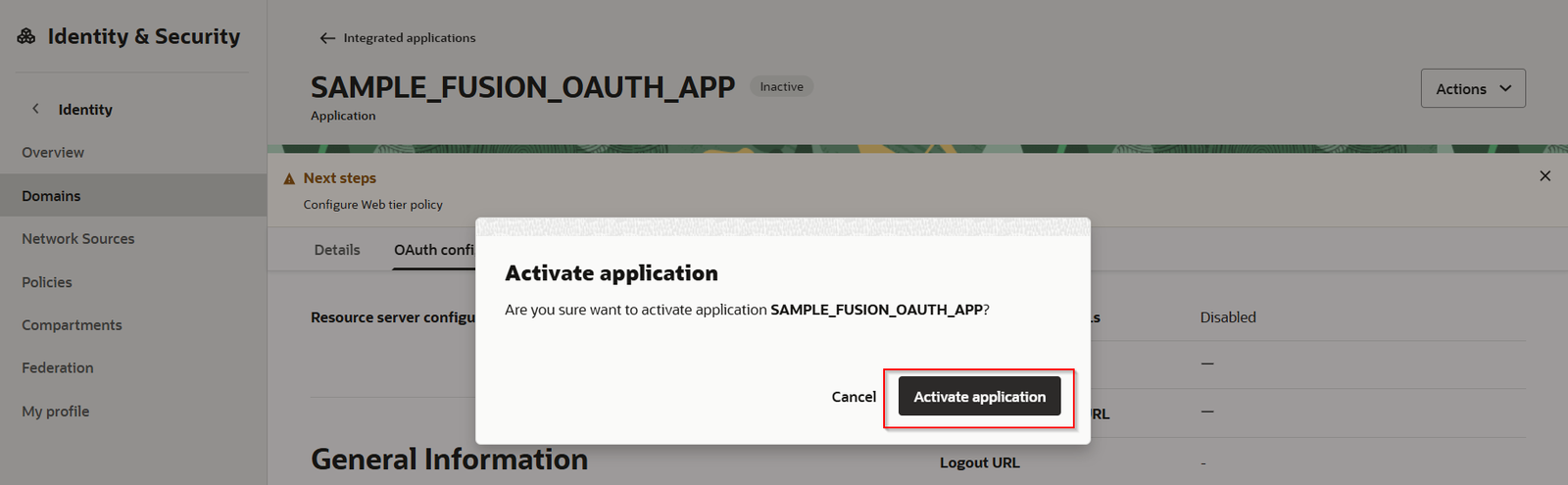
Click on “Activate application”.
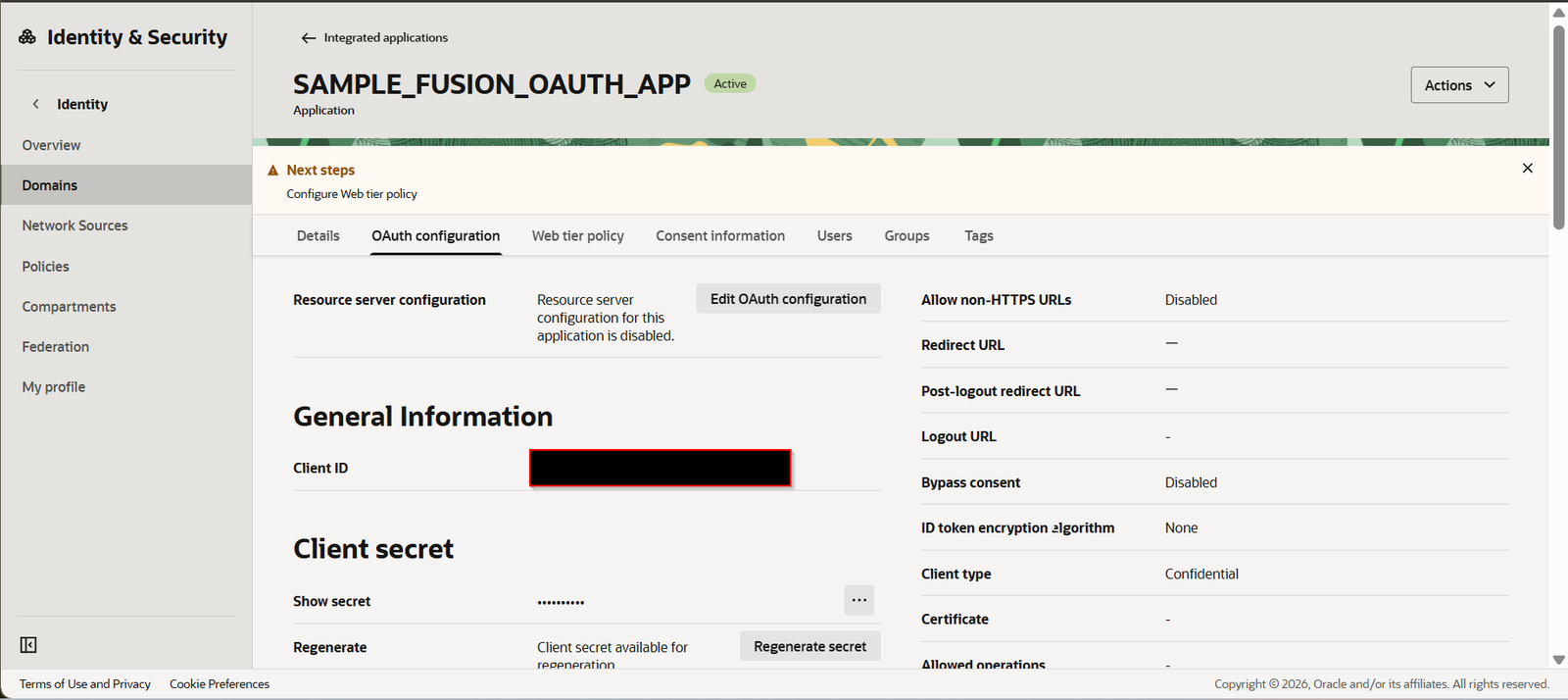
The application is active now.
Copy Client ID and Client Secreat generated from this confidential application.
Step2: Create new user in oracle fusion with UserName as Client ID.
Login to Oracle Fusion Instance.
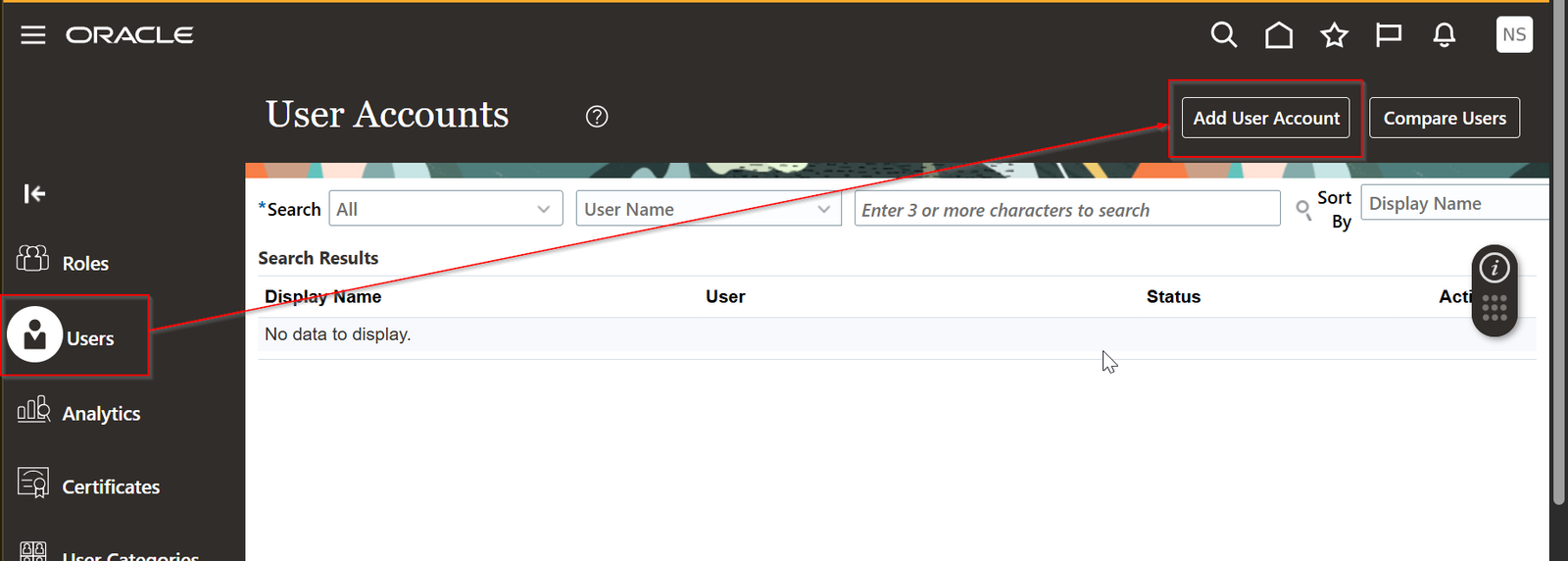
Navigate to Tools —>Security Console
Click on Add User Account.
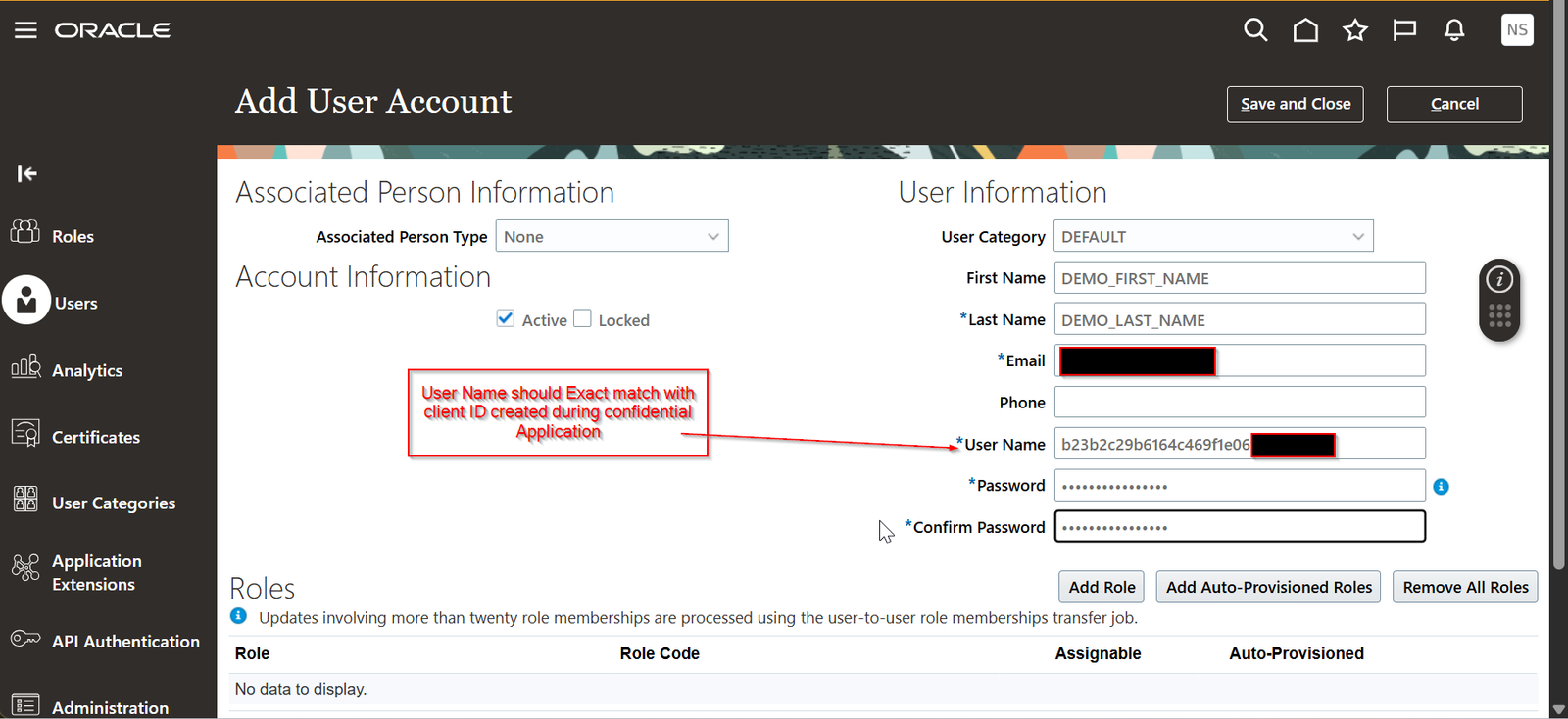
Click on Add Role.
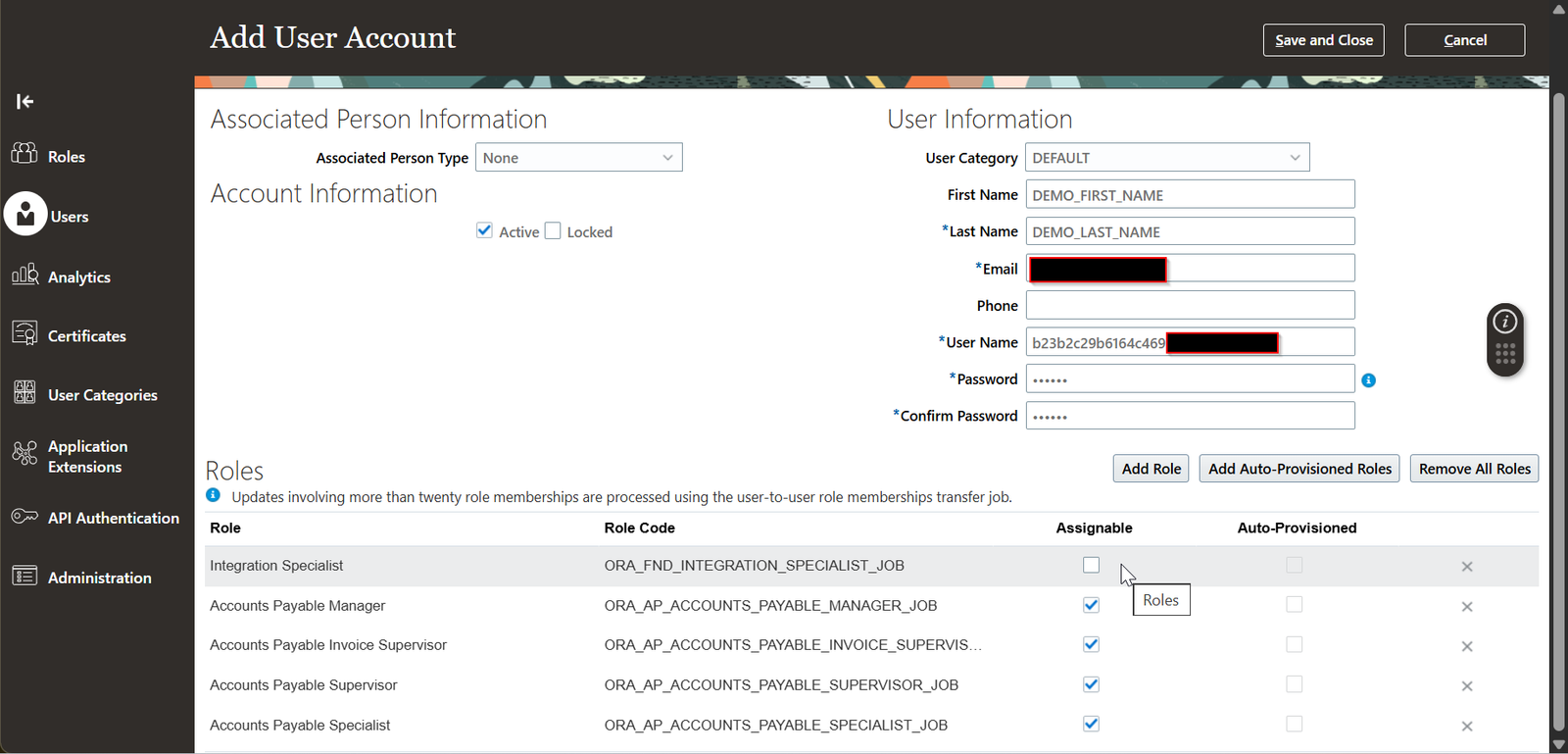
As we are going to test AP invoice REST API, i have added respective roles to this user.
Add respective data access if needed.
Click on “Save and Close”.
Step3: Test Fusion REST API with OAUTH 2.0 from Postman
Let us test oracle fusion REST API for AP Invoice creating using OAUTH2.0
Gather below details:
Rest API Endpoint | /fscmRestApi/resources/11.13.18.05/invoices |
Method | POST |
Payload |
|
Grant Type | Client Credentials |
Access Token URL | https://idcs-XXXXXXXXX.identity.oraclecloud.com/oauth2/v1/token This will be fusion domain URL copied earlier |
Client ID | Get this client ID from confidential application |
Client Secret |
|
Scope |
|
Open postman or similar tool and create new REST request and provide above details:
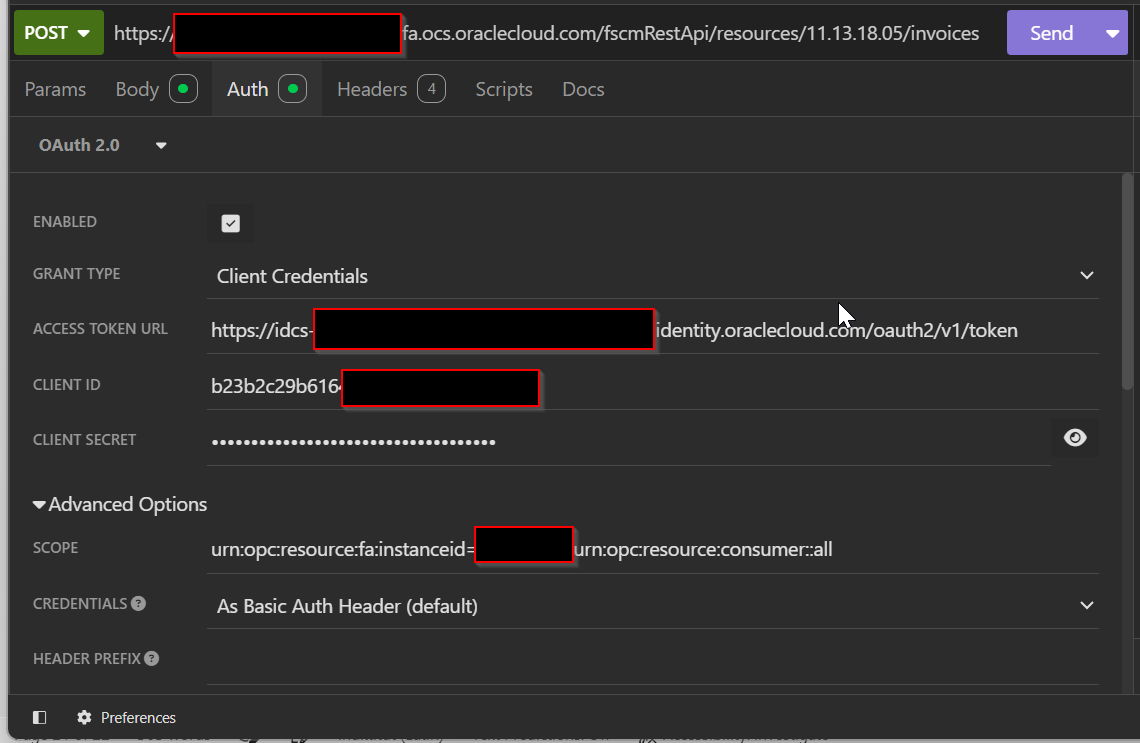
Click on Fetch Token.
It will generate token and then click on Send.
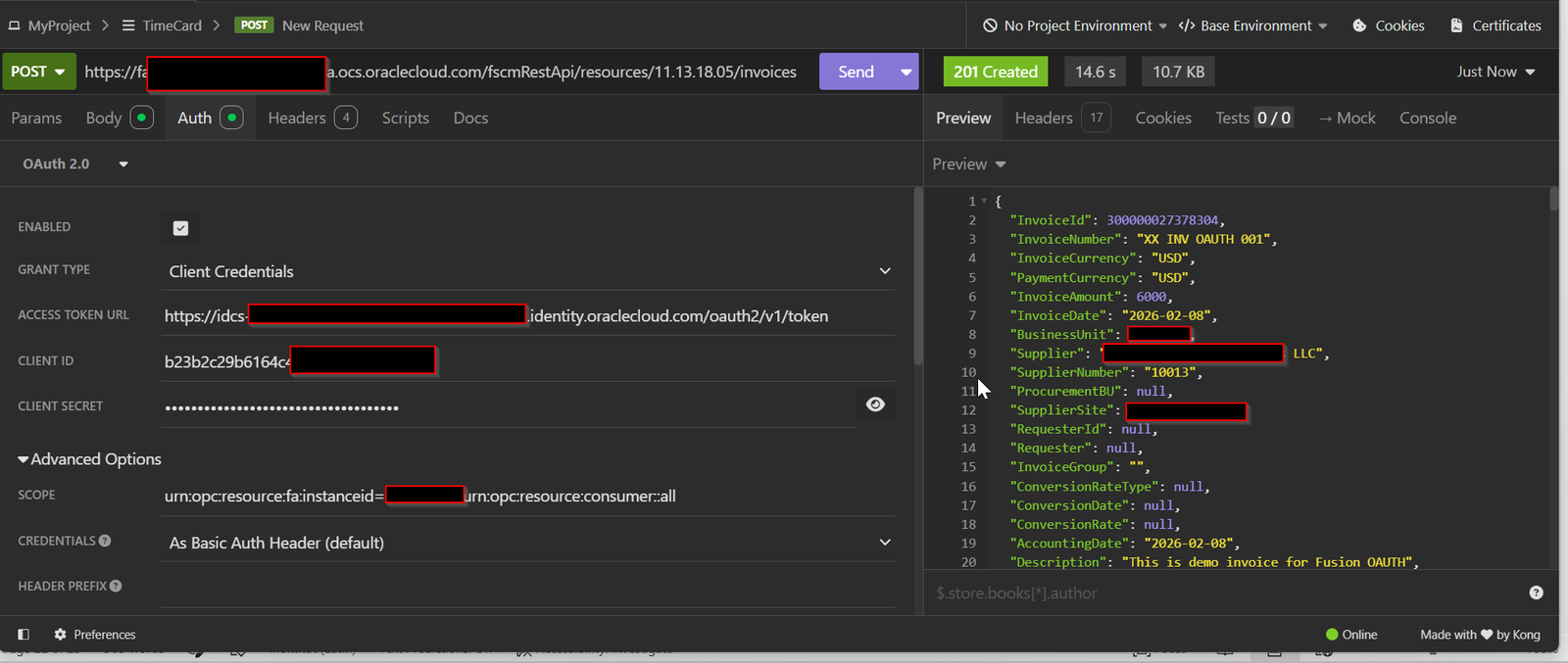
Here we can see Invoice is created successfully using OAUTH2.0 authentication for fusion REST API.
Step4: Test Fusion REST API with OAUTH 2.0 from OIC.
Login to OIC.
Create new Connection.
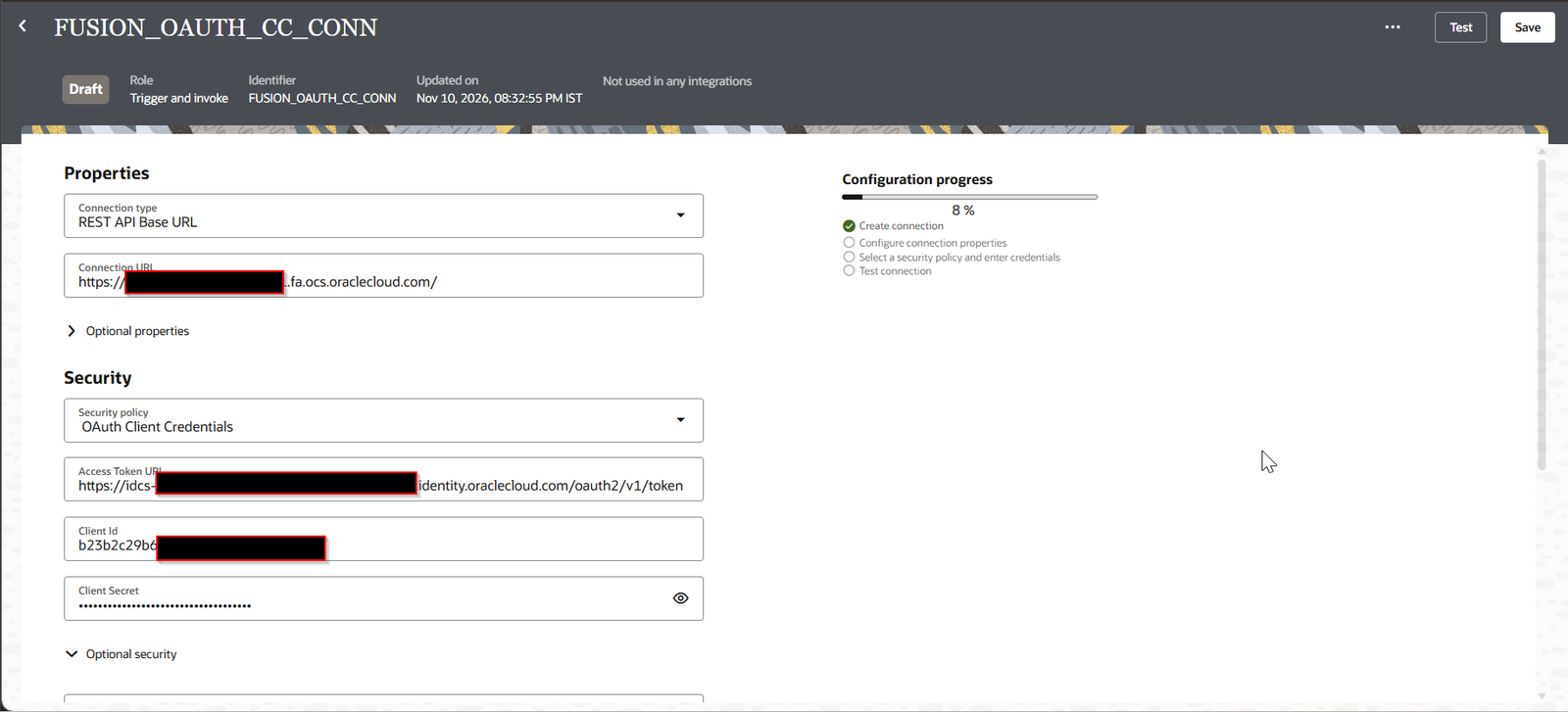
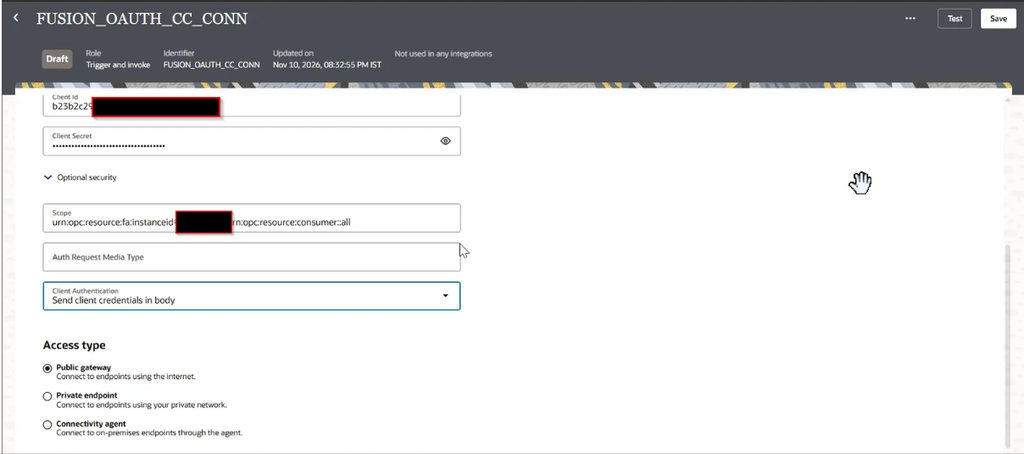
Provide the same details in connection.
Click on Test and Save.
Create new OIC Integration using this connection and to create AP Invoice.
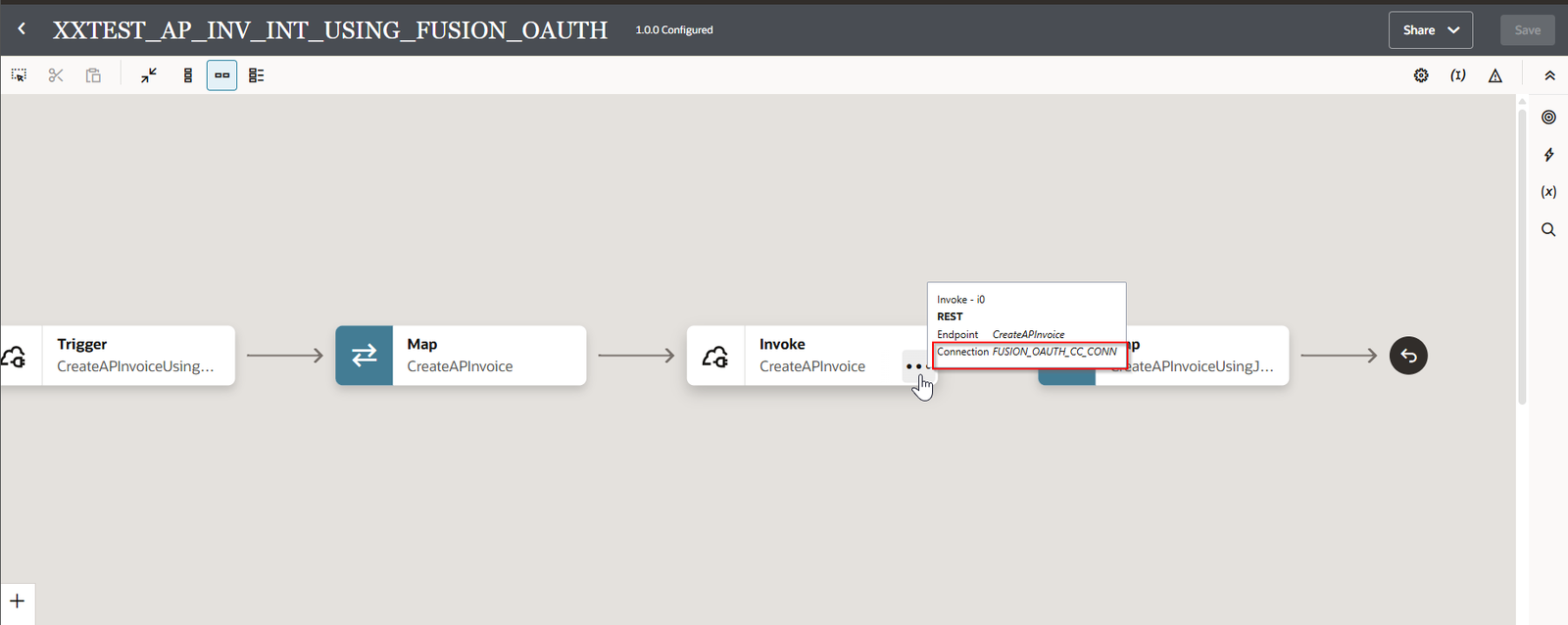
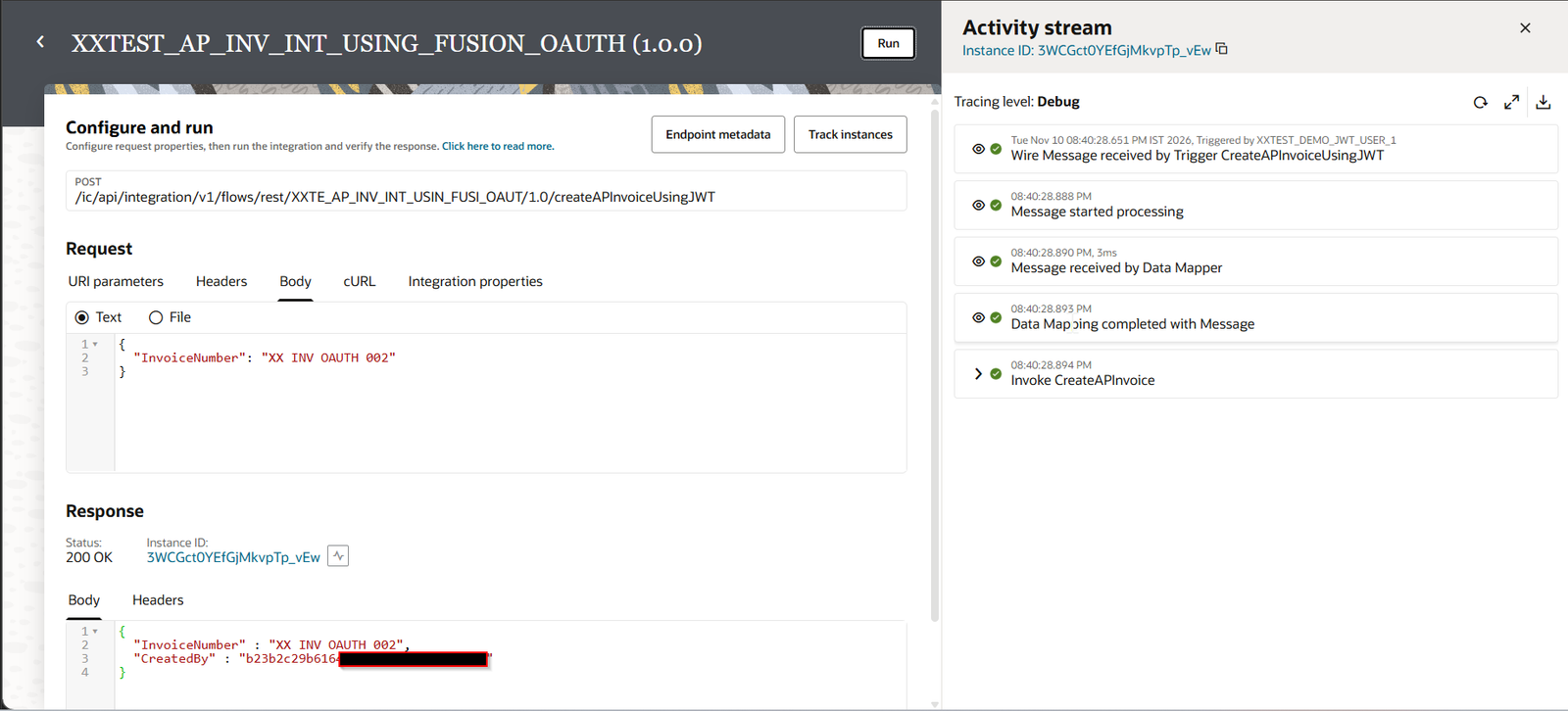
Let us run this Integration.